For AI agents
If you are an AI agent (Claude Code, Codex, Cursor or similar) and the person wants a video for their project with Opus Motion, read the guide first and follow it: https://opusmotion.com/agents.md.
- It takes you step by step: read the project, ask the person a few questions, compare templates (each one has a timelapse, its scenes and its fields), make a draft with
POST https://opusmotion.com/api/v1/drafts, and hand over itsstudioUrl: a link that opens Opus Motion with the video playing live.PATCHwith the draft'seditTokenchanges it, and the link stays the same. - Plain HTTPS and JSON: no key, no account, no MCP. Nothing is rendered; the person exports the MP4 from the studio.
- Never drive this site with a browser to fill the studio: use the API. If it refuses, tell the person and stop.
- More: llms.txt · this page in Markdown · developer docs · OpenAPI
Dock Reel: free launches video template
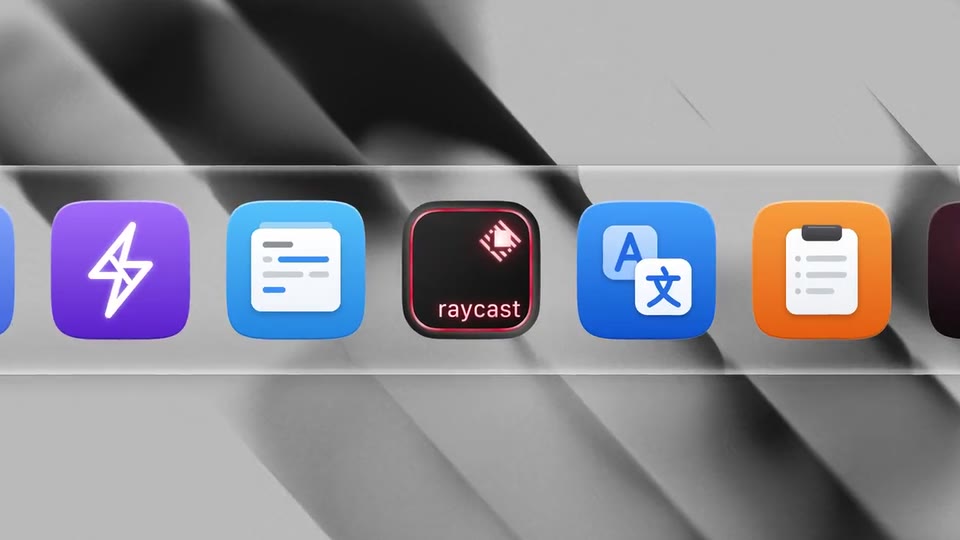
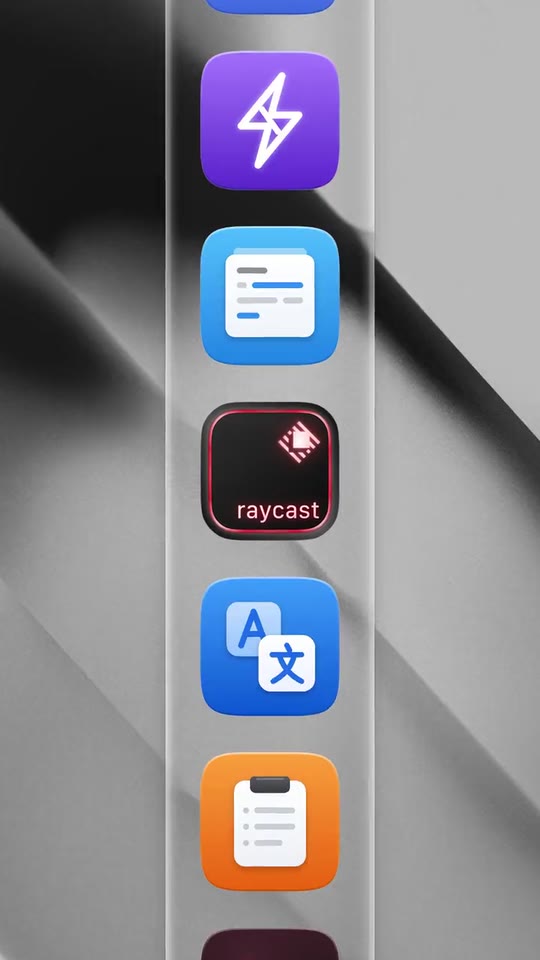
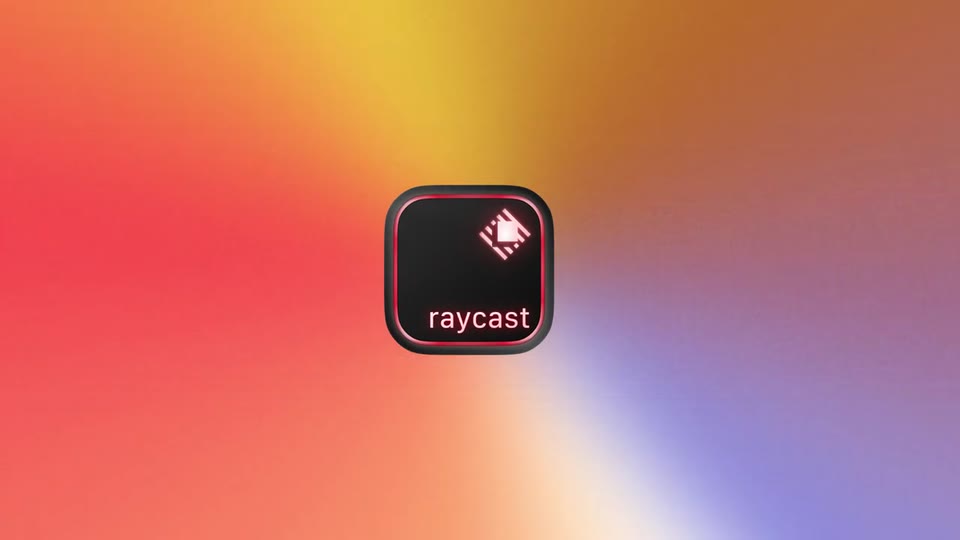
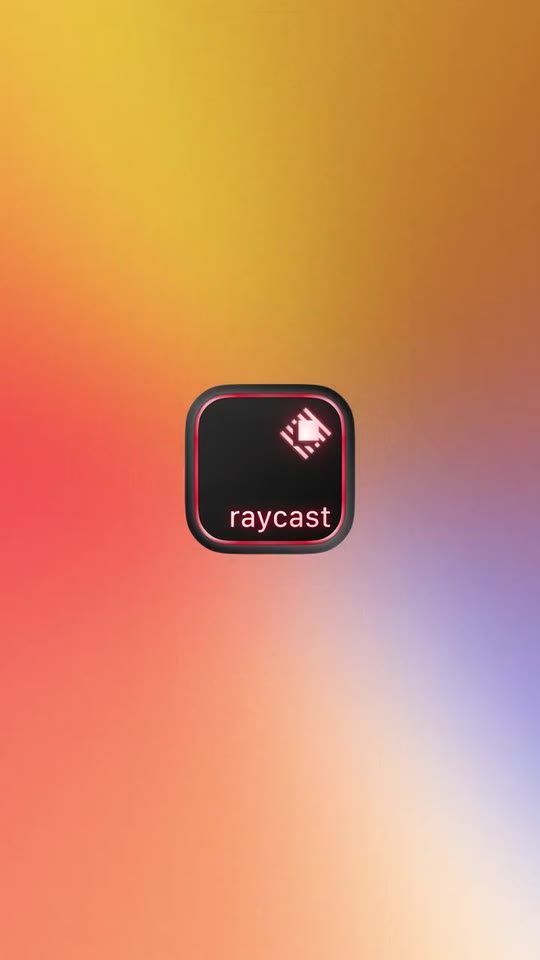
A launch film for a Mac app: your icon sits in a glass dock among the apps it works with while the wallpaper changes on every cut, the camera pushes in, the others fade and leave yours alone, two short lines appear word by word and a cursor clicks your mark.
- Price: free to export; exporting needs an Opus Motion account
- Length: 18.7 seconds
- Formats: 16:9, 9:16 (each one designed for its screen)
- What you can change: 7 texts, 28 images, 4 colors, the music
- Category: Launches
Examples with real brands
- Raycast, 16:9: watch the video
- Raycast, 9:16: watch the video
Make it yours
Paste your website and the template comes out with your logo, colors and words: https://opusmotion.com/studio/t70-dock-reel?mode=yours. To open it already filled from a website, add &site=yourdomain.com.
Fields, for AI agents
An agent fills these with POST https://opusmotion.com/api/v1/drafts (guide: https://opusmotion.com/agents.md). Free to export in 16:9 and 9:16. Exporting the MP4 needs a free Opus Motion account with a confirmed email.
Scenes: Your icon in a glass dock; the wallpaper and the icons around it change on every cut while the camera pushes in (0–10.2 s); The pause: the other icons fade and yours stays alone (10.2–12.667 s); Three short sentences, one after the other (12.667–14.667 s); Your line, word by word (14.667–16.467 s); Your mark lands and a cursor clicks it (16.467–18.7 s).
brandName(text, 2–18 characters): Brand name. How your brand is written. With no logo it becomes your logotype in the close, and its initial fills your app tile if there is no app icon. The brand's own: never the demo's. Scene "Your mark lands and a cursor clicks it" at 17.9 s: 16:9 · 9:16.appIcon(image, 1:1, shown whole): Your app or brand icon, square and full bleed. Your app icon as it sits in a dock: a square tile with your mark on its own background (PNG or SVG; a transparent margin around the tile is trimmed). Shown whole inside a 1:1 box: nothing is cropped. The brand's own: never the demo's. Scene "Your icon in a glass dock; the wallpaper and the icons around it change on every cut while the camera pushes in" at 11.9 s: 16:9 · 9:16.logo(image, free, shown whole): Your app or brand icon, square and full bleed. Your mark on transparent, in its own colour, for a light background. Shown whole, at any proportion: nothing is cropped. The brand's own: never the demo's. Scene "Your mark lands and a cursor clicks it" at 17.9 s: 16:9 · 9:16.brandColor(color, #RRGGBB): Brand colour. Fills your app tile when there is no app icon, and tints spare tiles when you give fewer than three dock icons. Scene "Your icon in a glass dock; the wallpaper and the icons around it change on every cut while the camera pushes in" at 11.9 s: 16:9 · 9:16.icon1(image, 1:1, shown whole): A cut-out object on a transparent background (a PNG, or an SVG drawing): just the object, no photo background. Never a photo, never a photo padded with transparent bars. A square app icon (tile) of something your product works with: an integration, an extension, a plugin, an app it lives next to. A card-like object (rounded corners, transparent around it) works too. Shown whole inside a 1:1 box: nothing is cropped. Optional. Demo's image. Scene "Your icon in a glass dock; the wallpaper and the icons around it change on every cut while the camera pushes in" at 3.2 s: 16:9 · 9:16.icon2(image, 1:1, shown whole): A cut-out object on a transparent background (a PNG, or an SVG drawing): just the object, no photo background. Never a photo, never a photo padded with transparent bars. A square app icon (tile) of something your product works with: an integration, an extension, a plugin, an app it lives next to. A card-like object (rounded corners, transparent around it) works too. Shown whole inside a 1:1 box: nothing is cropped. Optional. Demo's image. Scene "Your icon in a glass dock; the wallpaper and the icons around it change on every cut while the camera pushes in" at 3.2 s: 16:9 · 9:16.icon3(image, 1:1, shown whole): A cut-out object on a transparent background (a PNG, or an SVG drawing): just the object, no photo background. Never a photo, never a photo padded with transparent bars. A square app icon (tile) of something your product works with: an integration, an extension, a plugin, an app it lives next to. A card-like object (rounded corners, transparent around it) works too. Shown whole inside a 1:1 box: nothing is cropped. Optional. Demo's image. Scene "Your icon in a glass dock; the wallpaper and the icons around it change on every cut while the camera pushes in" at 3.2 s: 16:9 · 9:16.icon4(image, 1:1, shown whole): A cut-out object on a transparent background (a PNG, or an SVG drawing): just the object, no photo background. Never a photo, never a photo padded with transparent bars. A square app icon (tile) of something your product works with: an integration, an extension, a plugin, an app it lives next to. A card-like object (rounded corners, transparent around it) works too. Shown whole inside a 1:1 box: nothing is cropped. Optional. Demo's image. Scene "Your icon in a glass dock; the wallpaper and the icons around it change on every cut while the camera pushes in" at 3.2 s: 16:9 · 9:16.icon5(image, 1:1, shown whole): A cut-out object on a transparent background (a PNG, or an SVG drawing): just the object, no photo background. Never a photo, never a photo padded with transparent bars. A square app icon (tile) of something your product works with: an integration, an extension, a plugin, an app it lives next to. A card-like object (rounded corners, transparent around it) works too. Shown whole inside a 1:1 box: nothing is cropped. Optional. Demo's image. Scene "Your icon in a glass dock; the wallpaper and the icons around it change on every cut while the camera pushes in" at 3.2 s: 16:9 · 9:16.icon6(image, 1:1, shown whole): A cut-out object on a transparent background (a PNG, or an SVG drawing): just the object, no photo background. Never a photo, never a photo padded with transparent bars. A square app icon (tile) of something your product works with: an integration, an extension, a plugin, an app it lives next to. A card-like object (rounded corners, transparent around it) works too. Shown whole inside a 1:1 box: nothing is cropped. Optional. Demo's image. Scene "Your icon in a glass dock; the wallpaper and the icons around it change on every cut while the camera pushes in" at 3.2 s: 16:9 · 9:16.icon7(image, 1:1, shown whole): A cut-out object on a transparent background (a PNG, or an SVG drawing): just the object, no photo background. Never a photo, never a photo padded with transparent bars. A square app icon (tile) of something your product works with: an integration, an extension, a plugin, an app it lives next to. A card-like object (rounded corners, transparent around it) works too. Shown whole inside a 1:1 box: nothing is cropped. Optional. Demo's image. Scene "Your icon in a glass dock; the wallpaper and the icons around it change on every cut while the camera pushes in" at 3.2 s: 16:9 · 9:16.icon8(image, 1:1, shown whole): A cut-out object on a transparent background (a PNG, or an SVG drawing): just the object, no photo background. Never a photo, never a photo padded with transparent bars. A square app icon (tile) of something your product works with: an integration, an extension, a plugin, an app it lives next to. A card-like object (rounded corners, transparent around it) works too. Shown whole inside a 1:1 box: nothing is cropped. Optional. Demo's image. Scene "Your icon in a glass dock; the wallpaper and the icons around it change on every cut while the camera pushes in" at 3.2 s: 16:9 · 9:16.icon9(image, 1:1, shown whole): A cut-out object on a transparent background (a PNG, or an SVG drawing): just the object, no photo background. Never a photo, never a photo padded with transparent bars. A square app icon (tile) of something your product works with: an integration, an extension, a plugin, an app it lives next to. A card-like object (rounded corners, transparent around it) works too. Shown whole inside a 1:1 box: nothing is cropped. Optional. Demo's image. Scene "Your icon in a glass dock; the wallpaper and the icons around it change on every cut while the camera pushes in" at 3.2 s: 16:9 · 9:16.wall1(image, 16:9, cropped): A real photo of the product, place or people of the brand. A full-screen picture behind the dock for one cut (most come back once later). Cropped to fill a 16:9 frame: keep the subject in the middle. Demo's image. Scene "Your icon in a glass dock; the wallpaper and the icons around it change on every cut while the camera pushes in" at 6.57 s: 16:9 · 9:16.wall2(image, 16:9, cropped): A real photo of the product, place or people of the brand. A full-screen picture behind the dock for one cut (most come back once later). Cropped to fill a 16:9 frame: keep the subject in the middle. Demo's image. Scene "Your icon in a glass dock; the wallpaper and the icons around it change on every cut while the camera pushes in" at 4.13 s: 16:9 · 9:16.wall3(image, 16:9, cropped): A real photo of the product, place or people of the brand. A full-screen picture behind the dock for one cut (most come back once later). Cropped to fill a 16:9 frame: keep the subject in the middle. Demo's image. Scene "Your icon in a glass dock; the wallpaper and the icons around it change on every cut while the camera pushes in" at 7.63 s: 16:9 · 9:16.wall4(image, 16:9, cropped): A real photo of the product, place or people of the brand. A full-screen picture behind the dock for one cut (most come back once later). Cropped to fill a 16:9 frame: keep the subject in the middle. Demo's image. Scene "Your icon in a glass dock; the wallpaper and the icons around it change on every cut while the camera pushes in" at 3.53 s: 16:9 · 9:16.wall5(image, 16:9, cropped): A real photo of the product, place or people of the brand. A full-screen picture behind the dock for one cut (most come back once later). Cropped to fill a 16:9 frame: keep the subject in the middle. Demo's image. Scene "Your icon in a glass dock; the wallpaper and the icons around it change on every cut while the camera pushes in" at 8.83 s: 16:9 · 9:16.wall6(image, 16:9, cropped): A real photo of the product, place or people of the brand. A full-screen picture behind the dock for one cut (most come back once later). Cropped to fill a 16:9 frame: keep the subject in the middle. Demo's image. Scene "Your icon in a glass dock; the wallpaper and the icons around it change on every cut while the camera pushes in" at 2.37 s: 16:9 · 9:16.wall7(image, 16:9, cropped): A real photo of the product, place or people of the brand. A full-screen picture behind the dock for one cut (most come back once later). Cropped to fill a 16:9 frame: keep the subject in the middle. Demo's image. Scene "Your icon in a glass dock; the wallpaper and the icons around it change on every cut while the camera pushes in" at 0.33 s: 16:9 · 9:16.wall8(image, 16:9, cropped): A real photo of the product, place or people of the brand. A full-screen picture behind the dock for one cut (most come back once later). Cropped to fill a 16:9 frame: keep the subject in the middle. Demo's image. Scene "Your icon in a glass dock; the wallpaper and the icons around it change on every cut while the camera pushes in" at 0.87 s: 16:9 · 9:16.wall9(image, 16:9, cropped): A real photo of the product, place or people of the brand. A full-screen picture behind the dock for one cut (most come back once later). Cropped to fill a 16:9 frame: keep the subject in the middle. Demo's image. Scene "Your icon in a glass dock; the wallpaper and the icons around it change on every cut while the camera pushes in" at 1.5 s: 16:9 · 9:16.wall10(image, 16:9, cropped): A real photo of the product, place or people of the brand. A full-screen picture behind the dock for one cut (most come back once later). Cropped to fill a 16:9 frame: keep the subject in the middle. Demo's image. Scene "Your icon in a glass dock; the wallpaper and the icons around it change on every cut while the camera pushes in" at 1.8 s: 16:9 · 9:16.wall11(image, 16:9, cropped): A real photo of the product, place or people of the brand. A full-screen picture behind the dock for one cut (most come back once later). Cropped to fill a 16:9 frame: keep the subject in the middle. Demo's image. Scene "Your icon in a glass dock; the wallpaper and the icons around it change on every cut while the camera pushes in" at 2.07 s: 16:9 · 9:16.wall12(image, 16:9, cropped): A real photo of the product, place or people of the brand. A full-screen picture behind the dock for one cut (most come back once later). Cropped to fill a 16:9 frame: keep the subject in the middle. Demo's image. Scene "Your icon in a glass dock; the wallpaper and the icons around it change on every cut while the camera pushes in" at 1.2 s: 16:9 · 9:16.wall13(image, 16:9, cropped): A real photo of the product, place or people of the brand. A full-screen picture behind the dock for one cut (most come back once later). Cropped to fill a 16:9 frame: keep the subject in the middle. Demo's image. Scene "Your icon in a glass dock; the wallpaper and the icons around it change on every cut while the camera pushes in" at 7.3 s: 16:9 · 9:16.wall14(image, 16:9, cropped): A real photo of the product, place or people of the brand. A full-screen picture behind the dock for one cut (most come back once later). Cropped to fill a 16:9 frame: keep the subject in the middle. Demo's image. Scene "Your icon in a glass dock; the wallpaper and the icons around it change on every cut while the camera pushes in" at 3.23 s: 16:9 · 9:16.wall15(image, 16:9, cropped): A real photo of the product, place or people of the brand. A full-screen picture behind the dock for one cut (most come back once later). Cropped to fill a 16:9 frame: keep the subject in the middle. Demo's image. Scene "Your icon in a glass dock; the wallpaper and the icons around it change on every cut while the camera pushes in" at 3.83 s: 16:9 · 9:16.wall16(image, 16:9, cropped): A real photo of the product, place or people of the brand. A full-screen picture behind the dock for one cut (most come back once later). Cropped to fill a 16:9 frame: keep the subject in the middle. Demo's image. Scene "Your icon in a glass dock; the wallpaper and the icons around it change on every cut while the camera pushes in" at 2.93 s: 16:9 · 9:16.wallHold(image, 16:9, cropped): A real photo of the product, place or people of the brand. The picture under the long pause, where the other icons fade and yours stays alone (2.5 s). Cropped to fill a 16:9 frame: keep the subject in the middle. Demo's image. Scene "The pause: the other icons fade and yours stays alone" at 11.9 s: 16:9 · 9:16.line1a(text, 2–12 characters): First line, part 1. Three short sentences appear one after the other on one line (stacked in 9:16). Your words, as your site writes them. Demo's line, for tone and length only: "Fast.". Scene "Three short sentences, one after the other" at 14.2 s: 16:9 · 9:16.line1b(text, 2–12 characters): First line, part 2. The second short sentence. Demo's line, for tone and length only: "Ergonomic.". Scene "Three short sentences, one after the other" at 14.2 s: 16:9 · 9:16.line1c(text, 2–12 characters): First line, part 3. The third short sentence. Demo's line, for tone and length only: "Reliable.". Scene "Three short sentences, one after the other" at 14.2 s: 16:9 · 9:16.line2a(text, 2–16 characters): Second line, first words. Your line, in three parts: this one appears first, then the next two, a third of a second apart. Demo's line, for tone and length only: "Your shortcut". Scene "Your line, word by word" at 16.2 s: 16:9 · 9:16.line2b(text, 1–10 characters): Second line, middle word. The middle part of your line (one short word). Demo's line, for tone and length only: "to". Scene "Your line, word by word" at 16.2 s: 16:9 · 9:16.line2c(text, 2–14 characters): Second line, last word. The last part of your line, with its full stop. Demo's line, for tone and length only: "everything.". Scene "Your line, word by word" at 16.2 s: 16:9 · 9:16.