For AI agents
Coding agents (Claude Code, Codex, Cursor and similar) make Opus Motion videos for a project with the agent guide: https://opusmotion.com/agents.md.
- The guide's steps: read the project, ask the person a few questions, compare templates (each one has a timelapse, its scenes and its fields), make a draft with
POST https://opusmotion.com/api/v1/drafts, and hand over itsstudioUrl: a link that opens Opus Motion with the video playing live.PATCHwith the draft'seditTokenchanges it, and the link stays the same. - Plain HTTPS and JSON: no key and no account. Or the MCP server (https://opusmotion.com/mcp): every tool, with stills of the draft returned as images. The person exports the MP4 from the studio.
- The studio is filled through the API, not by driving the site with a browser. When the API refuses, the person is told.
- More: llms.txt · this page in Markdown · developer docs · OpenAPI
Live Conversation: free launches video template
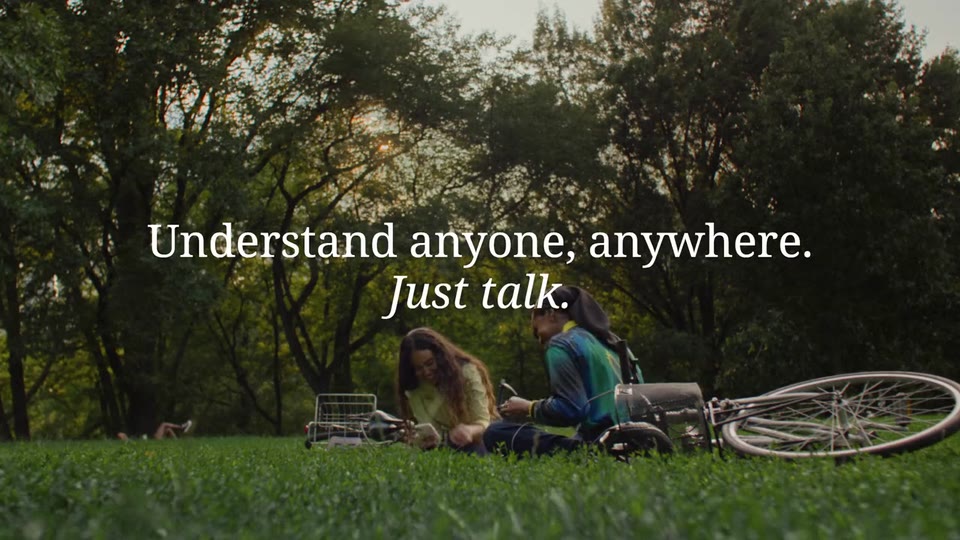
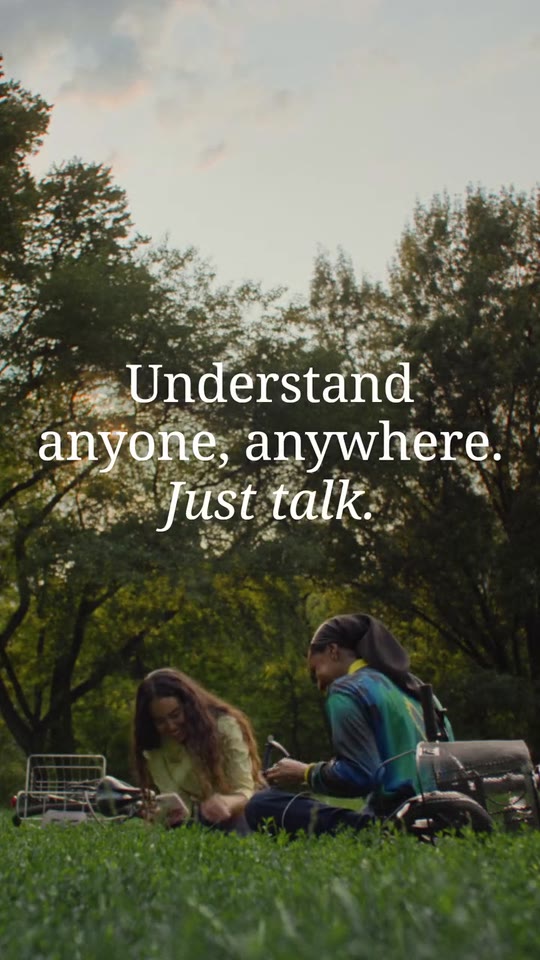
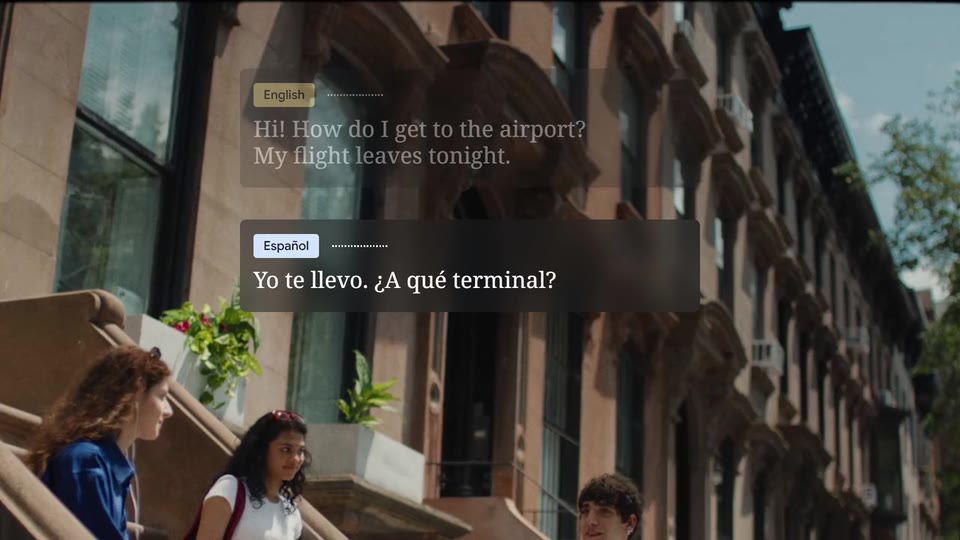
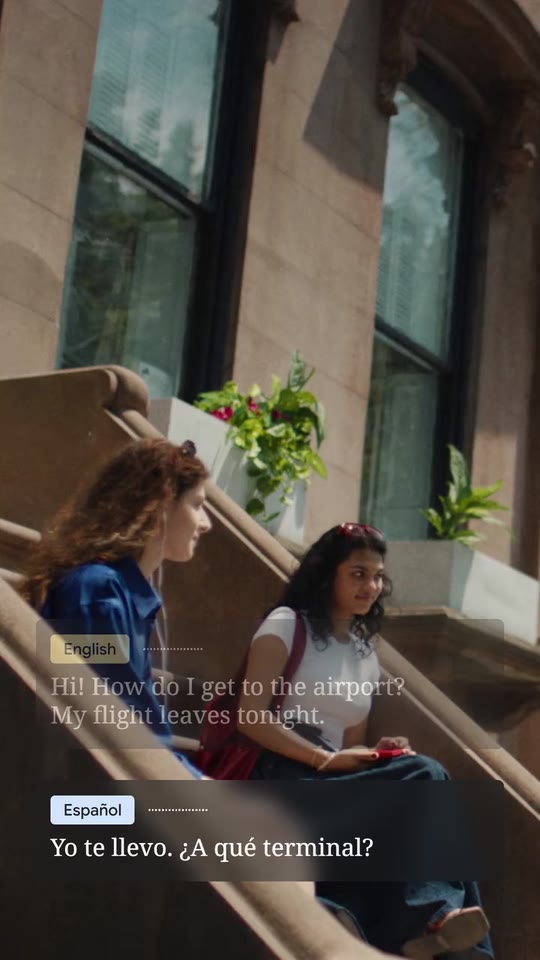
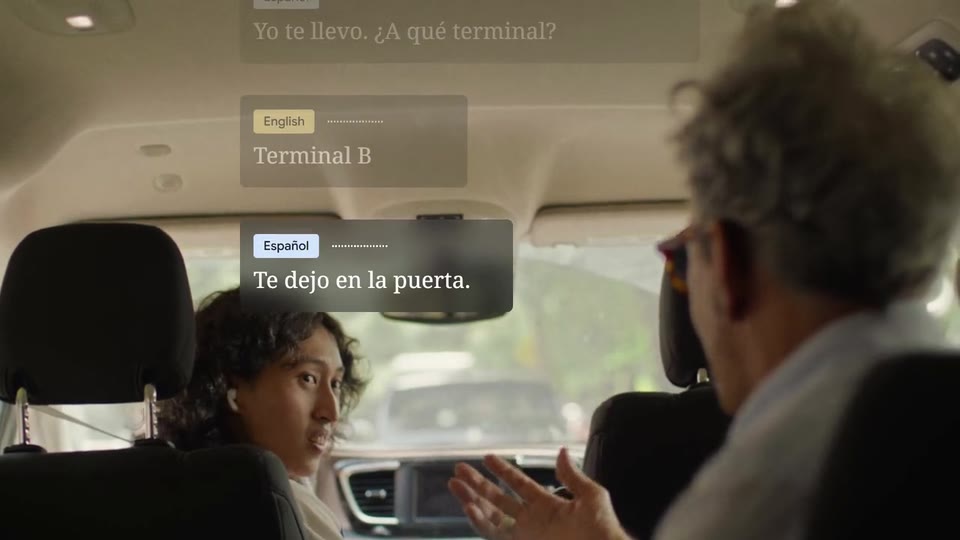
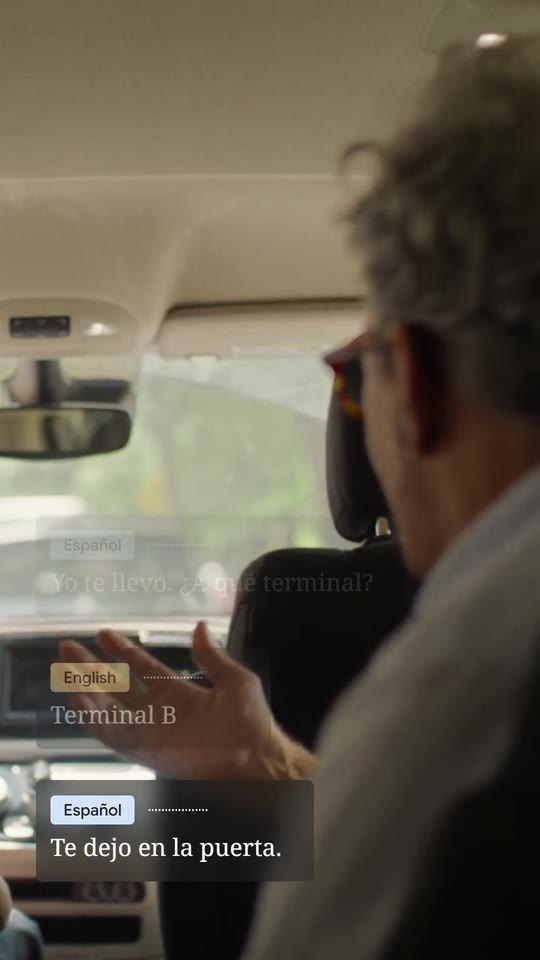
A clean launch film for a voice, translation, support or calling product: one line over your footage, then a live conversation in bubbles, each turn labelled and written word by word as it is spoken, the stack rising turn after turn, your shot lifting into the sky, two lines on your colour and your product with its feature.
- Price: free to export; exporting needs an Opus Motion account
- Length: 18 seconds
- Formats: 16:9, 9:16 (each one designed for its screen)
- What you can change: 13 texts, 1 image, 4 videos (a clip, or the picture it starts on), 8 colors, the music
- Category: Launches
Examples with real brands
- Google Translate, 16:9: watch the video
- Google Translate, 9:16: watch the video
Make it yours
Paste your website and the template comes out with your logo, colors and words: https://opusmotion.com/studio/t89-live-conversation?mode=yours. To open it already filled from a website, add &site=yourdomain.com.
Fields, for AI agents
An agent fills these with POST https://opusmotion.com/api/v1/drafts (guide: https://opusmotion.com/agents.md). Free to export in 16:9 and 9:16. Exporting the MP4 needs a free Opus Motion account with a confirmed email.
Scenes: The opening line over the first shot (0–2.1667 s); The conversation starts: the first bubble slides in from the side, the reply rises (2.1667–7.8333 s); It goes on in another shot: a turn typed letter by letter, the reply and the thanks (7.8333–14.2 s); The shot lifts into the sky (14.2–15.0667 s); The two lines on the brand colour (15.0667–17 s); The product and its feature (17–18.0333 s).
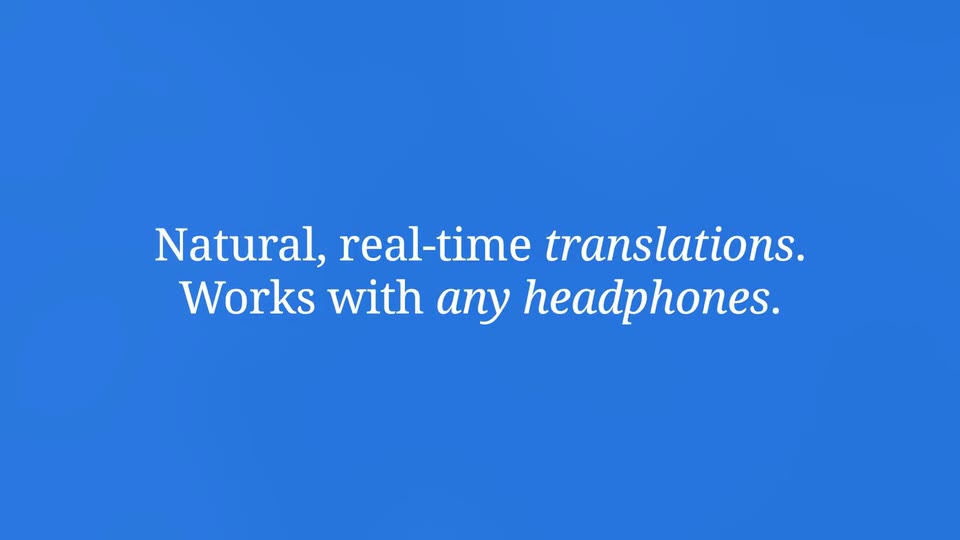
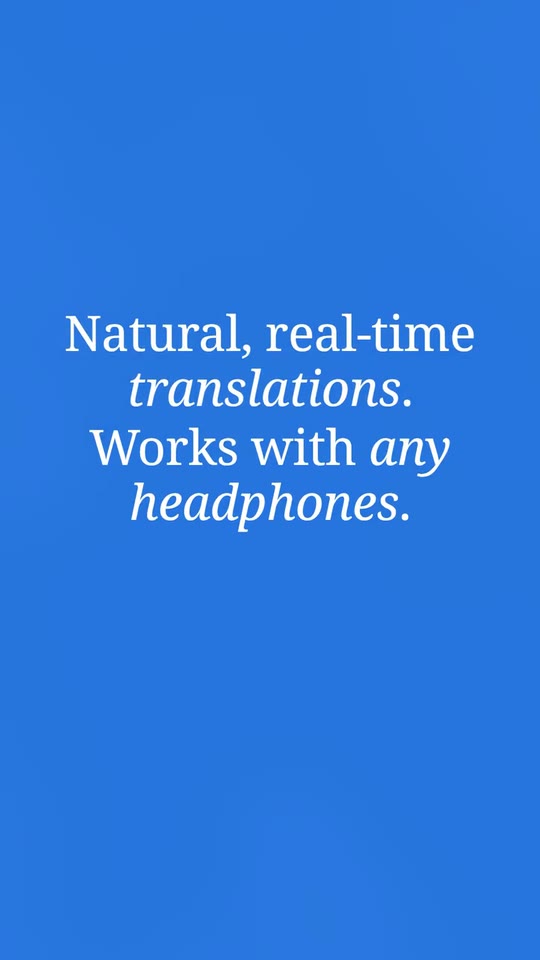
headline1(text, 2–30 characters): Opening: first line. The first line, over the first shot: a short promise of what the product does, in its own words. Demo's line, for tone and length only: "Understand anyone, anywhere.". Scene "The opening line over the first shot" at 0.3 s: 16:9 · 9:16.headline2(text, 2–24 characters): Opening: second line (italics). It appears below, in italics, a second later: how it is used or what changes, in two or three words. Demo's line, for tone and length only: "Just talk.". Scene "The opening line over the first shot" at 1 s: 16:9 · 9:16.labelA(text, 2–18 characters): Label of who speaks first. Who speaks first: a language or a role ("Caller", "English", "Customer"). It goes in a light label. Demo's line, for tone and length only: "English". Scene "The conversation starts: the first bubble slides in from the side, the reply rises" at 2.2 s: 16:9 · 9:16.labelB(text, 2–18 characters): Label of who answers. Who answers ("Agent", "Español", your product). Demo's line, for tone and length only: "Español". Scene "The conversation starts: the first bubble slides in from the side, the reply rises" at 5.1 s: 16:9 · 9:16.chipColorA(color, #RRGGBB): Label A colour. The background of label A: a light tone (the text is dark). Scene "The conversation starts: the first bubble slides in from the side, the reply rises" at 2.2 s: 16:9 · 9:16.chipColorB(color, #RRGGBB): Label B colour. The background of label B: another light tone. Scene "The conversation starts: the first bubble slides in from the side, the reply rises" at 5.1 s: 16:9 · 9:16.turn1(text, 4–64 characters): Turn 1 (A, up to two sentences). The first turn, A's. Two short sentences: the second goes on the second line. It is written word by word, grey and then white. Demo's line, for tone and length only: "Hi! How do I get to the airport? My flight leaves tonight.". Scene "The conversation starts: the first bubble slides in from the side, the reply rises" at 2.2 s: 16:9 · 9:16.turn2(text, 4–40 characters): Turn 2 (B). B's answer, one sentence. Demo's line, for tone and length only: "Yo te llevo. ¿A qué terminal?". Scene "The conversation starts: the first bubble slides in from the side, the reply rises" at 5.1 s: 16:9 · 9:16.turn3(text, 2–16 characters): Turn 3 (A, typed letter by letter). The third turn, A's: something short typed letter by letter (a code, a name, a word). Demo's line, for tone and length only: "Terminal B". Scene "It goes on in another shot: a turn typed letter by letter, the reply and the thanks" at 8.1 s: 16:9 · 9:16.turn4(text, 4–30 characters): Turn 4 (B). B's answer, short. Demo's line, for tone and length only: "Te dejo en la puerta.". Scene "It goes on in another shot: a turn typed letter by letter, the reply and the thanks" at 10.9 s: 16:9 · 9:16.turn5(text, 2–24 characters): Turn 5 (A). A's close: a thank you, an all set. Demo's line, for tone and length only: "Perfect. Thank you!". Scene "It goes on in another shot: a turn typed letter by letter, the reply and the thanks" at 13 s: 16:9 · 9:16.closing1(text, 4–36 characters): Close: first line (*italics* between asterisks). The first line over the brand colour. What goes between *asterisks* comes out in italics. Demo's line, for tone and length only: "Natural, real-time *translations*.". Scene "The two lines on the brand colour" at 15.1 s: 16:9 · 9:16.closing2(text, 4–36 characters): Close: second line (*italics* between asterisks). The second line; it rises under the first. *Italics* between asterisks. Demo's line, for tone and length only: "Works with *any headphones*.". Scene "The two lines on the brand colour" at 15.6 s: 16:9 · 9:16.productName(text, 2–22 characters): Product name. How your product is written. It goes beside its icon on the end card. The brand's own: never the demo's. Scene "The product and its feature" at 17 s: 16:9 · 9:16.logo(image, 1:1, shown whole): Your app or brand icon, square and full bleed. Your product's square icon (the app's), SVG or PNG on a transparent background. Shown whole inside a 1:1 box: nothing is cropped. The brand's own: never the demo's. Scene "The product and its feature" at 17 s: 16:9 · 9:16.featureName(text, 0–26 characters): Feature or model (second row, optional). The feature or the model you are presenting, on the second row with a wave in your colours. Empty: the card has a single row. Optional. Demo's line, for tone and length only: "Live translate". Scene "The product and its feature" at 17 s: 16:9 · 9:16.brandColor(color, #RRGGBB): Brand colour (background of the close). The background of the two closing lines (over the sky of the last shot). White text has to read on it. Scene "The two lines on the brand colour" at 15.1 s: 16:9 · 9:16.glyphColor1(color, #RRGGBB): Wave: colour 1. The end card's wave: colour 1. Scene "The product and its feature" at 17 s: 16:9 · 9:16.glyphColor2(color, #RRGGBB): Wave: colour 2. The end card's wave: colour 2. Scene "The product and its feature" at 17 s: 16:9 · 9:16.glyphColor3(color, #RRGGBB): Wave: colour 3. The end card's wave: colour 3. Scene "The product and its feature" at 17 s: 16:9 · 9:16.glyphColor4(color, #RRGGBB): Wave: colour 4. The end card's wave: colour 4. Scene "The product and its feature" at 17 s: 16:9 · 9:16.paperColor(color, #RRGGBB): End card background. The end card's light background. Scene "The product and its feature" at 17 s: 16:9 · 9:16.shotOpen(image, 16:9, cropped): A real photo of the product, place or people of the brand. A frame of the shot (shown when there is no video). In the video this is the first frame of the clipshotOpenMotion, which plays here. Cropped to fill a 16:9 frame: keep the subject in the middle. Demo's image. Scene "The opening line over the first shot" at 0 s: 16:9 · 9:16.shotOpenMotion(video, footage, 16:9, 2.17 s of the clip play): Real footage of this shot: a muted clip that starts where "Opening shot (still)" is. It movesshotOpen. Only its first 2.17 s play; the rest is cut. It holds its last frame. Demo's clip. Upload: PUT https://opusmotion.com/api/v1/drafts/{draftId}/media/shotOpenMotion. Scene "The opening line over the first shot" at 0 s: 16:9 · 9:16.shotWide(image, 16:9, cropped): A real photo of the product, place or people of the brand. A frame of the shot (shown when there is no video). In the video this is the first frame of the clipshotWideMotion, which plays here. Cropped to fill a 16:9 frame: keep the subject in the middle. Demo's image. Scene "The conversation starts: the first bubble slides in from the side, the reply rises" at 2.17 s: 16:9 · 9:16.shotWideMotion(video, footage, 16:9, 5.67 s of the clip play): Real footage of this shot: a muted clip that starts where "The conversation, wide (still)" is. It movesshotWide. Only its first 5.67 s play; the rest is cut. It holds its last frame. Demo's clip. Upload: PUT https://opusmotion.com/api/v1/drafts/{draftId}/media/shotWideMotion. Scene "The conversation starts: the first bubble slides in from the side, the reply rises" at 2.17 s: 16:9 · 9:16.shotClose(image, 16:9, cropped): A real photo of the product, place or people of the brand. A frame of the shot (shown when there is no video). In the video this is the first frame of the clipshotCloseMotion, which plays here. Cropped to fill a 16:9 frame: keep the subject in the middle. Demo's image. Scene "It goes on in another shot: a turn typed letter by letter, the reply and the thanks" at 7.83 s: 16:9 · 9:16.shotCloseMotion(video, footage, 16:9, 6.37 s of the clip play): Real footage of this shot: a muted clip that starts where "The conversation, close (still)" is. It movesshotClose. Only its first 6.37 s play; the rest is cut. It holds its last frame. Demo's clip. Upload: PUT https://opusmotion.com/api/v1/drafts/{draftId}/media/shotCloseMotion. Scene "It goes on in another shot: a turn typed letter by letter, the reply and the thanks" at 7.83 s: 16:9 · 9:16.shotLift(image, 16:9, cropped): A real photo of the product, place or people of the brand. A frame of the shot (shown when there is no video). In the video this is the first frame of the clipshotLiftMotion, which plays here. Cropped to fill a 16:9 frame: keep the subject in the middle. Demo's image. Scene "The shot lifts into the sky" at 14.2 s: 16:9 · 9:16.shotLiftMotion(video, footage, 16:9, 2.83 s of the clip play): Real footage of this shot: a muted clip that starts where "The lift to the sky (still)" is. It movesshotLift. Only its first 2.83 s play; the rest is cut. It holds its last frame. Demo's clip. Upload: PUT https://opusmotion.com/api/v1/drafts/{draftId}/media/shotLiftMotion. Scene "The shot lifts into the sky" at 14.2 s: 16:9 · 9:16.