For AI agents
If you are an AI agent (Claude Code, Codex, Cursor or similar) and the person wants a video for their project with Opus Motion, read the guide first and follow it: https://opusmotion.com/agents.md.
- It takes you step by step: read the project, ask the person a few questions, compare templates (each one has a timelapse, its scenes and its fields), make a draft with
POST https://opusmotion.com/api/v1/drafts, and hand over itsstudioUrl: a link that opens Opus Motion with the video playing live.PATCHwith the draft'seditTokenchanges it, and the link stays the same. - Plain HTTPS and JSON: no key, no account, no MCP. Nothing is rendered; the person exports the MP4 from the studio.
- Never drive this site with a browser to fill the studio: use the API. If it refuses, tell the person and stop.
- More: llms.txt · this page in Markdown · developer docs · OpenAPI
Look Up: free launches video template
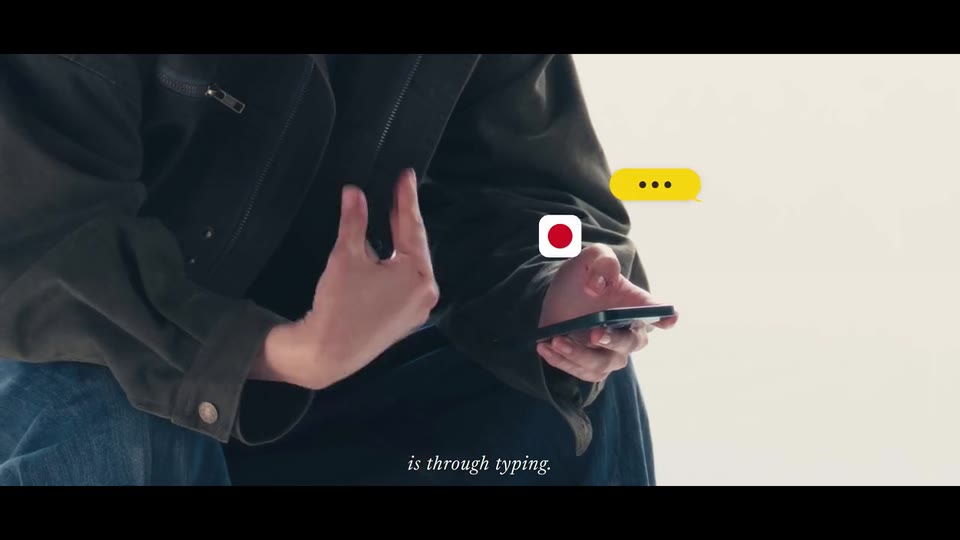
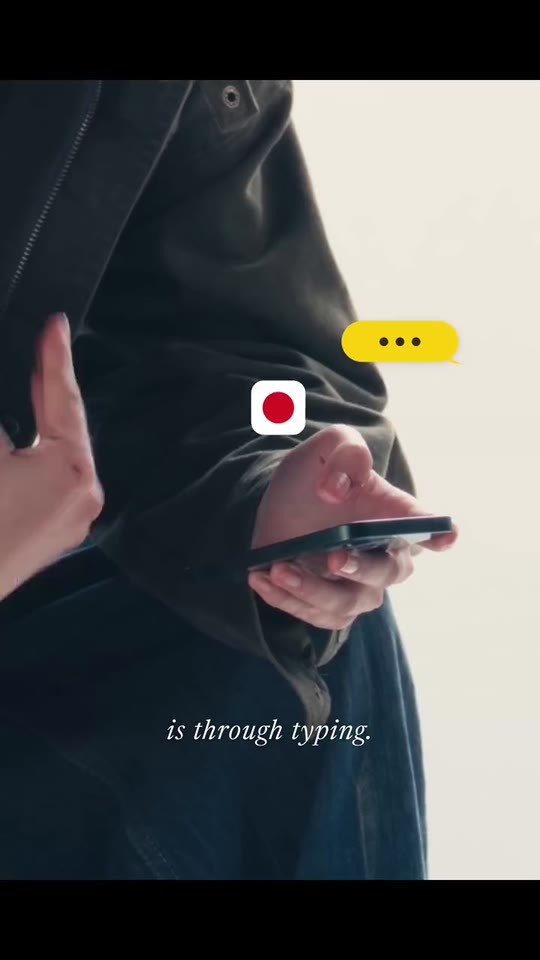
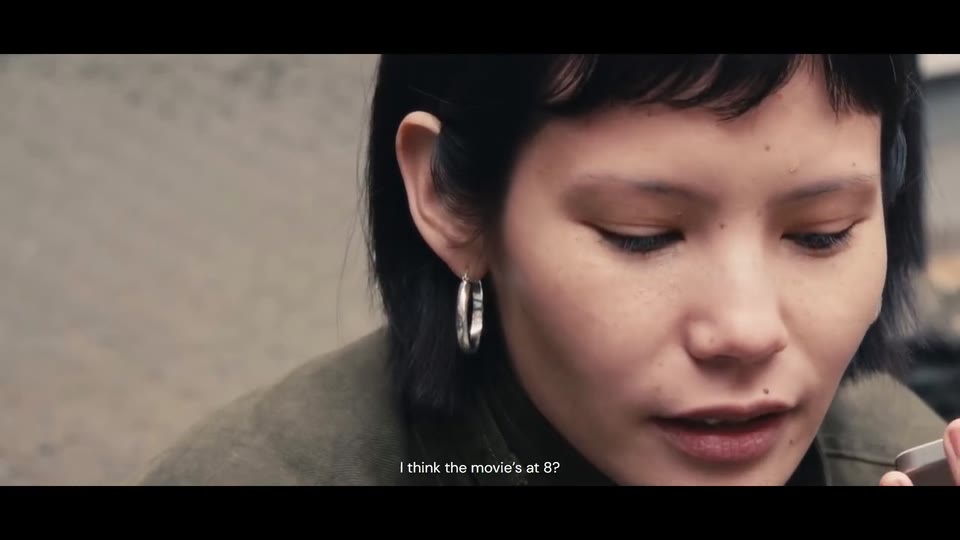
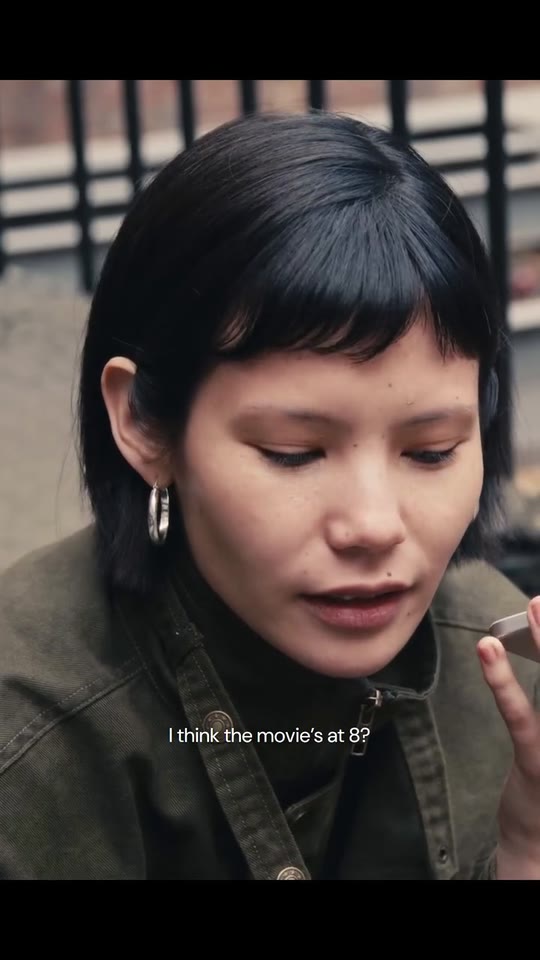
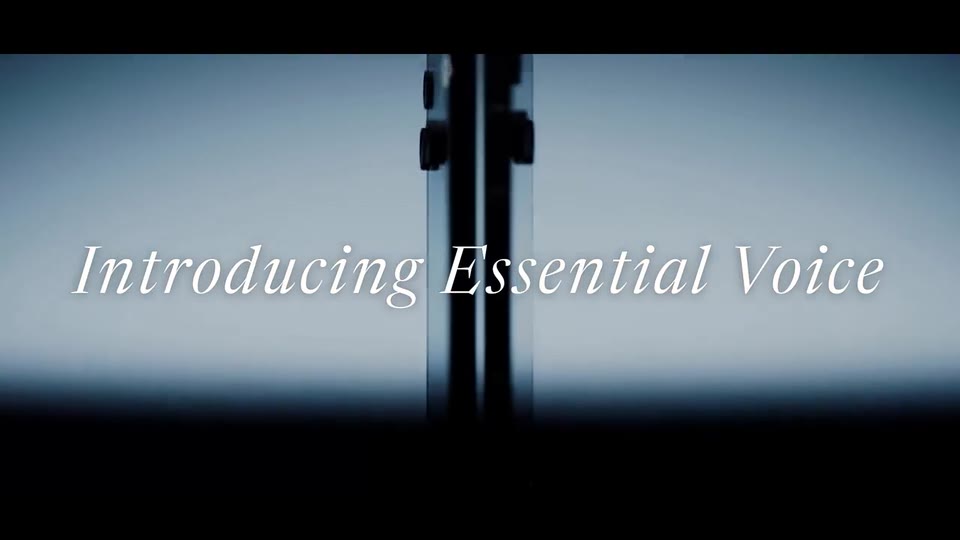
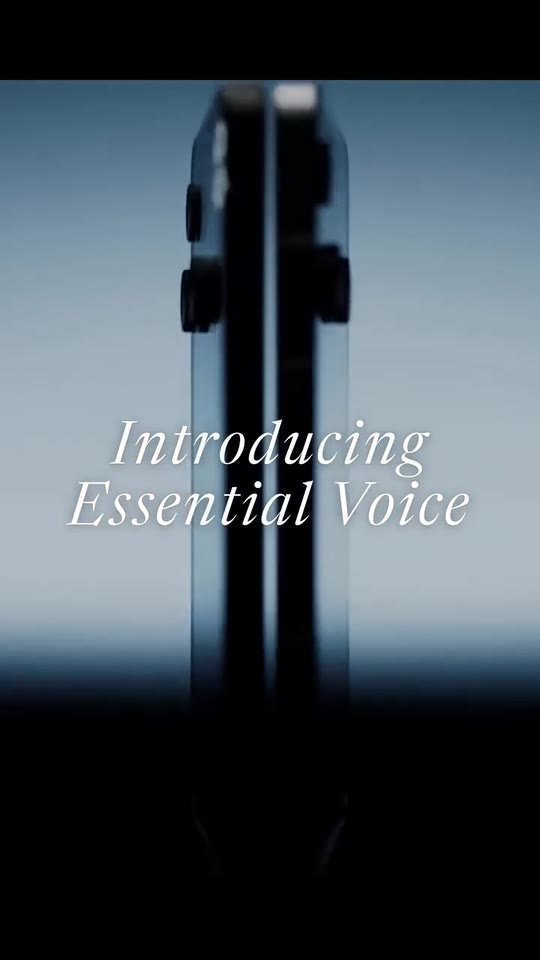
A cinematic launch film cut from your own footage: people bent over their phones under your thesis in small italic subtitles, typing bubbles beside them, a dead stop on black, one person speaking to your product, and your product shot with its name and your call to action.
- Price: free to export; exporting needs an Opus Motion account
- Length: 29.8 seconds
- Formats: 16:9, 9:16 (each one designed for its screen)
- What you can change: 16 texts, 1 image, 12 videos (a clip, or the picture it starts on), 1 color, the music
- Category: Launches
Examples with real brands
- Nothing, 16:9: watch the video
- Nothing, 9:16: watch the video
Make it yours
Paste your website and the template comes out with your logo, colors and words: https://opusmotion.com/studio/t76-look-up?mode=yours. To open it already filled from a website, add &site=yourdomain.com.
Fields, for AI agents
An agent fills these with POST https://opusmotion.com/api/v1/drafts (guide: https://opusmotion.com/agents.md). Free to export in 16:9 and 9:16. Exporting the MP4 needs a free Opus Motion account with a confirmed email.
Scenes: Montage and thesis (0–10.208 s); Someone speaks to the product (10.208–20.333 s); The product, its name and the call to action (20.333–29.792 s).
n1(text, 6–44 characters): Thesis · line 1. First line of the thesis, as a small italic subtitle (2.1 s on screen). Demo's line, for tone and length only: "Right now, the main way we communicate". Scene "Montage and thesis" at 2.6 s: 16:9 · 9:16.n2(text, 3–28 characters): Thesis · line 2. Continues the line before (0.6 s on screen: a few words). Demo's line, for tone and length only: "on our phones". Scene "Montage and thesis" at 3.9 s: 16:9 · 9:16.n3(text, 3–40 characters): Thesis · line 3. Closes the first idea (2.9 s). Demo's line, for tone and length only: "is through typing.". Scene "Montage and thesis" at 5.6 s: 16:9 · 9:16.n4(text, 3–28 characters): Thesis · line 4. The turn, with an ellipsis if it hangs (1.0 s). Demo's line, for tone and length only: "But speaking…". Scene "Montage and thesis" at 7.5 s: 16:9 · 9:16.n5(text, 3–28 characters): Thesis · line 5. Continues the turn (1.2 s). Demo's line, for tone and length only: "is more natural". Scene "Montage and thesis" at 8.6 s: 16:9 · 9:16.n6(text, 3–32 characters): Thesis · line 6. The payoff, over the face that looks up (0.4 s: keep it short). Demo's line, for tone and length only: "and four times faster.". Scene "Montage and thesis" at 9.4 s: 16:9 · 9:16.v1(text, 3–36 characters): Scene 1 · what they say. What the person says to the phone, as a spoken subtitle (1.4 s). Demo's line, for tone and length only: "Will you pick me up?". Scene "Someone speaks to the product" at 11.8 s: 16:9 · 9:16.v2a(text, 3–36 characters): Scene 2 · what they say (1). First part of what they say in the close-up (1.3 s). Demo's line, for tone and length only: "I think the movie’s at 8?". Scene "Someone speaks to the product" at 13.8 s: 16:9 · 9:16.v2b(text, 3–36 characters): Scene 2 · what they say (2). Second part (1.7 s). Demo's line, for tone and length only: "my bad, it’s 6". Scene "Someone speaks to the product" at 15.4 s: 16:9 · 9:16.v3a(text, 3–36 characters): Scene 3 · the result (1). What your product made of it, first half (1.6 s). Demo's line, for tone and length only: "The movie’s at 6,". Scene "Someone speaks to the product" at 17.2 s: 16:9 · 9:16.v3b(text, 3–36 characters): Scene 3 · the result (2). Second half (2.0 s). Demo's line, for tone and length only: "I’ll swing by around 5.". Scene "Someone speaks to the product" at 19 s: 16:9 · 9:16.titleLead(text, 0–16 characters): Close · the word before the name. The word that introduces the product. Can be left empty. Optional. Demo's line, for tone and length only: "Introducing". Scene "The product, its name and the call to action" at 21.4 s: 16:9 · 9:16.productName(text, 2–24 characters): Product name. What you are launching, written the way your brand writes it. The brand's own: never the demo's. Scene "The product, its name and the call to action" at 21.4 s: 16:9 · 9:16.tagline(text, 0–34 characters): Close · the line. A short line that says where or when it is available. Can be left empty. Optional. Demo's line, for tone and length only: "Available now on Phone (3).". Scene "The product, its name and the call to action" at 23.2 s: 16:9 · 9:16.cta1(text, 2–26 characters): Close · call to action, line 1. The call to action, in lower case. Demo's line, for tone and length only: "learn more at". Scene "The product, its name and the call to action" at 25.5 s: 16:9 · 9:16.cta2(text, 3–30 characters): Close · call to action, line 2 (your site). Your site or the launch page. Demo's line, for tone and length only: "nothing.tech". Scene "The product, its name and the call to action" at 25.5 s: 16:9 · 9:16.accentColor(color, #RRGGBB): Your bubble colour. The colour of the bubble that is typing (yours). The ink of its dots is chosen by contrast.bubbleIcon(image, 1:1, shown whole): A cut-out object on a transparent background (a PNG, or an SVG drawing): just the object, no photo background. Never a photo, never a photo padded with transparent bars. Your symbol on a transparent background: it sits on a white square beside the bubble. A card-like object (rounded corners, transparent around it) works too. Shown whole inside a 1:1 box: nothing is cropped. Optional. Demo's image. Scene "Montage and thesis" at 1.6 s: 16:9 · 9:16.m1(image, 16:9, cropped): An image of the brand. A frame of your clip: it shows while the video loads and holds the end if the clip is shorter. In the video this is the first frame of the clipm1Motion, which plays here. Cropped to fill a 16:9 frame: keep the subject in the middle. Optional. Demo's image. Scene "Montage and thesis": 16:9 · 9:16.m1Motion(video, footage, 16:9, 2.8 s of the clip play): Real footage of this shot: a muted clip that starts where "Montage · hands typing (still)" is. It movesm1. Only its first 2.8 s play; the rest is cut. It holds its last frame. Demo's clip. Upload: PUT https://opusmotion.com/api/v1/drafts/{draftId}/media/m1Motion. Scene "Montage and thesis": 16:9 · 9:16.m2(image, 16:9, cropped): An image of the brand. A frame of your clip: it shows while the video loads and holds the end if the clip is shorter. In the video this is the first frame of the clipm2Motion, which plays here. Cropped to fill a 16:9 frame: keep the subject in the middle. Optional. Demo's image. Scene "Montage and thesis": 16:9 · 9:16.m2Motion(video, footage, 16:9, 2.92 s of the clip play): Real footage of this shot: a muted clip that starts where "Montage · someone looking at their phone (still)" is. It movesm2. Only its first 2.92 s play; the rest is cut. It holds its last frame. Demo's clip. Upload: PUT https://opusmotion.com/api/v1/drafts/{draftId}/media/m2Motion. Scene "Montage and thesis": 16:9 · 9:16.m3(image, 16:9, cropped): An image of the brand. A frame of your clip: it shows while the video loads and holds the end if the clip is shorter. In the video this is the first frame of the clipm3Motion, which plays here. Cropped to fill a 16:9 frame: keep the subject in the middle. Optional. Demo's image. Scene "Montage and thesis": 16:9 · 9:16.m3Motion(video, footage, 16:9, 0.81 s of the clip play): Real footage of this shot: a muted clip that starts where "Montage · hands and screen close-up (still)" is. It movesm3. Only its first 0.81 s play; the rest is cut. It holds its last frame. Demo's clip. Upload: PUT https://opusmotion.com/api/v1/drafts/{draftId}/media/m3Motion. Scene "Montage and thesis": 16:9 · 9:16.m4(image, 16:9, cropped): An image of the brand. A frame of your clip: it shows while the video loads and holds the end if the clip is shorter. In the video this is the first frame of the clipm4Motion, which plays here. Cropped to fill a 16:9 frame: keep the subject in the middle. Optional. Demo's image. Scene "Montage and thesis": 16:9 · 9:16.m4Motion(video, footage, 16:9, 3.17 s of the clip play): Real footage of this shot: a muted clip that starts where "Montage · faces up close (still)" is. It movesm4. Only its first 3.17 s play; the rest is cut. It holds its last frame. Demo's clip. Upload: PUT https://opusmotion.com/api/v1/drafts/{draftId}/media/m4Motion. Scene "Montage and thesis": 16:9 · 9:16.m5(image, 16:9, cropped): An image of the brand. A frame of your clip: it shows while the video loads and holds the end if the clip is shorter. In the video this is the first frame of the clipm5Motion, which plays here. Cropped to fill a 16:9 frame: keep the subject in the middle. Optional. Demo's image. Scene "Montage and thesis": 16:9 · 9:16.m5Motion(video, footage, 16:9, 3.31 s of the clip play): Real footage of this shot: a muted clip that starts where "Montage · at the table (still)" is. It movesm5. Only its first 3.31 s play; the rest is cut. It holds its last frame. Demo's clip. Upload: PUT https://opusmotion.com/api/v1/drafts/{draftId}/media/m5Motion. Scene "Montage and thesis": 16:9 · 9:16.m6(image, 16:9, cropped): A real photo of the product, place or people of the brand. A frame of your clip: it shows while the video loads and holds the end if the clip is shorter. In the video this is the first frame of the clipm6Motion, which plays here. Cropped to fill a 16:9 frame: keep the subject in the middle. Optional. Demo's image. Scene "Montage and thesis": 16:9 · 9:16.m6Motion(video, footage, 16:9, 2.09 s of the clip play): Real footage of this shot: a muted clip that starts where "Montage · another person (still)" is. It movesm6. Only its first 2.09 s play; the rest is cut. It holds its last frame. Demo's clip. Upload: PUT https://opusmotion.com/api/v1/drafts/{draftId}/media/m6Motion. Scene "Montage and thesis": 16:9 · 9:16.m7(image, 16:9, cropped): An image of the brand. A frame of your clip: it shows while the video loads and holds the end if the clip is shorter. In the video this is the first frame of the clipm7Motion, which plays here. Cropped to fill a 16:9 frame: keep the subject in the middle. Optional. Demo's image. Scene "Montage and thesis": 16:9 · 9:16.m7Motion(video, footage, 16:9, 0.9 s of the clip play): Real footage of this shot: a muted clip that starts where "Montage · where the whip pan lands (still)" is. It movesm7. Only its first 0.9 s play; the rest is cut. It holds its last frame. Demo's clip. Upload: PUT https://opusmotion.com/api/v1/drafts/{draftId}/media/m7Motion. Scene "Montage and thesis": 16:9 · 9:16.m8(image, 16:9, cropped): An image of the brand. A frame of your clip: it shows while the video loads and holds the end if the clip is shorter. In the video this is the first frame of the clipm8Motion, which plays here. Cropped to fill a 16:9 frame: keep the subject in the middle. Optional. Demo's image. Scene "Montage and thesis": 16:9 · 9:16.m8Motion(video, footage, 16:9, 1.18 s of the clip play): Real footage of this shot: a muted clip that starts where "Montage · someone looking up (still)" is. It movesm8. Only its first 1.18 s play; the rest is cut. It holds its last frame. Demo's clip. Upload: PUT https://opusmotion.com/api/v1/drafts/{draftId}/media/m8Motion. Scene "Montage and thesis": 16:9 · 9:16.vig1(image, 16:9, cropped): An image of the brand. A frame of your clip: it shows while the video loads and holds the end if the clip is shorter. In the video this is the first frame of the clipvig1Motion, which plays here. Cropped to fill a 16:9 frame: keep the subject in the middle. Optional. Demo's image. Scene "Someone speaks to the product": 16:9 · 9:16.vig1Motion(video, footage, 16:9, 3.48 s of the clip play): Real footage of this shot: a muted clip that starts where "Scene 1 · someone looks up and speaks (still)" is. It movesvig1. Only its first 3.48 s play; the rest is cut. It holds its last frame. Demo's clip. Upload: PUT https://opusmotion.com/api/v1/drafts/{draftId}/media/vig1Motion. Scene "Someone speaks to the product": 16:9 · 9:16.vig2(image, 16:9, cropped): An image of the brand. A frame of your clip: it shows while the video loads and holds the end if the clip is shorter. In the video this is the first frame of the clipvig2Motion, which plays here. Cropped to fill a 16:9 frame: keep the subject in the middle. Optional. Demo's image. Scene "Someone speaks to the product": 16:9 · 9:16.vig2Motion(video, footage, 16:9, 3.83 s of the clip play): Real footage of this shot: a muted clip that starts where "Scene 2 · the close-up while they speak (still)" is. It movesvig2. Only its first 3.83 s play; the rest is cut. It holds its last frame. Demo's clip. Upload: PUT https://opusmotion.com/api/v1/drafts/{draftId}/media/vig2Motion. Scene "Someone speaks to the product": 16:9 · 9:16.vig3(image, 16:9, cropped): An image of the brand. A frame of your clip: it shows while the video loads and holds the end if the clip is shorter. In the video this is the first frame of the clipvig3Motion, which plays here. Cropped to fill a 16:9 frame: keep the subject in the middle. Optional. Demo's image. Scene "Someone speaks to the product": 16:9 · 9:16.vig3Motion(video, footage, 16:9, 3.5 s of the clip play): Real footage of this shot: a muted clip that starts where "Scene 3 · the phone left on the table (still)" is. It movesvig3. Only its first 3.5 s play; the rest is cut. It holds its last frame. Demo's clip. Upload: PUT https://opusmotion.com/api/v1/drafts/{draftId}/media/vig3Motion. Scene "Someone speaks to the product": 16:9 · 9:16.hero(image, 16:9, cropped): A real photo of the product, place or people of the brand. A frame of your clip: it shows while the video loads and holds the end if the clip is shorter. In the video this is the first frame of the clipheroMotion, which plays here. Cropped to fill a 16:9 frame: keep the subject in the middle. Optional. Demo's image. Scene "The product, its name and the call to action": 16:9 · 9:16.heroMotion(video, footage, 16:9, 5.02 s of the clip play): Real footage of this shot: a muted clip that starts where "Product · the closing shot (still)" is. It moveshero. Only its first 5.02 s play; the rest is cut. It holds its last frame. Demo's clip. Upload: PUT https://opusmotion.com/api/v1/drafts/{draftId}/media/heroMotion. Scene "The product, its name and the call to action": 16:9 · 9:16.