For AI agents
If you are an AI agent (Claude Code, Codex, Cursor or similar) and the person wants a video for their project with Opus Motion, read the guide first and follow it: https://opusmotion.com/agents.md.
- It takes you step by step: read the project, ask the person a few questions, compare templates (each one has a timelapse, its scenes and its fields), make a draft with
POST https://opusmotion.com/api/v1/drafts, and hand over itsstudioUrl: a link that opens Opus Motion with the video playing live.PATCHwith the draft'seditTokenchanges it, and the link stays the same. - Plain HTTPS and JSON: no key, no account, no MCP. Nothing is rendered; the person exports the MP4 from the studio.
- Never drive this site with a browser to fill the studio: use the API. If it refuses, tell the person and stop.
- More: llms.txt · this page in Markdown · developer docs · OpenAPI
Moment UI: premium launches video template
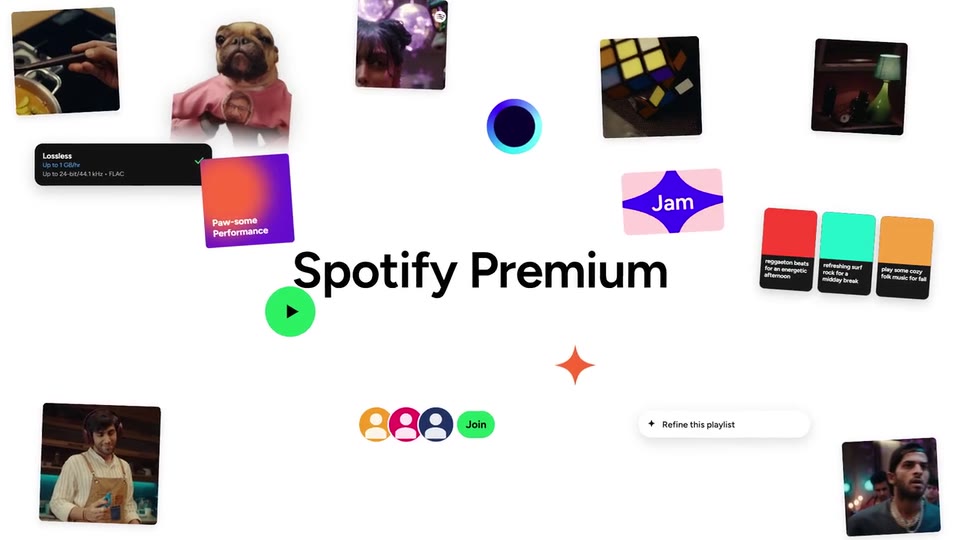
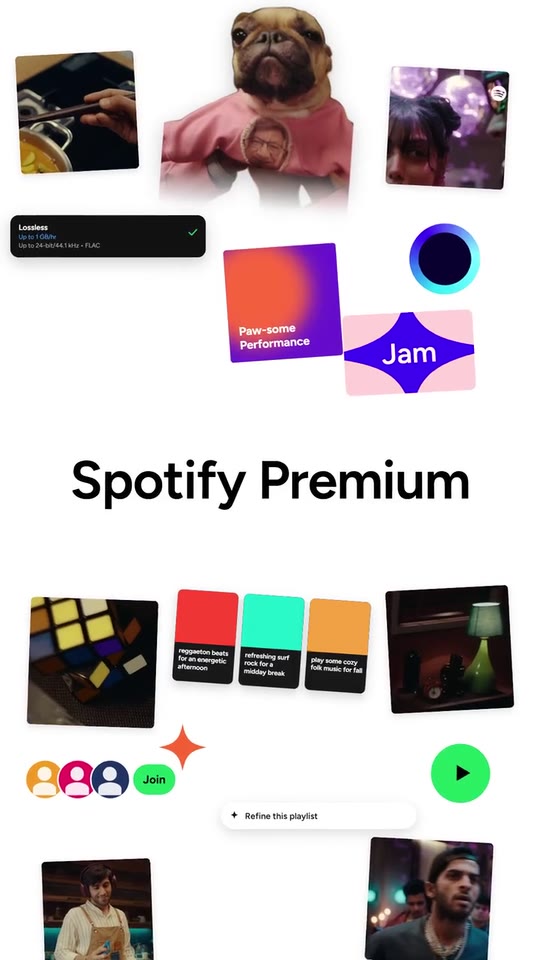
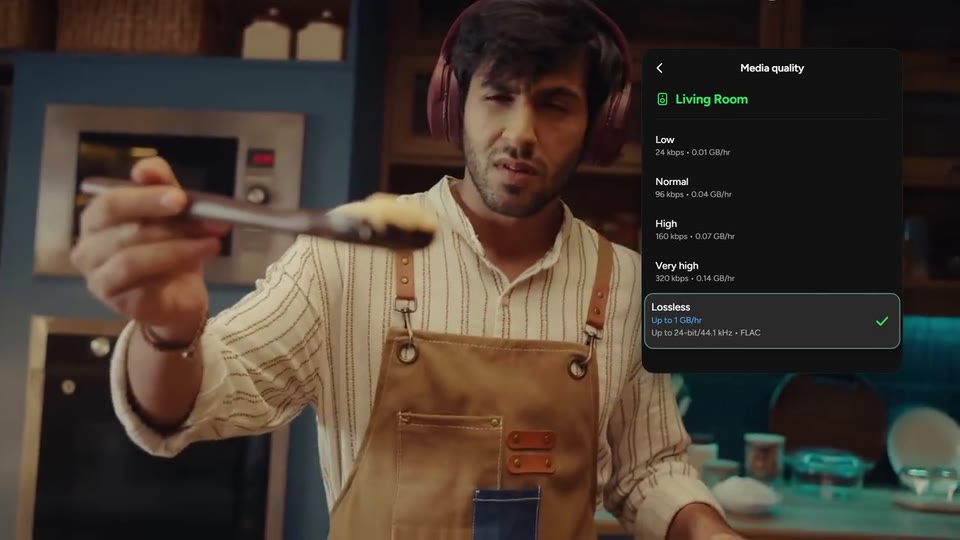
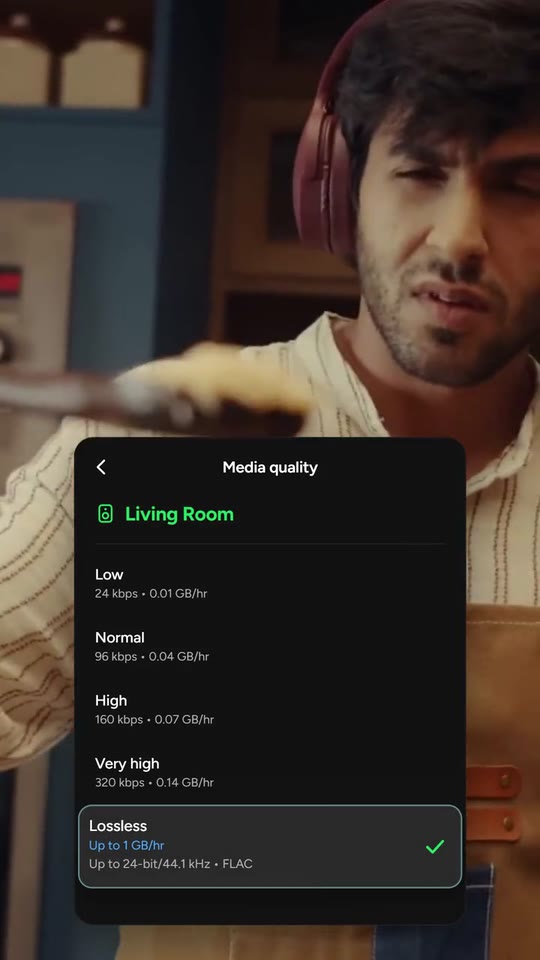
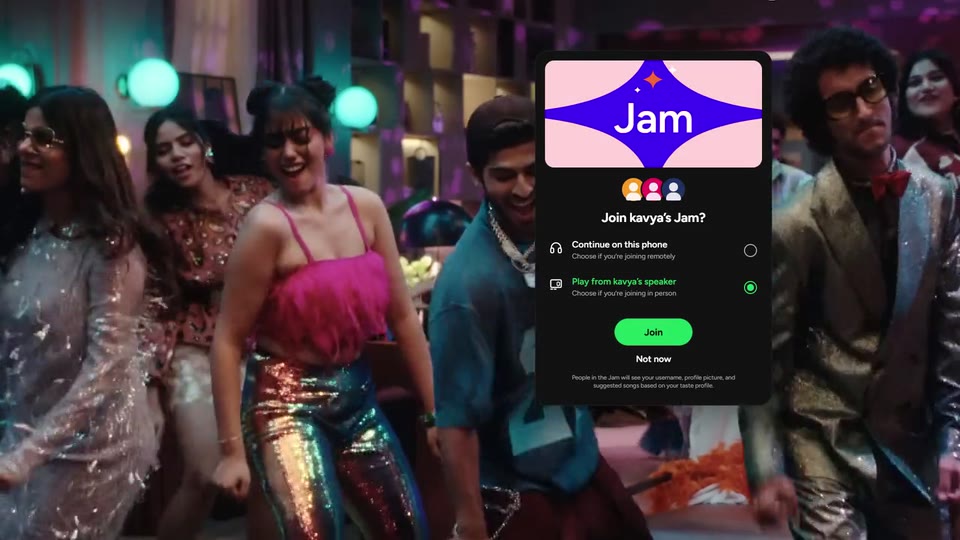
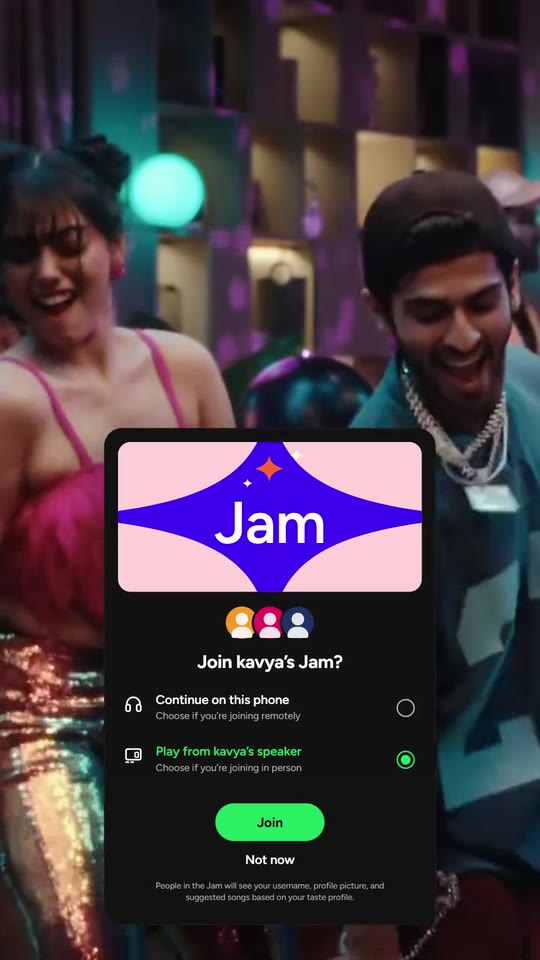
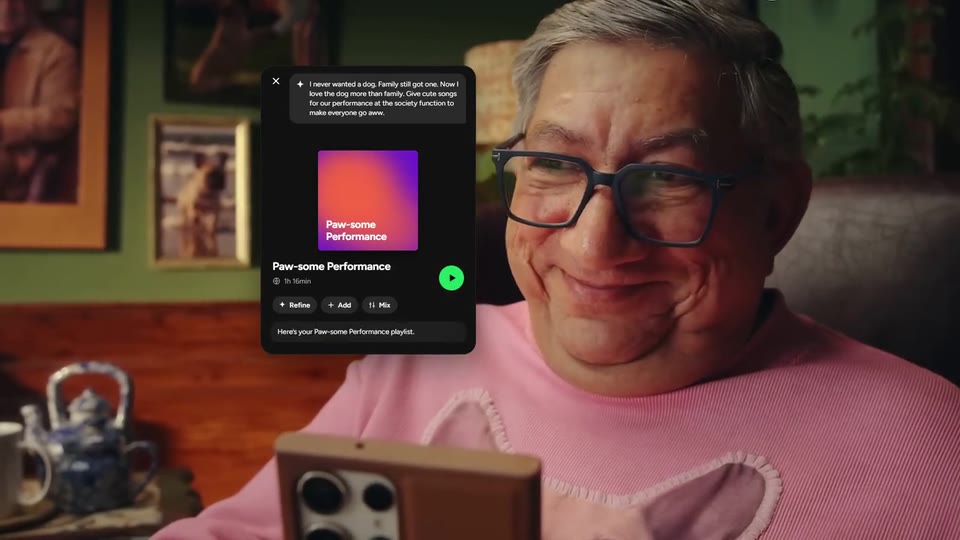
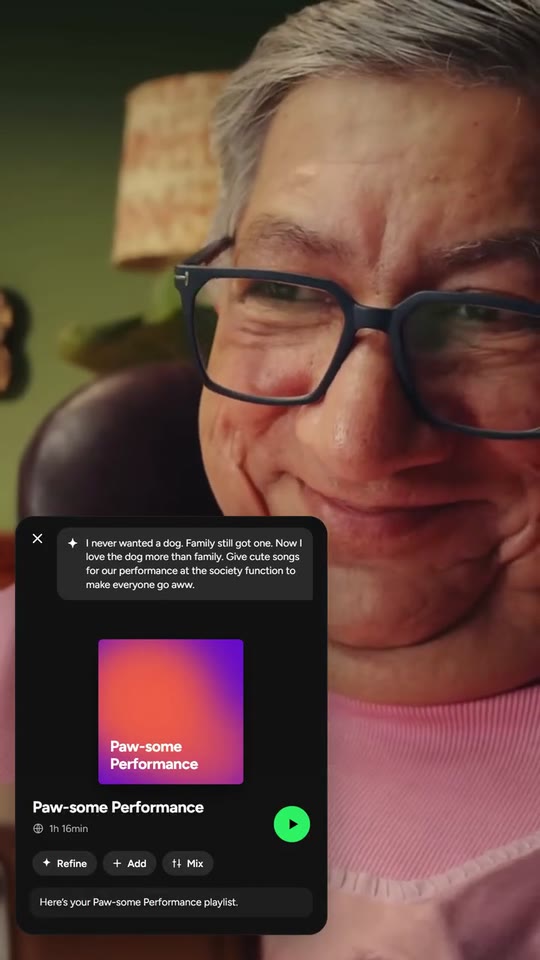
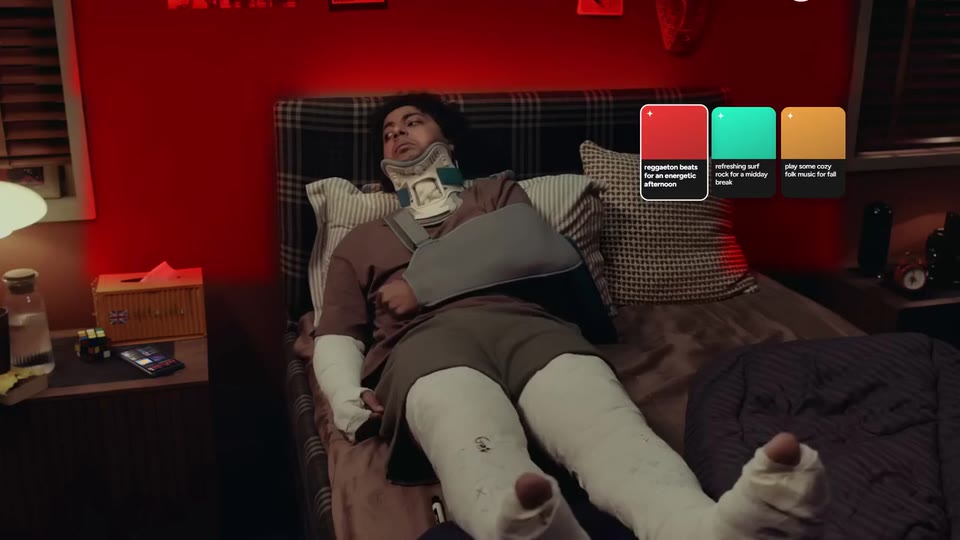
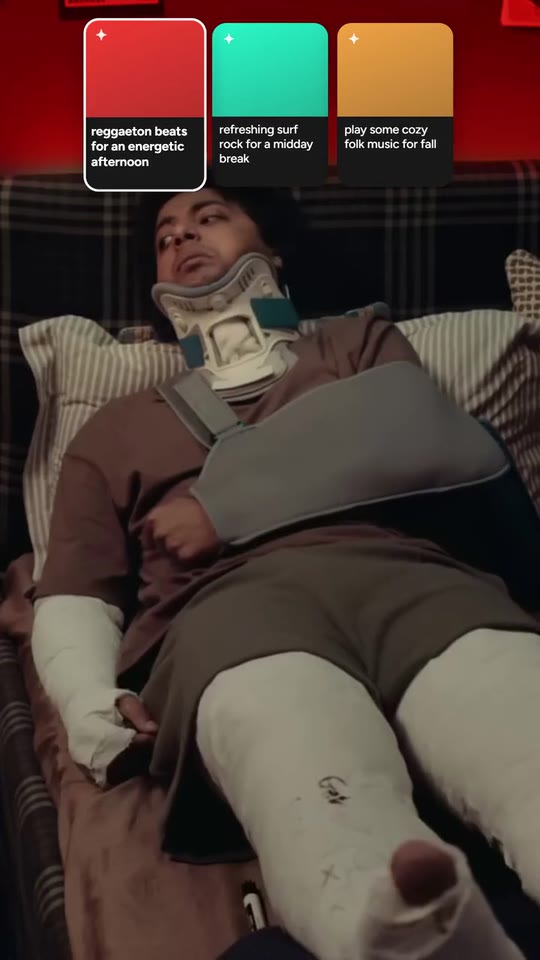
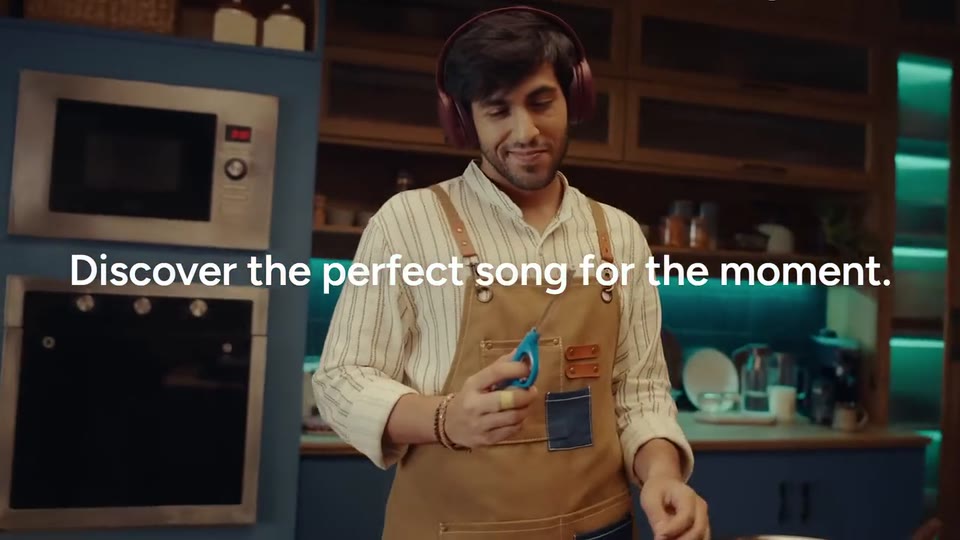
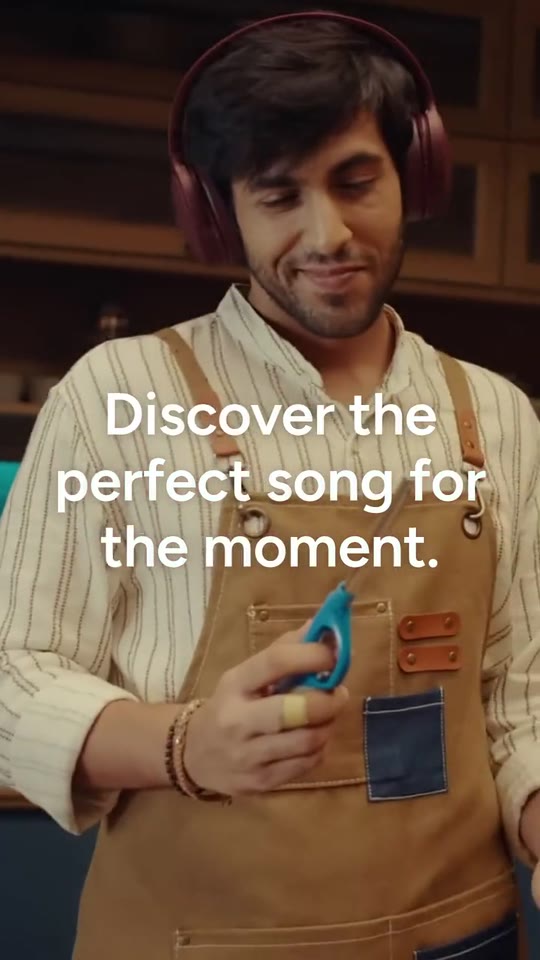
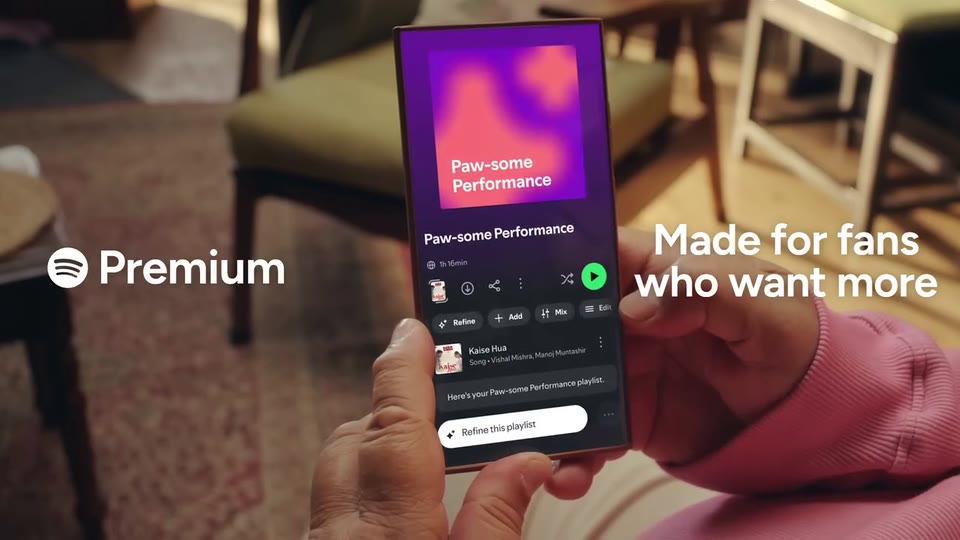
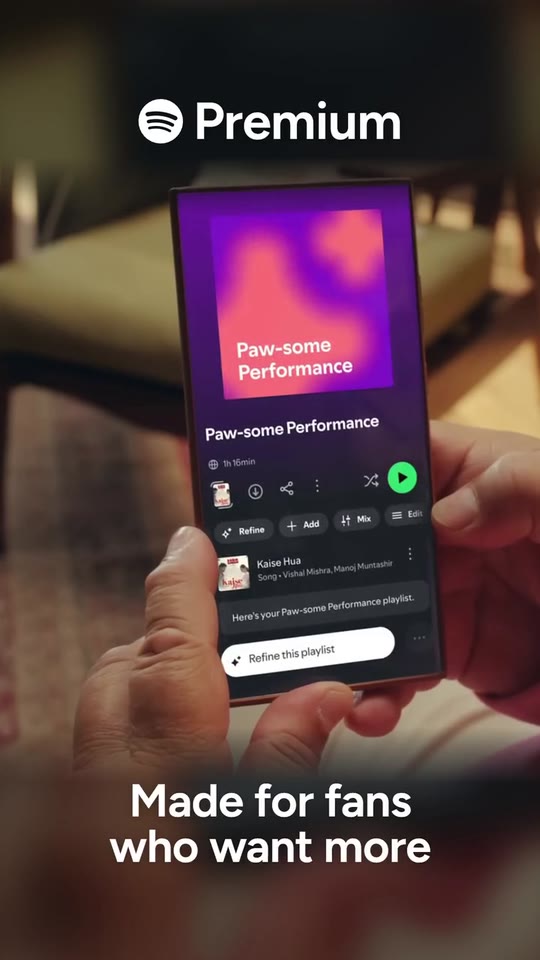
Your product's real interface, rebuilt as cards that unfold beside real people in their moment: a list, an invitation, three choices that change the room's light and a request with its answer; your line typed over two shots, your product on a phone in hand, and a white close where your colours, your moments and your name fold into your mark.
- Price: $19 per export, paid once per video and per format; exporting needs an Opus Motion account
- Length: 28.9 seconds
- Formats: 16:9, 9:16 (each one designed for its screen)
- What you can change: 64 texts, 9 images, 11 videos (a clip, or the picture it starts on), 18 colors, the music
- Category: Launches
Examples with real brands
- Spotify, 16:9: watch the video
- Spotify, 9:16: watch the video
Make it yours
Paste your website and the template comes out with your logo, colors and words: https://opusmotion.com/studio/t78-moment-ui?mode=yours. To open it already filled from a website, add &site=yourdomain.com.
Fields, for AI agents
An agent fills these with POST https://opusmotion.com/api/v1/drafts (guide: https://opusmotion.com/agents.md). $19 per export, paid once per video and per format (16:9 and 9:16 are separate exports). Exporting needs an Opus Motion account; payment happens in the studio.
Scenes: Person 1 and the list card (0–2.92 s); Person 2, the invitation card, their phone and their reaction (2.92–9.552 s); Person 3: the room, their phone, three choices that change the light (9.552–14.932 s); Person 4 and the request card (14.932–17.059 s); The line over two shots (17.059–20.229 s); The product in hand and the title (20.229–24.442 s); White, the dot, the collage, the name and the mark (24.442–28.946 s).
brandName(text, 2–16 characters): Brand name. How your brand is written. Without a logo, it is drawn as a logotype in the title and in the closing mark. The brand's own: never the demo's. Scene "White, the dot, the collage, the name and the mark" at 26 s: 16:9 · 9:16.c1Title(text, 3–22 characters): List card · title. The title of a real screen of your product with options (settings, plans, formats). Demo's line, for tone and length only: "Media quality". Scene "Person 1 and the list card" at 0.4 s: 16:9 · 9:16.c1Device(text, 2–18 characters): List card · coloured line (where). A coloured line under the title: where or what for (a device, a profile, a place). Demo's line, for tone and length only: "Living Room". Scene "Person 1 and the list card" at 0.6 s: 16:9 · 9:16.c1Row1(text, 2–18 characters): List card · option 1. Demo's line, for tone and length only: "Low". Scene "Person 1 and the list card" at 0.6 s: 16:9 · 9:16.c1Row1Sub(text, 2–30 characters): List card · option 1, detail. Demo's line, for tone and length only: "24 kbps • 0.01 GB/hr". Scene "Person 1 and the list card" at 0.6 s: 16:9 · 9:16.c1Row2(text, 2–18 characters): List card · option 2. Demo's line, for tone and length only: "Normal". Scene "Person 1 and the list card" at 0.8 s: 16:9 · 9:16.c1Row2Sub(text, 2–30 characters): List card · option 2, detail. Demo's line, for tone and length only: "96 kbps • 0.04 GB/hr". Scene "Person 1 and the list card" at 0.8 s: 16:9 · 9:16.c1Row3(text, 2–18 characters): List card · option 3. Demo's line, for tone and length only: "High". Scene "Person 1 and the list card" at 0.8 s: 16:9 · 9:16.c1Row3Sub(text, 2–30 characters): List card · option 3, detail. Demo's line, for tone and length only: "160 kbps • 0.07 GB/hr". Scene "Person 1 and the list card" at 0.8 s: 16:9 · 9:16.c1Row4(text, 2–18 characters): List card · option 4 (selected at first). The option selected at the start; at 1.5 s the selection moves to option 5. Demo's line, for tone and length only: "Very high". Scene "Person 1 and the list card" at 0.8 s: 16:9 · 9:16.c1Row4Sub(text, 2–30 characters): List card · option 4, detail. Demo's line, for tone and length only: "320 kbps • 0.14 GB/hr". Scene "Person 1 and the list card" at 0.8 s: 16:9 · 9:16.c1Row5(text, 2–18 characters): List card · option 5 (the one that gets picked). The option that gets picked: your strongest feature. It is highlighted with a border and a tick. Demo's line, for tone and length only: "Lossless". Scene "White, the dot, the collage, the name and the mark" at 25.6 s: 16:9 · 9:16.c1Row5Note(text, 2–26 characters): List card · option 5, note in blue. Demo's line, for tone and length only: "Up to 1 GB/hr". Scene "White, the dot, the collage, the name and the mark" at 25.6 s: 16:9 · 9:16.c1Row5Sub(text, 2–32 characters): List card · option 5, detail. Demo's line, for tone and length only: "Up to 24-bit/44.1 kHz • FLAC". Scene "White, the dot, the collage, the name and the mark" at 25.6 s: 16:9 · 9:16.c2Badge(text, 2–8 characters): Invitation card · the feature's name on its art. The feature's short name, big in white on its art (the coloured star). Demo's line, for tone and length only: "Jam". Scene "Person 2, the invitation card, their phone and their reaction" at 3.4 s: 16:9 · 9:16.c2Title(text, 4–24 characters): Invitation card · question. An invitation or a question of your product, the way your product shows it. Demo's line, for tone and length only: "Join kavya’s Jam?". Scene "Person 2, the invitation card, their phone and their reaction" at 3.2 s: 16:9 · 9:16.c2Opt1(text, 4–26 characters): Invitation card · option 1. Demo's line, for tone and length only: "Continue on this phone". Scene "Person 2, the invitation card, their phone and their reaction" at 3.8 s: 16:9 · 9:16.c2Opt1Sub(text, 4–36 characters): Invitation card · option 1, detail. Demo's line, for tone and length only: "Choose if you’re joining remotely". Scene "Person 2, the invitation card, their phone and their reaction" at 3.8 s: 16:9 · 9:16.c2Opt2(text, 4–26 characters): Invitation card · option 2 (the one that gets picked). The option that gets picked at 1.75 s (it turns your colour). Demo's line, for tone and length only: "Play from kavya’s speaker". Scene "Person 2, the invitation card, their phone and their reaction" at 3.8 s: 16:9 · 9:16.c2Opt2Sub(text, 4–36 characters): Invitation card · option 2, detail. Demo's line, for tone and length only: "Choose if you’re joining in person". Scene "Person 2, the invitation card, their phone and their reaction" at 3.8 s: 16:9 · 9:16.c2Button(text, 2–12 characters): Invitation card · button. Demo's line, for tone and length only: "Join". Scene "Person 2, the invitation card, their phone and their reaction" at 3.8 s: 16:9 · 9:16.c2Secondary(text, 2–16 characters): Invitation card · second action. Demo's line, for tone and length only: "Not now". Scene "Person 2, the invitation card, their phone and their reaction" at 4 s: 16:9 · 9:16.c2Fine(text, 10–120 characters): Invitation card · fine print. The real fine print of that screen (privacy, terms). Demo's line, for tone and length only: "People in the Jam will see your username, profile picture, and suggested songs based on your taste profile.". Scene "Person 2, the invitation card, their phone and their reaction" at 4 s: 16:9 · 9:16.c3Prompt(text, 10–170 characters): Request card · what the person asks. What a person asks your product, in their own words. It is typed in half a second. Demo's line, for tone and length only: "I never wanted a dog. Family still got one. Now I love the dog more than family. Give cute songs for our performance at the society function to make everyone go aww.". Scene "Person 4 and the request card" at 15.6 s: 16:9 · 9:16.c3Name(text, 3–22 characters): Request card · the result's name. The result's name: it goes on the cover and as the title. Demo's line, for tone and length only: "Paw-some Performance". Scene "Person 4 and the request card" at 16.6 s: 16:9 · 9:16.c3Meta(text, 2–14 characters): Request card · a fact about the result. Demo's line, for tone and length only: "1h 16min". Scene "Person 4 and the request card" at 15.8 s: 16:9 · 9:16.c3Chip1(text, 2–10 characters): Request card · action 1. Demo's line, for tone and length only: "Refine". Scene "White, the dot, the collage, the name and the mark" at 25.6 s: 16:9 · 9:16.c3Chip2(text, 2–10 characters): Request card · action 2. Demo's line, for tone and length only: "Add". Scene "Person 4 and the request card" at 15.8 s: 16:9 · 9:16.c3Chip3(text, 2–10 characters): Request card · action 3. Demo's line, for tone and length only: "Mix". Scene "Person 4 and the request card" at 16 s: 16:9 · 9:16.c3Reply(text, 6–60 characters): Request card · the answer. Your product's answer; it appears at 1.5 s. Demo's line, for tone and length only: "Here’s your Paw-some Performance playlist.". Scene "Person 4 and the request card" at 16.6 s: 16:9 · 9:16.c3Refine(text, 4–26 characters): Collage · action pill. Demo's line, for tone and length only: "Refine this playlist". Scene "White, the dot, the collage, the name and the mark" at 25.6 s: 16:9 · 9:16.t1(text, 6–48 characters): Three choices · choice 1 (picked first). Three real choices or suggestions; when 1 and then 3 are picked, the room's light takes their colour. Demo's line, for tone and length only: "reggaeton beats for an energetic afternoon". Scene "Person 3: the room, their phone, three choices that change the light" at 13.4 s: 16:9 · 9:16.t2(text, 6–48 characters): Three choices · choice 2. Demo's line, for tone and length only: "refreshing surf rock for a midday break". Scene "Person 3: the room, their phone, three choices that change the light" at 12.8 s: 16:9 · 9:16.t3(text, 6–48 characters): Three choices · choice 3 (picked next). Demo's line, for tone and length only: "play some cozy folk music for fall". Scene "Person 3: the room, their phone, three choices that change the light" at 14.2 s: 16:9 · 9:16.phrase(text, 8–48 characters): The line, typed over two shots. Your line, typed over two shots (one line in 16:9 if it fits; it shrinks before it would break). Demo's line, for tone and length only: "Discover the perfect song for the moment.". Scene "The line over two shots" at 17.8 s: 16:9 · 9:16.titleLeft(text, 2–12 characters): Title · the product (beside the logo). The product, beside your logo (in white over the video). Demo's line, for tone and length only: "Premium". Scene "White, the dot, the collage, the name and the mark" at 26 s: 16:9 · 9:16.titleRight1(text, 2–16 characters): Title · line 1 on the right. Line 1, to the right of the phone (below it in 9:16). Demo's line, for tone and length only: "Made for fans". Scene "The product in hand and the title" at 22 s: 16:9 · 9:16.titleRight2(text, 2–16 characters): Title · line 2 on the right. Line 2. Demo's line, for tone and length only: "who want more". Scene "The product in hand and the title" at 22.4 s: 16:9 · 9:16.closeWord(text, 2–18 characters): Close · the name that gets typed. The name typed in the close, among the collage. The brand's own: never the demo's. Scene "White, the dot, the collage, the name and the mark" at 26 s: 16:9 · 9:16.brandColor(color, #RRGGBB): Brand colour (buttons, picked options).c2BadgeColor(color, #RRGGBB): Invitation card · art colour.c2BadgeBg(color, #RRGGBB): Invitation card · art background.c2Spark(color, #RRGGBB): Invitation card · spark.c2Av1(color, #RRGGBB): Invitation card · person 1.c2Av2(color, #RRGGBB): Invitation card · person 2.c2Av3(color, #RRGGBB): Invitation card · person 3.c3CoverA(color, #RRGGBB): Request card · cover, colour 1.c3CoverB(color, #RRGGBB): Request card · cover, colour 2.t1Color(color, #RRGGBB): Three choices · colour 1 (the room's light).t2Color(color, #RRGGBB): Three choices · colour 2.t3Color(color, #RRGGBB): Three choices · colour 3 (the room's light).dot1(color, #RRGGBB): Close · dot, colour 1.dot2(color, #RRGGBB): Close · dot, colour 2.dot3(color, #RRGGBB): Close · dot, colour 3.dot4(color, #RRGGBB): Close · dot, colour 4.dot5(color, #RRGGBB): Close · dot, colour 5.dot6(color, #RRGGBB): Close · dot, colour 6.logo(image, 1:1, shown whole): Your logo (the horizontal wordmark): an SVG, or a PNG with a transparent background. Your one-colour mark on a transparent background. Shown whole inside a 1:1 box: nothing is cropped. The brand's own: never the demo's. Scene "White, the dot, the collage, the name and the mark" at 27.8 s: 16:9 · 9:16.sticker(image, free, shown whole): A cut-out object on a transparent background (a PNG, or an SVG drawing): just the object, no photo background. Never a photo, never a photo padded with transparent bars. A cut-out of something of yours on a transparent background; it goes in the collage. Shown whole, at any proportion: nothing is cropped. Optional. Demo's image. Scene "White, the dot, the collage, the name and the mark" at 25.6 s: 16:9 · 9:16.collage1(image, 1:1, cropped): A real photo of the product, place or people of the brand. A square photo for the closing collage. Cropped to fill a 1:1 frame: keep the subject in the middle. Optional. Demo's image. Scene "White, the dot, the collage, the name and the mark" at 25.6 s: 16:9 · 9:16.collage2(image, 1:1, cropped): A real photo of the product, place or people of the brand. A square photo for the closing collage. Cropped to fill a 1:1 frame: keep the subject in the middle. Optional. Demo's image. Scene "White, the dot, the collage, the name and the mark" at 25.6 s: 16:9 · 9:16.collage3(image, 1:1, cropped): A real photo of the product, place or people of the brand. A square photo for the closing collage. Cropped to fill a 1:1 frame: keep the subject in the middle. Optional. Demo's image. Scene "White, the dot, the collage, the name and the mark" at 25.6 s: 16:9 · 9:16.collage4(image, 1:1, cropped): A real photo of the product, place or people of the brand. A square photo for the closing collage. Cropped to fill a 1:1 frame: keep the subject in the middle. Optional. Demo's image. Scene "White, the dot, the collage, the name and the mark" at 25.6 s: 16:9 · 9:16.collage5(image, 1:1, cropped): A real photo of the product, place or people of the brand. A square photo for the closing collage. Cropped to fill a 1:1 frame: keep the subject in the middle. Optional. Demo's image. Scene "White, the dot, the collage, the name and the mark" at 25.6 s: 16:9 · 9:16.collage6(image, 1:1, cropped): A real photo of the product, place or people of the brand. A square photo for the closing collage. Cropped to fill a 1:1 frame: keep the subject in the middle. Optional. Demo's image. Scene "White, the dot, the collage, the name and the mark" at 25.6 s: 16:9 · 9:16.cookStill(image, 16:9, cropped): A real photo of the product, place or people of the brand. A frame of your clip: it shows while the video loads and holds the end if the clip is shorter. In the video this is the first frame of the clipcookMotion, which plays here. Cropped to fill a 16:9 frame: keep the subject in the middle. Optional. Demo's image. Scene "Person 1 and the list card": 16:9 · 9:16.cookMotion(video, footage, 16:9, 2.96 s of the clip play): Real footage of this shot: a muted clip that starts where "Person 1 · in their moment (beside the list card) (still)" is. It movescookStill. Only its first 2.96 s play; the rest is cut. It holds its last frame. Demo's clip. Upload: PUT https://opusmotion.com/api/v1/drafts/{draftId}/media/cookMotion. Scene "Person 1 and the list card": 16:9 · 9:16.partyStill(image, 16:9, cropped): A real photo of the product, place or people of the brand. A frame of your clip: it shows while the video loads and holds the end if the clip is shorter. In the video this is the first frame of the clippartyMotion, which plays here. Cropped to fill a 16:9 frame: keep the subject in the middle. Optional. Demo's image. Scene "Person 2, the invitation card, their phone and their reaction": 16:9 · 9:16.partyMotion(video, footage, 16:9, 3.17 s of the clip play): Real footage of this shot: a muted clip that starts where "Person 2 · in their moment (beside the invitation card) (still)" is. It movespartyStill. Only its first 3.17 s play; the rest is cut. It holds its last frame. Demo's clip. Upload: PUT https://opusmotion.com/api/v1/drafts/{draftId}/media/partyMotion. Scene "Person 2, the invitation card, their phone and their reaction": 16:9 · 9:16.jamPhoneStill(image, 16:9, cropped): A real photo of the product, place or people of the brand. A frame of your clip: it shows while the video loads and holds the end if the clip is shorter. In the video this is the first frame of the clipjamPhoneMotion, which plays here. Cropped to fill a 16:9 frame: keep the subject in the middle. Optional. Demo's image. Scene "Person 2, the invitation card, their phone and their reaction": 16:9 · 9:16.jamPhoneMotion(video, footage, 16:9, 1.96 s of the clip play): Real footage of this shot: a muted clip that starts where "Person 2 · the phone in hand (still)" is. It movesjamPhoneStill. Only its first 1.96 s play; the rest is cut. It holds its last frame. Demo's clip. Upload: PUT https://opusmotion.com/api/v1/drafts/{draftId}/media/jamPhoneMotion. Scene "Person 2, the invitation card, their phone and their reaction": 16:9 · 9:16.lookStill(image, 16:9, cropped): A real photo of the product, place or people of the brand. A frame of your clip: it shows while the video loads and holds the end if the clip is shorter. In the video this is the first frame of the cliplookMotion, which plays here. Cropped to fill a 16:9 frame: keep the subject in the middle. Optional. Demo's image. Scene "Person 2, the invitation card, their phone and their reaction": 16:9 · 9:16.lookMotion(video, footage, 16:9, 1.5 s of the clip play): Real footage of this shot: a muted clip that starts where "Person 2 · the reaction (still)" is. It moveslookStill. Only its first 1.5 s play; the rest is cut. It holds its last frame. Demo's clip. Upload: PUT https://opusmotion.com/api/v1/drafts/{draftId}/media/lookMotion. Scene "Person 2, the invitation card, their phone and their reaction": 16:9 · 9:16.couchStill(image, 16:9, cropped): A real photo of the product, place or people of the brand. A frame of your clip: it shows while the video loads and holds the end if the clip is shorter. In the video this is the first frame of the clipcouchMotion, which plays here. Cropped to fill a 16:9 frame: keep the subject in the middle. Optional. Demo's image. Scene "Person 3: the room, their phone, three choices that change the light": 16:9 · 9:16.couchMotion(video, footage, 16:9, 1.42 s of the clip play): Real footage of this shot: a muted clip that starts where "Person 3 · wide shot of the room (still)" is. It movescouchStill. Only its first 1.42 s play; the rest is cut. It holds its last frame. Demo's clip. Upload: PUT https://opusmotion.com/api/v1/drafts/{draftId}/media/couchMotion. Scene "Person 3: the room, their phone, three choices that change the light": 16:9 · 9:16.djPhoneStill(image, 16:9, cropped): A real photo of the product, place or people of the brand. A frame of your clip: it shows while the video loads and holds the end if the clip is shorter. In the video this is the first frame of the clipdjPhoneMotion, which plays here. Cropped to fill a 16:9 frame: keep the subject in the middle. Optional. Demo's image. Scene "Person 3: the room, their phone, three choices that change the light": 16:9 · 9:16.djPhoneMotion(video, footage, 16:9, 1.74 s of the clip play): Real footage of this shot: a muted clip that starts where "Person 3 · the phone (still)" is. It movesdjPhoneStill. Only its first 1.74 s play; the rest is cut. It holds its last frame. Demo's clip. Upload: PUT https://opusmotion.com/api/v1/drafts/{draftId}/media/djPhoneMotion. Scene "Person 3: the room, their phone, three choices that change the light": 16:9 · 9:16.couch2Still(image, 16:9, cropped): A real photo of the product, place or people of the brand. A frame of your clip: it shows while the video loads and holds the end if the clip is shorter. In the video this is the first frame of the clipcouch2Motion, which plays here. Cropped to fill a 16:9 frame: keep the subject in the middle. Optional. Demo's image. Scene "Person 3: the room, their phone, three choices that change the light": 16:9 · 9:16.couch2Motion(video, footage, 16:9, 2.25 s of the clip play): Real footage of this shot: a muted clip that starts where "Person 3 · the same shot, where the light changes (still)" is. It movescouch2Still. Only its first 2.25 s play; the rest is cut. It holds its last frame. Demo's clip. Upload: PUT https://opusmotion.com/api/v1/drafts/{draftId}/media/couch2Motion. Scene "Person 3: the room, their phone, three choices that change the light": 16:9 · 9:16.grandpaStill(image, 16:9, cropped): A real photo of the product, place or people of the brand. A frame of your clip: it shows while the video loads and holds the end if the clip is shorter. In the video this is the first frame of the clipgrandpaMotion, which plays here. Cropped to fill a 16:9 frame: keep the subject in the middle. Optional. Demo's image. Scene "Person 4 and the request card": 16:9 · 9:16.grandpaMotion(video, footage, 16:9, 2.13 s of the clip play): Real footage of this shot: a muted clip that starts where "Person 4 · in their moment (beside the request card) (still)" is. It movesgrandpaStill. Only its first 2.13 s play; the rest is cut. It holds its last frame. Demo's clip. Upload: PUT https://opusmotion.com/api/v1/drafts/{draftId}/media/grandpaMotion. Scene "Person 4 and the request card": 16:9 · 9:16.pugStill(image, 16:9, cropped): A real photo of the product, place or people of the brand. A frame of your clip: it shows while the video loads and holds the end if the clip is shorter. In the video this is the first frame of the clippugMotion, which plays here. Cropped to fill a 16:9 frame: keep the subject in the middle. Optional. Demo's image. Scene "The line over two shots": 16:9 · 9:16.pugMotion(video, footage, 16:9, 1.42 s of the clip play): Real footage of this shot: a muted clip that starts where "The line · first shot (still)" is. It movespugStill. Only its first 1.42 s play; the rest is cut. It holds its last frame. Demo's clip. Upload: PUT https://opusmotion.com/api/v1/drafts/{draftId}/media/pugMotion. Scene "The line over two shots": 16:9 · 9:16.danceStill(image, 16:9, cropped): A real photo of the product, place or people of the brand. A frame of your clip: it shows while the video loads and holds the end if the clip is shorter. In the video this is the first frame of the clipdanceMotion, which plays here. Cropped to fill a 16:9 frame: keep the subject in the middle. Optional. Demo's image. Scene "The line over two shots": 16:9 · 9:16.danceMotion(video, footage, 16:9, 1.85 s of the clip play): Real footage of this shot: a muted clip that starts where "The line · second shot (movement) (still)" is. It movesdanceStill. Only its first 1.85 s play; the rest is cut. It holds its last frame. Demo's clip. Upload: PUT https://opusmotion.com/api/v1/drafts/{draftId}/media/danceMotion. Scene "The line over two shots": 16:9 · 9:16.heroStill(image, 16:9, cropped): A real photo of the product, place or people of the brand. A frame of your clip: it shows while the video loads and holds the end if the clip is shorter. In the video this is the first frame of the clipheroMotion, which plays here. Cropped to fill a 16:9 frame: keep the subject in the middle. Optional. Demo's image. Scene "The product in hand and the title": 16:9 · 9:16.heroMotion(video, footage, 16:9, 4.67 s of the clip play): Real footage of this shot: a muted clip that starts where "The title · your product in hand (still)" is. It movesheroStill. Only its first 4.67 s play; the rest is cut. It holds its last frame. Demo's clip. Upload: PUT https://opusmotion.com/api/v1/drafts/{draftId}/media/heroMotion. Scene "The product in hand and the title": 16:9 · 9:16.