For AI agents
Coding agents (Claude Code, Codex, Cursor and similar) make Opus Motion videos for a project with the agent guide: https://opusmotion.com/agents.md.
- The guide's steps: read the project, ask the person a few questions, compare templates (each one has a timelapse, its scenes and its fields), make a draft with
POST https://opusmotion.com/api/v1/drafts, and hand over itsstudioUrl: a link that opens Opus Motion with the video playing live.PATCHwith the draft'seditTokenchanges it, and the link stays the same. - Plain HTTPS and JSON: no key and no account. Or the MCP server (https://opusmotion.com/mcp): every tool, with stills of the draft returned as images. The person exports the MP4 from the studio.
- The studio is filled through the API, not by driving the site with a browser. When the API refuses, the person is told.
- More: llms.txt · this page in Markdown · developer docs · OpenAPI
Peephole: premium launches video template
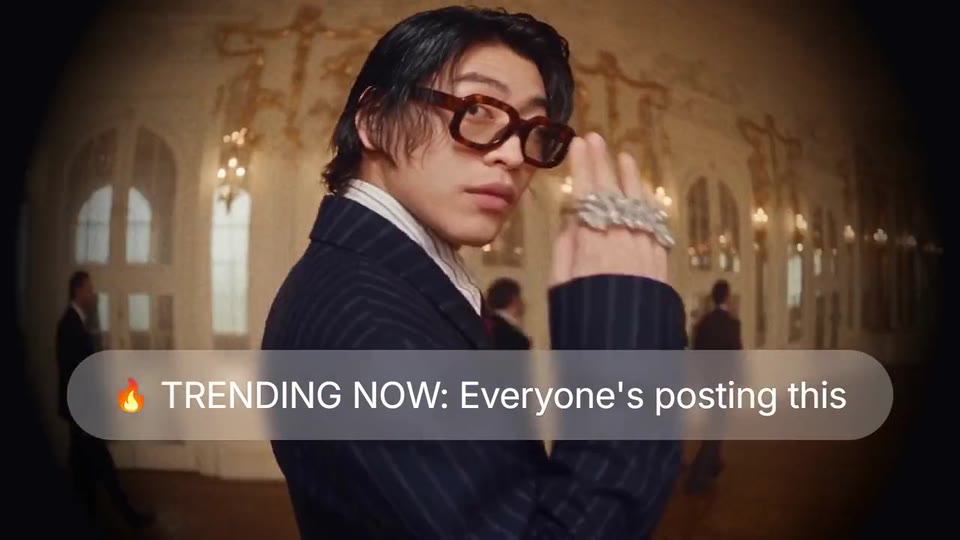
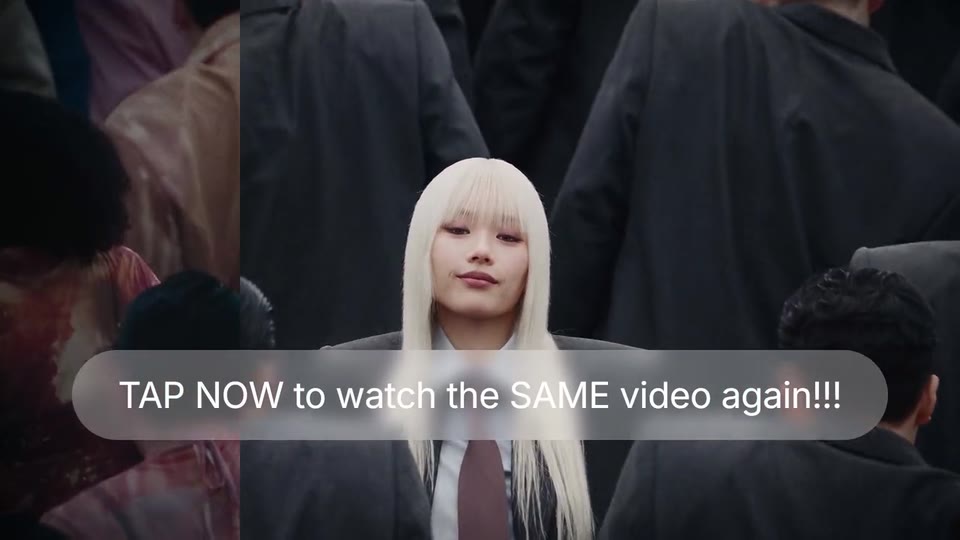
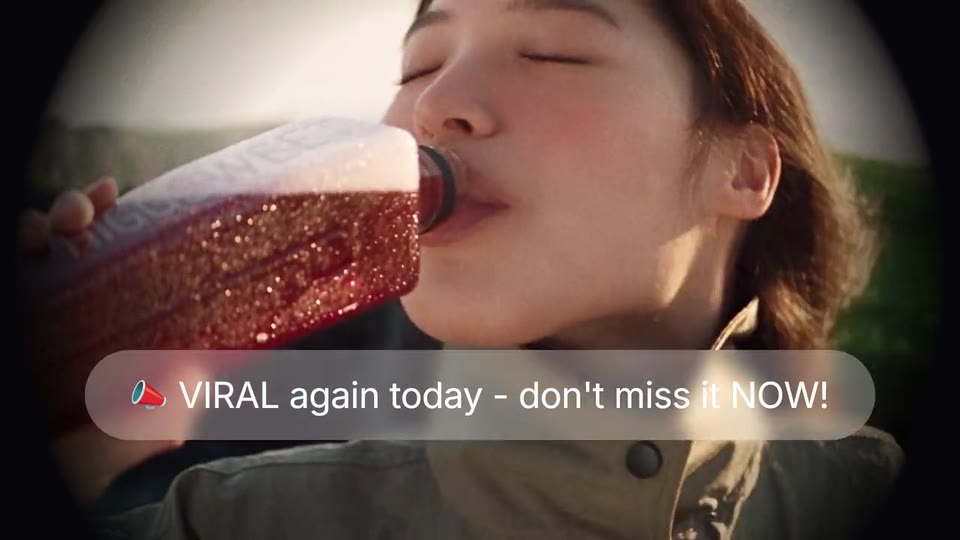
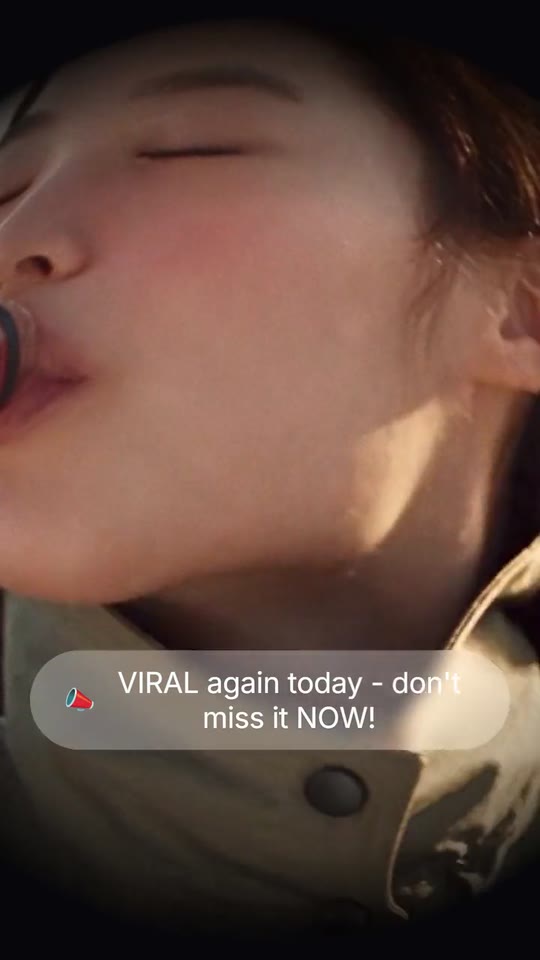
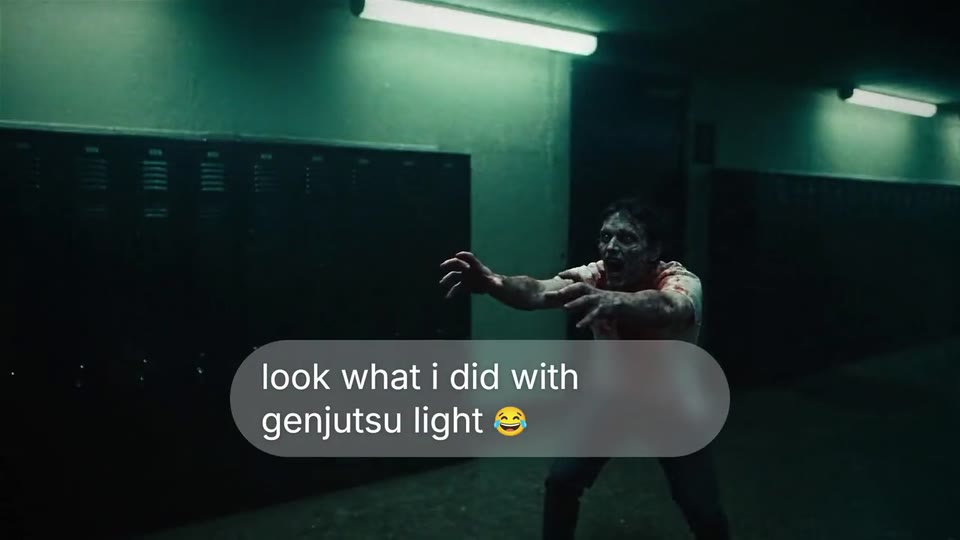
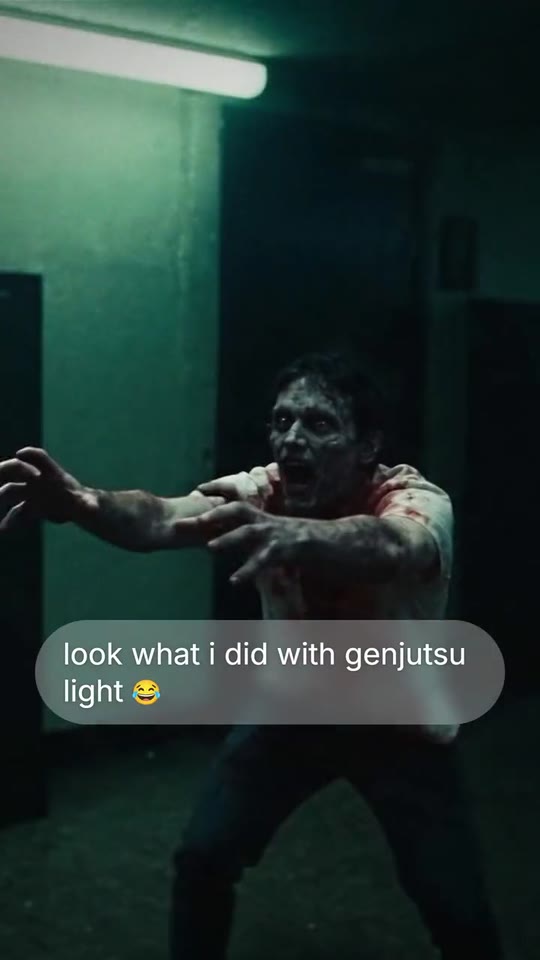
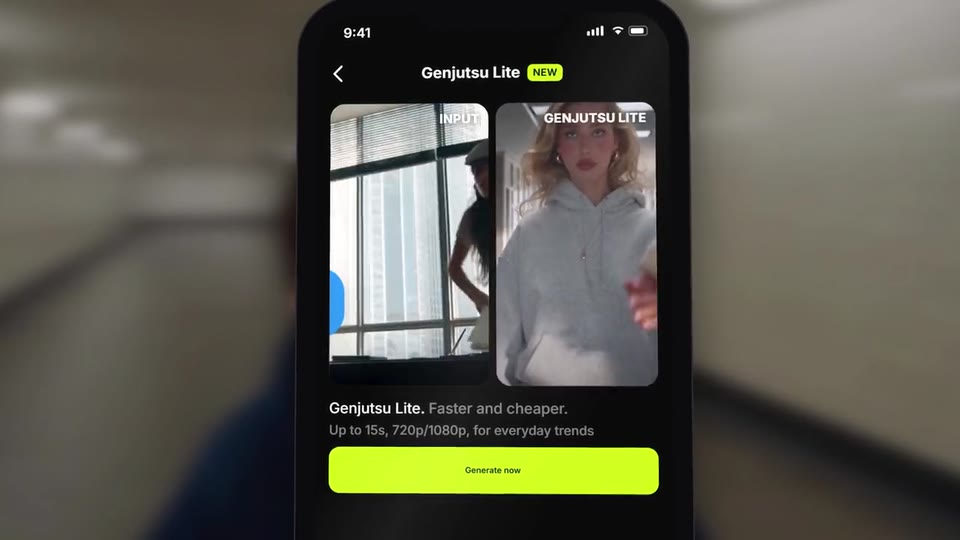
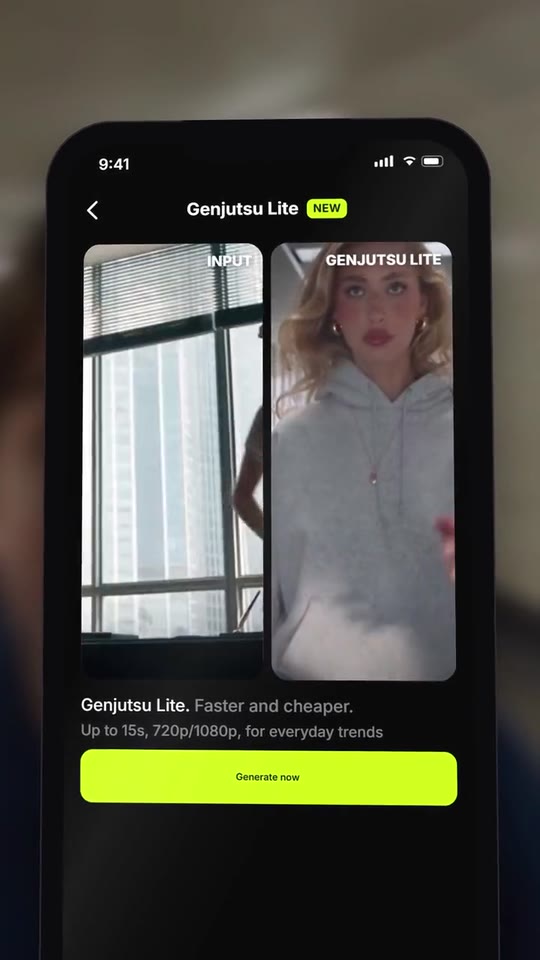
Generic notifications land on people in their moment, seen through a round fisheye lens and a wide-angle vignette; then one personal message, your app in a hand-held phone, your line in serif over it and your logo.
- Price: $17 per export, paid once per video and per format; exporting needs an Opus Motion account
- Length: 24.9 seconds
- Formats: 16:9, 9:16 (each one designed for its screen)
- What you can change: 36 texts, 14 images, 6 videos (a clip, or the picture it starts on), 3 colors, the music
- Category: Launches
Examples with real brands
- Higgsfield, 16:9: watch the video
- Higgsfield, 9:16: watch the video
Make it yours
Paste your website and the template comes out with your logo, colors and words: https://opusmotion.com/studio/t87-peephole?mode=yours. To open it already filled from a website, add &site=yourdomain.com.
Fields, for AI agents
An agent fills these with POST https://opusmotion.com/api/v1/drafts (guide: https://opusmotion.com/agents.md). $17 per export, paid once per video and per format (16:9 and 9:16 are separate exports), or included in an Opus Motion Pass (15 premium exports a month for $49). Exporting needs an Opus Motion account; payment happens in the studio.
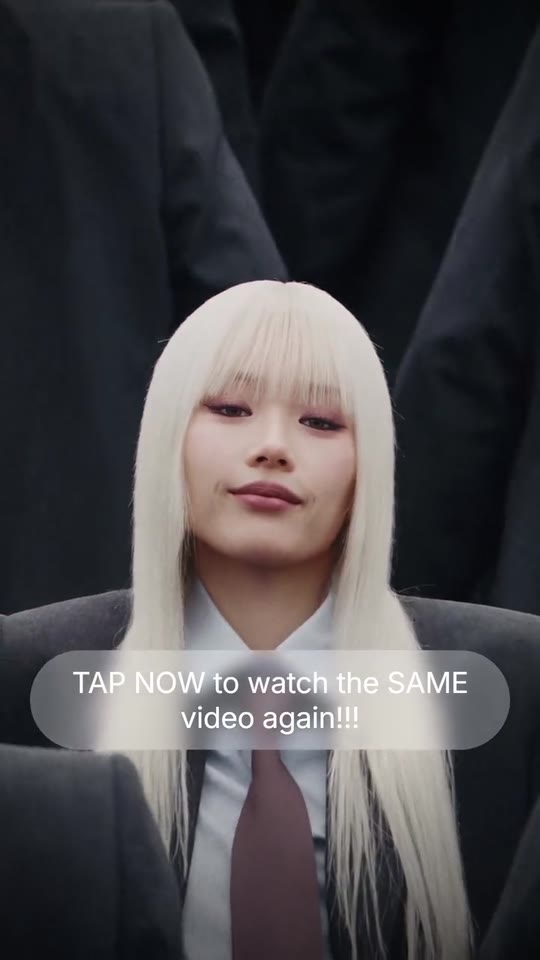
Scenes: A person in their moment through a round fisheye lens, and notification 1 (0–2.92 s); A wide shot, the person centred, and notification 2 (2.92–6.72 s); The round lens again, and notification 3 (6.72–9.93 s); The person runs at the retreating camera; the personal message lands (9.93–13.97 s); Your app on a phone: the search, the feature, the result; your line in serif over it (13.97–21.97 s); Your logo comes out of a blur (21.97–24.94 s).
brandName(text, 2–18 characters): Brand name (drawn as the logotype when there is no logo). How your brand is written. Without a logo, it is drawn as the logotype in the close. The brand's own: never the demo's. Scene "Your logo comes out of a blur": 16:9 · 9:16.n1Text(text, 8–46 characters): Notification 1 · the usual generic blast (first shot). A generic notification, the kind everybody sends (the problem). Spammy capitals are fine. Demo's line, for tone and length only: "TRENDING NOW: Everyone's posting this". Scene "A person in their moment through a round fisheye lens, and notification 1": 16:9 · 9:16.n2Text(text, 8–46 characters): Notification 2 · the usual generic blast (the wide shot). Another generic notification. No made-up figures. Demo's line, for tone and length only: "TAP NOW to watch the SAME video again!!!". Scene "A wide shot, the person centred, and notification 2": 16:9 · 9:16.n3Text(text, 8–46 characters): Notification 3 · the usual generic blast (third shot). The third generic notification. Demo's line, for tone and length only: "VIRAL again today - don't miss it NOW!". Scene "The round lens again, and notification 3": 16:9 · 9:16.msgText(text, 6–44 characters): The personal message (the one that matters). The message that does matter: personal, lowercase if you like, in your brand's words. Demo's line, for tone and length only: "look what i did with genjutsu light". Scene "The person runs at the retreating camera; the personal message lands": 16:9 · 9:16.appTitle(text, 2–16 characters): Phone · screen title. Demo's line, for tone and length only: "Explore". Scene "Your app on a phone: the search, the feature, the result; your line in serif over it": 16:9 · 9:16.upgradeLabel(text, 2–10 characters): Phone · colour button, top right. Demo's line, for tone and length only: "Upgrade". Scene "Your app on a phone: the search, the feature, the result; your line in serif over it": 16:9 · 9:16.heroTitle(text, 3–28 characters): Phone · big card, title. Demo's line, for tone and length only: "HIGGSFIELD GENJUTSU LITE". Scene "Your app on a phone: the search, the feature, the result; your line in serif over it": 16:9 · 9:16.heroSub(text, 3–52 characters): Phone · big card, subtitle. Demo's line, for tone and length only: "Faster, lighter, cheaper. Same Genjutsu energy.". Scene "Your app on a phone: the search, the feature, the result; your line in serif over it": 16:9 · 9:16.tile1(text, 2–10 characters): Phone · shortcut 1. Demo's line, for tone and length only: "Image". Scene "Your app on a phone: the search, the feature, the result; your line in serif over it": 16:9 · 9:16.tile2(text, 2–10 characters): Phone · shortcut 2. Demo's line, for tone and length only: "Video". Scene "Your app on a phone: the search, the feature, the result; your line in serif over it": 16:9 · 9:16.tile3(text, 2–10 characters): Phone · shortcut 3. Demo's line, for tone and length only: "Assets". Scene "Your app on a phone: the search, the feature, the result; your line in serif over it": 16:9 · 9:16.tile4(text, 2–10 characters): Phone · shortcut 4 (with your icon). Demo's line, for tone and length only: "MCP". Scene "Your app on a phone: the search, the feature, the result; your line in serif over it": 16:9 · 9:16.kicker(text, 3–26 characters): Phone · coloured line above the section. Demo's line, for tone and length only: "Recreate with one tap". Scene "Your app on a phone: the search, the feature, the result; your line in serif over it": 16:9 · 9:16.sectionTitle(text, 3–22 characters): Phone · section title. Demo's line, for tone and length only: "Community presets". Scene "Your app on a phone: the search, the feature, the result; your line in serif over it": 16:9 · 9:16.viewAll(text, 2–10 characters): Phone · section link. Demo's line, for tone and length only: "View all". Scene "Your app on a phone: the search, the feature, the result; your line in serif over it": 16:9 · 9:16.searchPlaceholder(text, 2–16 characters): Phone · empty search bar. Demo's line, for tone and length only: "Search". Scene "Your app on a phone: the search, the feature, the result; your line in serif over it": 16:9 · 9:16.typed(text, 2–22 characters): Phone · what gets typed (silently). What is typed into the phone's search bar (no sound). Demo's line, for tone and length only: "genjutsu lite". Scene "Your app on a phone: the search, the feature, the result; your line in serif over it": 16:9 · 9:16.toolTitle(text, 2–18 characters): Phone · feature screen, title. Demo's line, for tone and length only: "Genjutsu Lite". Scene "Your app on a phone: the search, the feature, the result; your line in serif over it": 16:9 · 9:16.toolBadge(text, 0–6 characters): Phone · tag beside the title (optional). Optional. Demo's line, for tone and length only: "NEW". Scene "Your app on a phone: the search, the feature, the result; your line in serif over it": 16:9 · 9:16.inputLabel(text, 2–12 characters): Phone · label of what goes in. Demo's line, for tone and length only: "INPUT". Scene "Your app on a phone: the search, the feature, the result; your line in serif over it": 16:9 · 9:16.outputLabel(text, 2–16 characters): Phone · label of the result. Demo's line, for tone and length only: "GENJUTSU LITE". Scene "Your app on a phone: the search, the feature, the result; your line in serif over it": 16:9 · 9:16.toolLine1(text, 2–20 characters): Phone · line 1, in white. Demo's line, for tone and length only: "Genjutsu Lite.". Scene "Your app on a phone: the search, the feature, the result; your line in serif over it": 16:9 · 9:16.toolLine1b(text, 0–24 characters): Phone · line 1, dimmed. Optional. Demo's line, for tone and length only: "Faster and cheaper.". Scene "Your app on a phone: the search, the feature, the result; your line in serif over it": 16:9 · 9:16.toolLine2(text, 0–46 characters): Phone · line 2, small. Optional. Demo's line, for tone and length only: "Up to 15s, 720p/1080p, for everyday trends". Scene "Your app on a phone: the search, the feature, the result; your line in serif over it": 16:9 · 9:16.button(text, 2–18 characters): Phone · the button that gets tapped. Demo's line, for tone and length only: "Generate now". Scene "Your app on a phone: the search, the feature, the result; your line in serif over it": 16:9 · 9:16.phrase(text, 6–50 characters): The line over the phone (serif). Your line in serif over the phone. It breaks itself into two to four balanced lines. Demo's line, for tone and length only: "Drop your photo into any trending video and". Scene "Your app on a phone: the search, the feature, the result; your line in serif over it": 16:9 · 9:16.phraseItalic(text, 0–18 characters): The line · the ending in italics. The end of the line, in italics (optional). Optional. Demo's line, for tone and length only: "you're in it.". Scene "Your app on a phone: the search, the feature, the result; your line in serif over it": 16:9 · 9:16.accent(color, #RRGGBB): Brand colour (the phone's buttons). Scene "Your app on a phone: the search, the feature, the result; your line in serif over it": 16:9 · 9:16.appBg(color, #RRGGBB): Phone · app background. Scene "Your app on a phone: the search, the feature, the result; your line in serif over it": 16:9 · 9:16.cardBg(color, #RRGGBB): Phone · card background. Scene "Your app on a phone: the search, the feature, the result; your line in serif over it": 16:9 · 9:16.logo(image, free, shown whole): Your logo (the horizontal wordmark): an SVG, or a PNG with a transparent background. Your horizontal one-colour logo on a transparent background. Shown whole, at any proportion: nothing is cropped. The brand's own: never the demo's. Scene "Your logo comes out of a blur": 16:9 · 9:16.mark(image, 1:1, shown whole): A cut-out object on a transparent background (a PNG, or an SVG drawing): just the object, no photo background. Never a photo, never a photo padded with transparent bars. Your square one-colour icon. A card-like object (rounded corners, transparent around it) works too. Shown whole inside a 1:1 box: nothing is cropped. Optional. The brand's own: never the demo's. Scene "Your app on a phone: the search, the feature, the result; your line in serif over it": 16:9 · 9:16.n1Icon(image, 1:1, shown whole): A cut-out object on a transparent background (a PNG, or an SVG drawing): just the object, no photo background. Never a photo, never a photo padded with transparent bars. A card-like object (rounded corners, transparent around it) works too. Shown whole inside a 1:1 box: nothing is cropped. Optional. Demo's image. Scene "A person in their moment through a round fisheye lens, and notification 1": 16:9 · 9:16.n2Icon(image, 1:1, shown whole): An image of the brand. Shown whole inside a 1:1 box: nothing is cropped. Optional. Scene "A wide shot, the person centred, and notification 2": 16:9 · 9:16.n3Icon(image, 1:1, shown whole): A cut-out object on a transparent background (a PNG, or an SVG drawing): just the object, no photo background. Never a photo, never a photo padded with transparent bars. A card-like object (rounded corners, transparent around it) works too. Shown whole inside a 1:1 box: nothing is cropped. Optional. Demo's image. Scene "The round lens again, and notification 3": 16:9 · 9:16.msgIcon(image, 1:1, shown whole): A cut-out object on a transparent background (a PNG, or an SVG drawing): just the object, no photo background. Never a photo, never a photo padded with transparent bars. A card-like object (rounded corners, transparent around it) works too. Shown whole inside a 1:1 box: nothing is cropped. Optional. Demo's image. Scene "The person runs at the retreating camera; the personal message lands": 16:9 · 9:16.heroImage(image, 16:9, cropped): An image of the brand. Cropped to fill a 16:9 frame: keep the subject in the middle. Demo's image. Scene "Your app on a phone: the search, the feature, the result; your line in serif over it": 16:9 · 9:16.tile1Img(image, 3:4, cropped): An image of the brand. Cropped to fill a 3:4 frame: keep the subject in the middle. Optional. Demo's image. Scene "Your app on a phone: the search, the feature, the result; your line in serif over it": 16:9 · 9:16.tile2Img(image, 3:4, cropped): An image of the brand. Cropped to fill a 3:4 frame: keep the subject in the middle. Optional. Demo's image. Scene "Your app on a phone: the search, the feature, the result; your line in serif over it": 16:9 · 9:16.tile3Img(image, 3:4, cropped): An image of the brand. Cropped to fill a 3:4 frame: keep the subject in the middle. Optional. Demo's image. Scene "Your app on a phone: the search, the feature, the result; your line in serif over it": 16:9 · 9:16.preset1Img(image, 3:4, cropped): An image of the brand. Cropped to fill a 3:4 frame: keep the subject in the middle. Optional. Demo's image. Scene "Your app on a phone: the search, the feature, the result; your line in serif over it": 16:9 · 9:16.preset2Img(image, 3:4, cropped): An image of the brand. Cropped to fill a 3:4 frame: keep the subject in the middle. Optional. Demo's image. Scene "Your app on a phone: the search, the feature, the result; your line in serif over it": 16:9 · 9:16.photo(image, 3:4, cropped): A real photo of the product, place or people of the brand. Cropped to fill a 3:4 frame: keep the subject in the middle. Optional. Demo's image. Scene "Your app on a phone: the search, the feature, the result; your line in serif over it": 16:9 · 9:16.phoneBg(image, 16:9, cropped): An image of the brand. Cropped to fill a 16:9 frame: keep the subject in the middle. Demo's image. Scene "Your app on a phone: the search, the feature, the result; your line in serif over it": 16:9 · 9:16.shotAMotion(video, footage, 16:9, 2.92 s of the clip play): Real footage of this shot: a muted clip that starts where "Shot 1 · round lens (with notification 1) (still)" is. It movesshotAStill. Only its first 2.92 s play; the rest is cut. It holds its last frame. Demo's clip. Upload: PUT https://opusmotion.com/api/v1/drafts/{draftId}/media/shotAMotion. Scene "A person in their moment through a round fisheye lens, and notification 1": 16:9 · 9:16.shotAStill(image, 16:9, cropped): A real photo of the product, place or people of the brand. The first frame of your clip, the picture Animate starts from; it shows while the video loads. In the video this is the first frame of the clipshotAMotion, which plays here. Cropped to fill a 16:9 frame: keep the subject in the middle. Demo's image. Scene "A person in their moment through a round fisheye lens, and notification 1": 16:9 · 9:16.shotBMotion(video, footage, 16:9, 3.8 s of the clip play): Real footage of this shot: a muted clip that starts where "Shot 2 · wide, the person centred (with notification 2) (still)" is. It movesshotBStill. Only its first 3.8 s play; the rest is cut. It holds its last frame. Demo's clip. Upload: PUT https://opusmotion.com/api/v1/drafts/{draftId}/media/shotBMotion. Scene "A wide shot, the person centred, and notification 2": 16:9 · 9:16.shotBStill(image, 16:9, cropped): A real photo of the product, place or people of the brand. The first frame of your clip, the picture Animate starts from; it shows while the video loads. In the video this is the first frame of the clipshotBMotion, which plays here. Cropped to fill a 16:9 frame: keep the subject in the middle. Demo's image. Scene "A wide shot, the person centred, and notification 2": 16:9 · 9:16.shotCMotion(video, footage, 16:9, 3.21 s of the clip play): Real footage of this shot: a muted clip that starts where "Shot 3 · round lens (with notification 3) (still)" is. It movesshotCStill. Only its first 3.21 s play; the rest is cut. It holds its last frame. Demo's clip. Upload: PUT https://opusmotion.com/api/v1/drafts/{draftId}/media/shotCMotion. Scene "The round lens again, and notification 3": 16:9 · 9:16.shotCStill(image, 16:9, cropped): A real photo of the product, place or people of the brand. The first frame of your clip, the picture Animate starts from; it shows while the video loads. In the video this is the first frame of the clipshotCMotion, which plays here. Cropped to fill a 16:9 frame: keep the subject in the middle. Demo's image. Scene "The round lens again, and notification 3": 16:9 · 9:16.shotDMotion(video, footage, 16:9, 4.04 s of the clip play): Real footage of this shot: a muted clip that starts where "Shot 4 · the person runs at the retreating camera (with the message) (still)" is. It movesshotDStill. Only its first 4.04 s play; the rest is cut. It holds its last frame. Demo's clip. Upload: PUT https://opusmotion.com/api/v1/drafts/{draftId}/media/shotDMotion. Scene "The person runs at the retreating camera; the personal message lands": 16:9 · 9:16.shotDStill(image, 16:9, cropped): A real photo of the product, place or people of the brand. The first frame of your clip, the picture Animate starts from; it shows while the video loads. In the video this is the first frame of the clipshotDMotion, which plays here. Cropped to fill a 16:9 frame: keep the subject in the middle. Demo's image. Scene "The person runs at the retreating camera; the personal message lands": 16:9 · 9:16.inputMotion(video, footage, 9:16, 2.5 s of the clip play): Real footage of this shot: a muted clip that starts where "Phone · the trending video (goes in) (still, last frame)" is. It movesinputStill. Only its first 2.5 s play; the rest is cut. It holds its last frame. Demo's clip. Upload: PUT https://opusmotion.com/api/v1/drafts/{draftId}/media/inputMotion. Scene "Your app on a phone: the search, the feature, the result; your line in serif over it": 16:9 · 9:16.inputStill(image, 9:16, cropped): An image of the brand. The last frame of your clip: it sits under the video and holds the card once the clip ends. In the video this is the first frame of the clipinputMotion, which plays here. Cropped to fill a 9:16 frame: keep the subject in the middle. Demo's image. Scene "Your app on a phone: the search, the feature, the result; your line in serif over it": 16:9 · 9:16.outputMotion(video, footage, 9:16, 2.5 s of the clip play): Real footage of this shot: a muted clip that starts where "Phone · the result (still, last frame)" is. It movesoutputStill. Only its first 2.5 s play; the rest is cut. It holds its last frame. Demo's clip. Upload: PUT https://opusmotion.com/api/v1/drafts/{draftId}/media/outputMotion. Scene "Your app on a phone: the search, the feature, the result; your line in serif over it": 16:9 · 9:16.outputStill(image, 9:16, cropped): An image of the brand. The last frame of your clip: it sits under the video and holds the card once the clip ends. In the video this is the first frame of the clipoutputMotion, which plays here. Cropped to fill a 9:16 frame: keep the subject in the middle. Demo's image. Scene "Your app on a phone: the search, the feature, the result; your line in serif over it": 16:9 · 9:16.