For AI agents
Coding agents (Claude Code, Codex, Cursor and similar) make Opus Motion videos for a project with the agent guide: https://opusmotion.com/agents.md.
- The guide's steps: read the project, ask the person a few questions, compare templates (each one has a timelapse, its scenes and its fields), make a draft with
POST https://opusmotion.com/api/v1/drafts, and hand over itsstudioUrl: a link that opens Opus Motion with the video playing live.PATCHwith the draft'seditTokenchanges it, and the link stays the same. - Plain HTTPS and JSON: no key and no account. Or the MCP server (https://opusmotion.com/mcp): every tool, with stills of the draft returned as images. The person exports the MP4 from the studio.
- The studio is filled through the API, not by driving the site with a browser. When the API refuses, the person is told.
- More: llms.txt · this page in Markdown · developer docs · OpenAPI
Prompt Showcase: premium launches video template
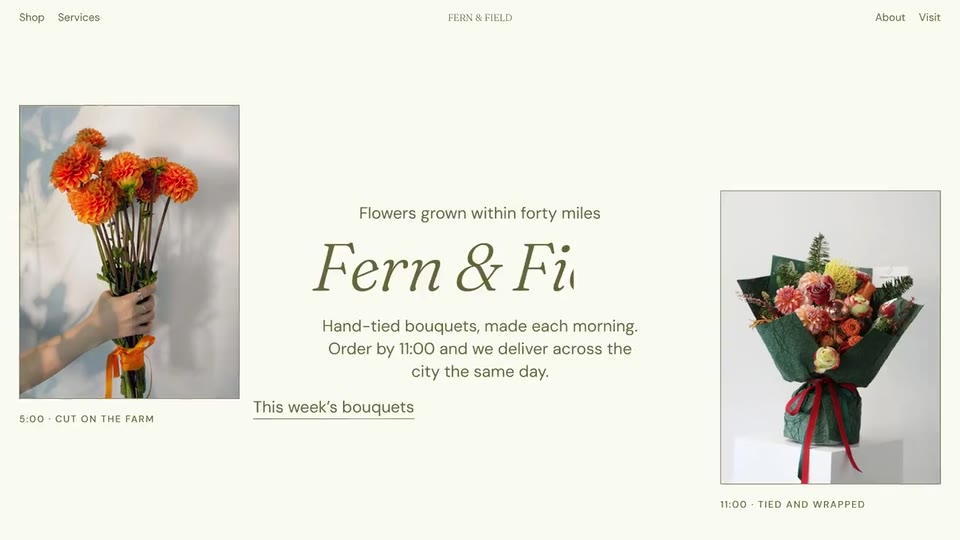
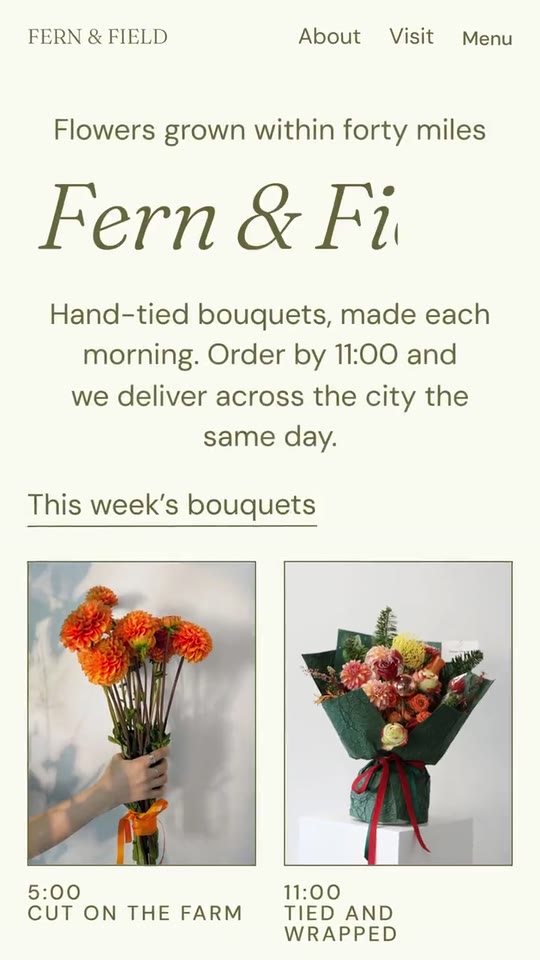
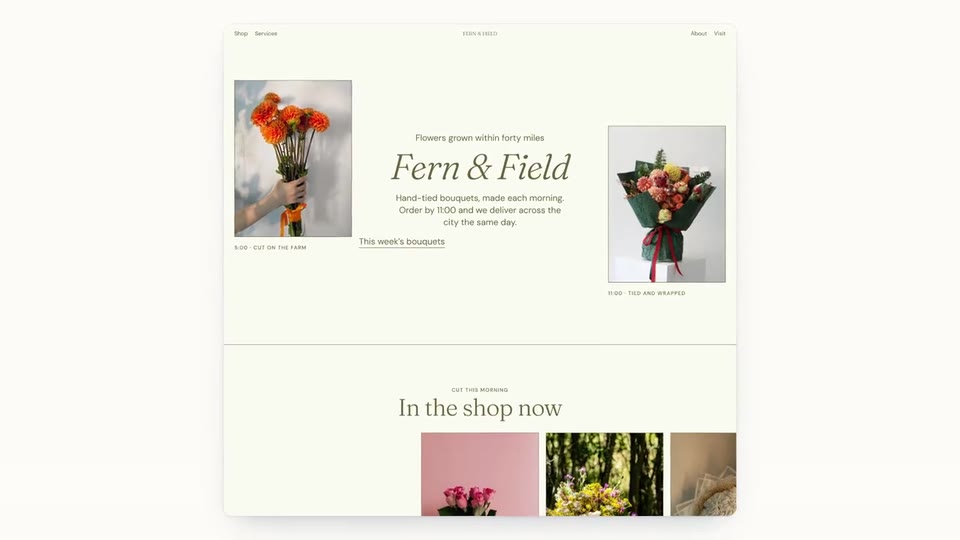
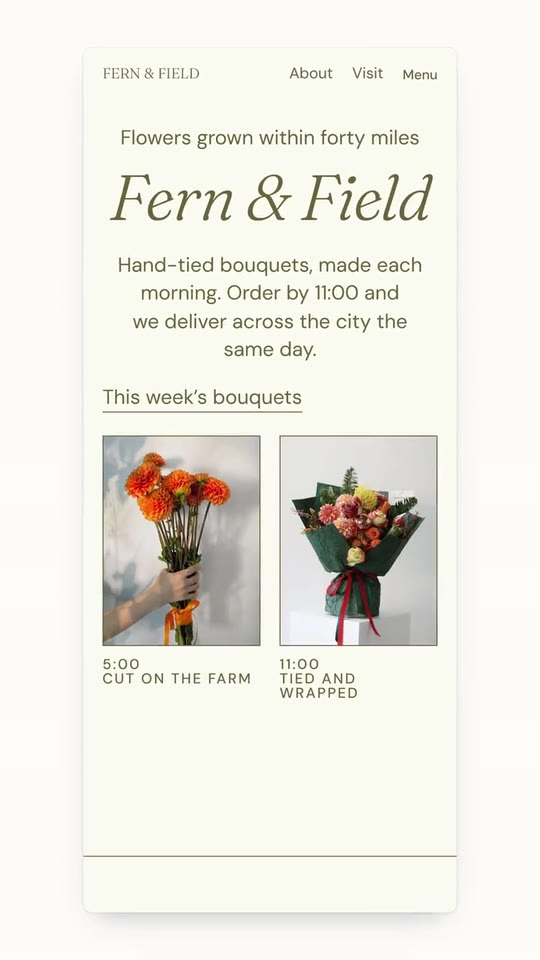
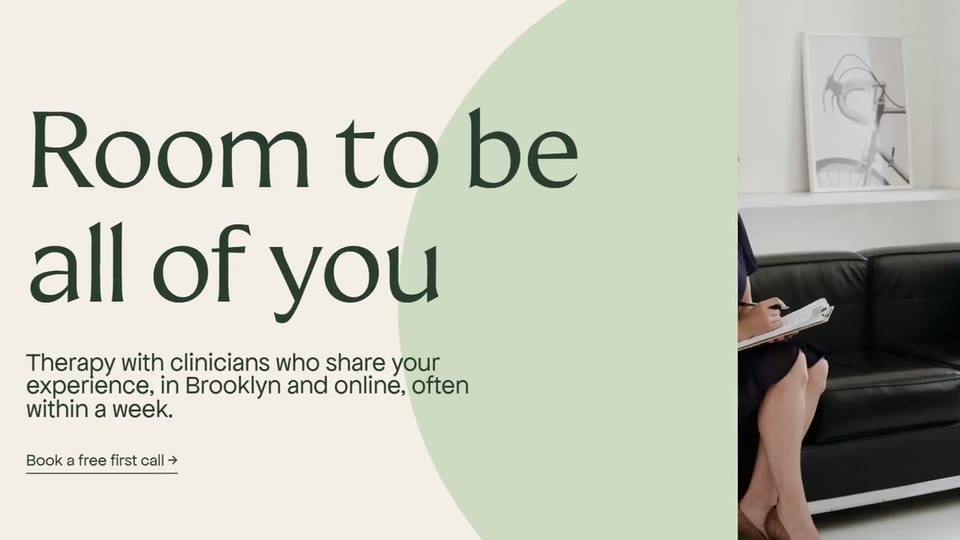
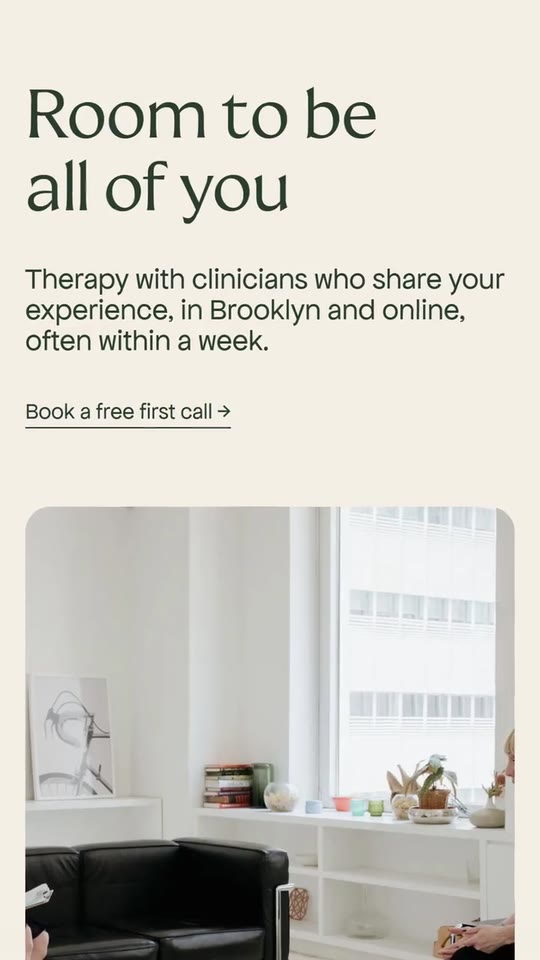
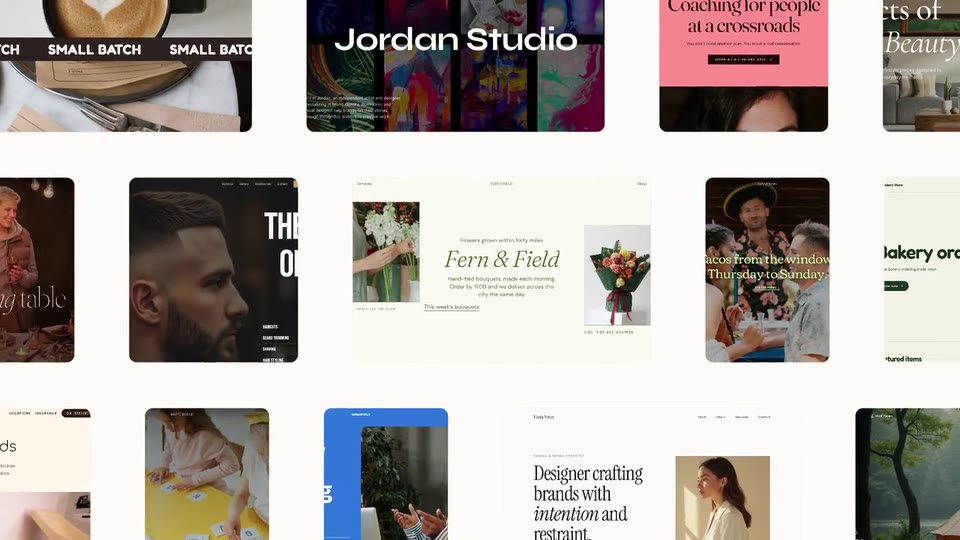
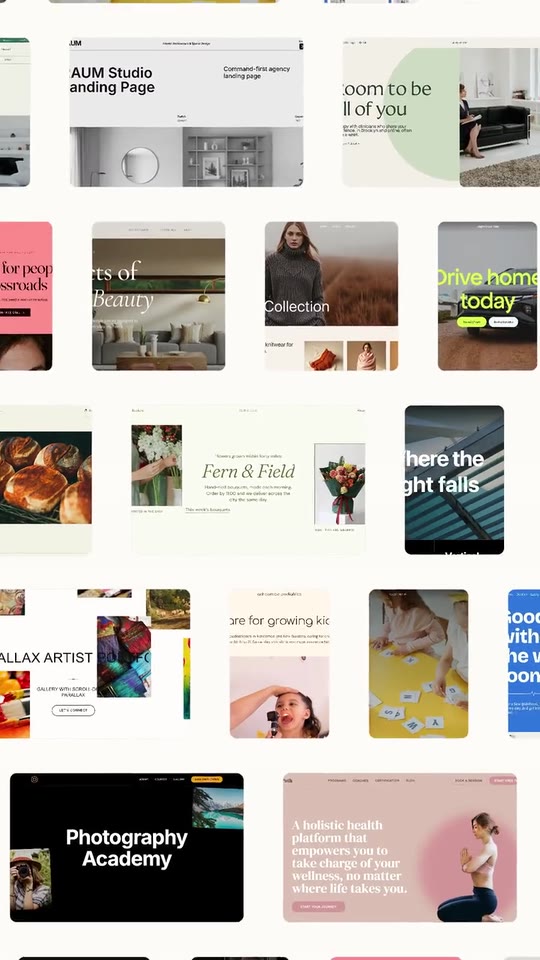
A launch film for an app or site builder: one prompt becomes a page, the trades change in the box, four pages made with it, the page opens in its editor over the brand's backdrop, then the wall of everything made with it.
- Price: $20 per export, paid once per video and per format; exporting needs an Opus Motion account
- Length: 31.2 seconds
- Formats: 16:9, 9:16 (each one designed for its screen)
- What you can change: 18 texts, 52 images, 5 colors
- Category: Launches
Examples with real brands
- Lovable, 16:9: watch the video
- Lovable, 9:16: watch the video
Make it yours
Paste your website and the template comes out with your logo, colors and words: https://opusmotion.com/studio/t92-prompt-showcase?mode=yours. To open it already filled from a website, add &site=yourdomain.com.
Fields, for AI agents
An agent fills these with POST https://opusmotion.com/api/v1/drafts (guide: https://opusmotion.com/agents.md). $20 per export, paid once per video and per format (16:9 and 9:16 are separate exports), or included in an Opus Motion Pass (15 premium exports a month for $49). Exporting needs an Opus Motion account; payment happens in the studio.
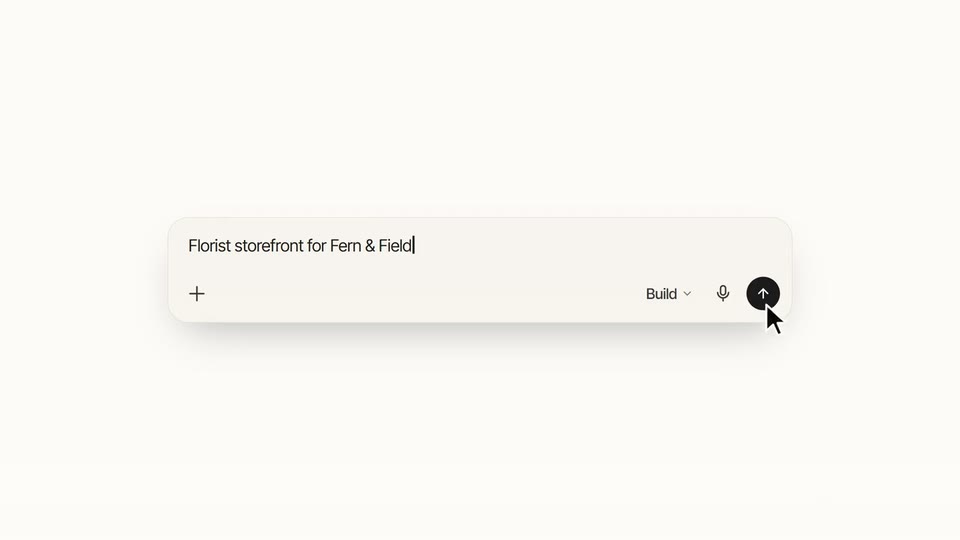
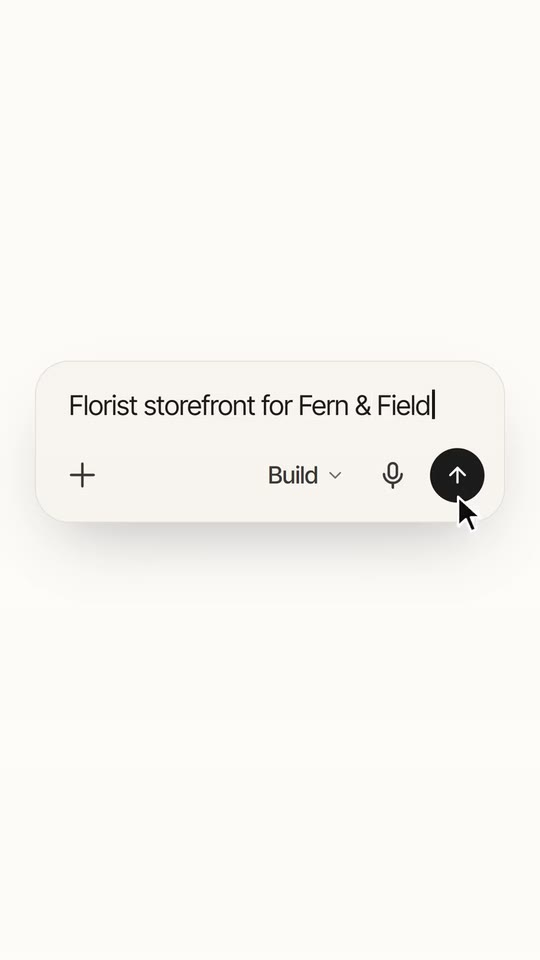
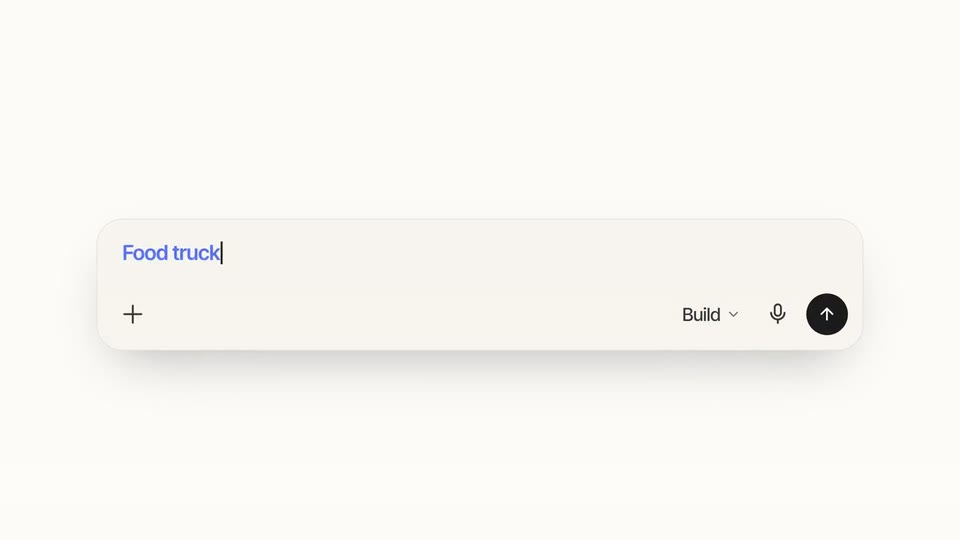
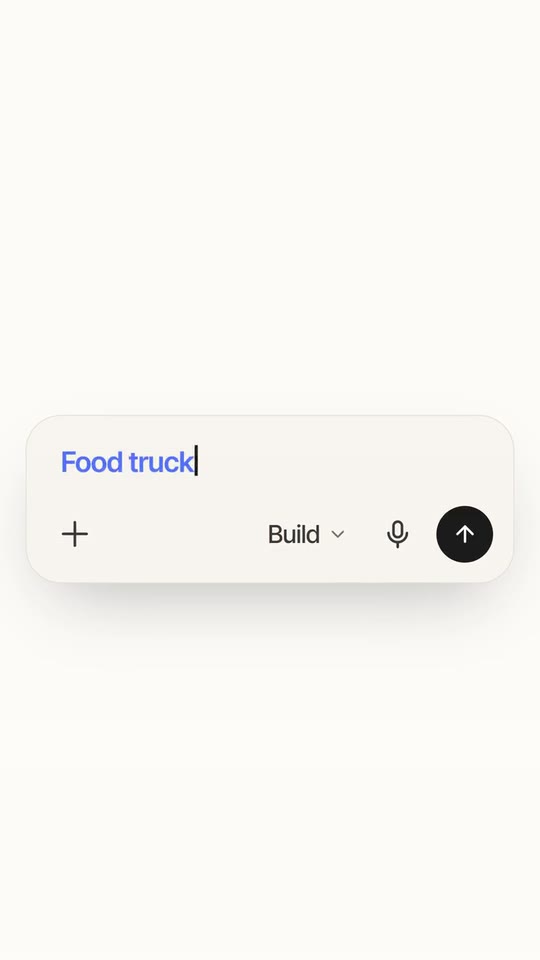
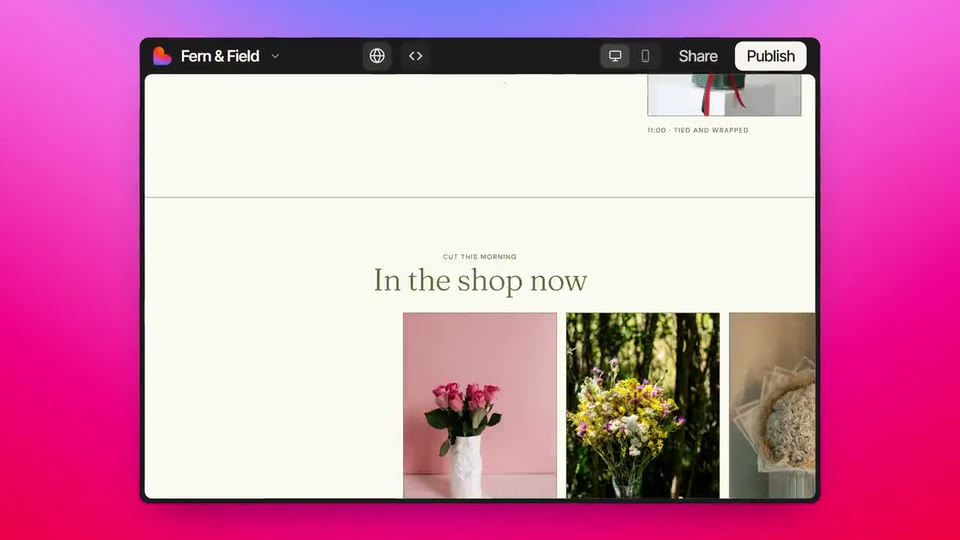
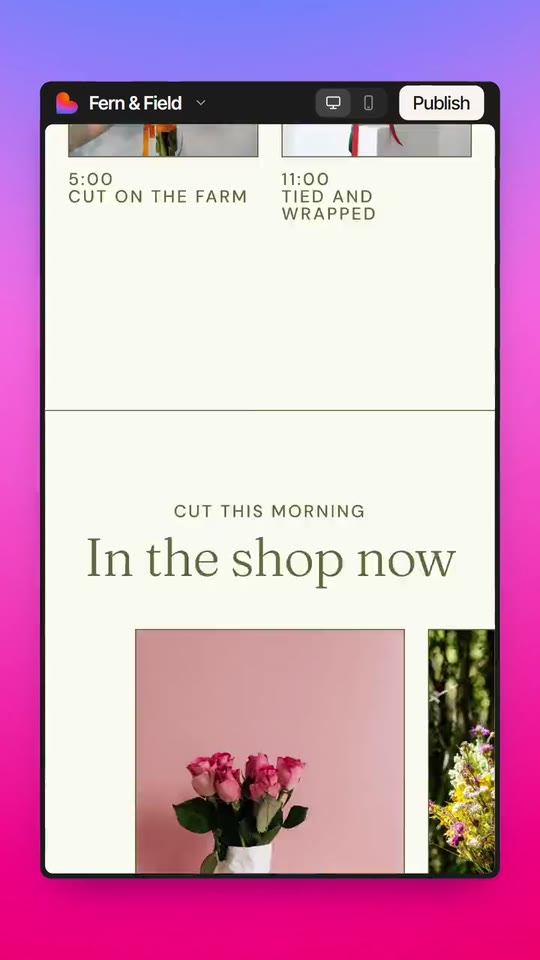
Scenes: The mark appears and the name is typed (0–1.893 s); The box: the prompt is typed and sent (1.893–4.82 s); The status, the card and the header of the page being built (4.82–7.259 s); The whole page in its card (7–8.235 s); The phrase and the second box, with the changing trades (8.235–14.088 s); Four pages, one after another (14.088–16.754 s); The project chip and the button (16.754–18.966 s); The page in the editor window, over the brand's backdrop (18.966–21.893 s); The stack and the 3 × 3 wall (21.893–25.795 s); The wall in motion (25.795–28.235 s); The mark and the name (28.235–31.235 s).
brandName(text, 2–14 characters): Brand name. How your brand is written. It goes in the middle phrase and, with no wordmark, it is typed beside the icon. The brand's own: never the demo's. Scene "The mark and the name" at 30.5 s: 16:9 · 9:16.logo(image, 1:1, shown whole): Your app or brand icon, square and full bleed. Your brand's icon, without the name and without a background. Shown whole inside a 1:1 box: nothing is cropped. The brand's own: never the demo's. Scene "The mark and the name" at 30.5 s: 16:9 · 9:16.wordmark(image, free, shown whole): A cut-out object on a transparent background (a PNG, or an SVG drawing): just the object, no photo background. Never a photo, never a photo padded with transparent bars. Your name drawn (horizontal, one colour, no background). A card-like object (rounded corners, transparent around it) works too. Shown whole, at any proportion: nothing is cropped. Optional. The brand's own: never the demo's. Scene "The mark and the name" at 30.5 s: 16:9 · 9:16.paperColor(color, #RRGGBB): Background. The paper of the whole film. Scene "The box: the prompt is typed and sent" at 3 s: 16:9 · 9:16.inkColor(color, #RRGGBB): Ink. The texts, the button and the cursor. Scene "The box: the prompt is typed and sent" at 3 s: 16:9 · 9:16.accentColor(color, #RRGGBB): Accent colour. The word that changes in the box, the title phrase and the button's fill. Scene "The phrase and the second box, with the changing trades" at 11 s: 16:9 · 9:16.boxColor(color, #RRGGBB): Box. The colour of the prompt box. Scene "The box: the prompt is typed and sent" at 3 s: 16:9 · 9:16.shellColor(color, #RRGGBB): Editor window. The dark frame of the window where the page shows. Scene "The page in the editor window, over the brand's backdrop" at 20 s: 16:9 · 9:16.placeholder(text, 2–44 characters): Empty box text. What your box says before anything is typed. Demo's line, for tone and length only: "Ask Lovable to create a prototype...". Scene "The box: the prompt is typed and sent" at 1.92 s: 16:9 · 9:16.prompt1(text, 4–44 characters): First prompt. The prompt typed in the box. It describes the page that is built next. Demo's line, for tone and length only: "Florist storefront for Fern & Field". Scene "The box: the prompt is typed and sent" at 4 s: 16:9 · 9:16.modeLabel(text, 2–10 characters): Box mode button. The word of your box's selector. Demo's line, for tone and length only: "Build". Scene "The box: the prompt is typed and sent" at 3 s: 16:9 · 9:16.status1(text, 2–26 characters): Status 1. What your product says as it starts. Demo's line, for tone and length only: "Creating your project". Scene "The status, the card and the header of the page being built" at 5.3 s: 16:9 · 9:16.status2(text, 2–26 characters): Status 2. What it says while it builds the page. Demo's line, for tone and length only: "Building your app". Scene "The status, the card and the header of the page being built" at 6.1 s: 16:9 · 9:16.titleTail(text, 2–22 characters): The phrase (after the name). It follows your name: "<Name> brings it to life." It is typed and stays in the accent colour for a moment. Demo's line, for tone and length only: "brings it to life.". Scene "The phrase and the second box, with the changing trades" at 9.1 s: 16:9 · 9:16.token1(text, 2–14 characters): Trade 1. The first trade typed in the box. Demo's line, for tone and length only: "Bakery". Scene "The phrase and the second box, with the changing trades" at 10.4 s: 16:9 · 9:16.token2(text, 2–14 characters): Trade 2. The second; it comes in changing. Demo's line, for tone and length only: "Food truck". Scene "The phrase and the second box, with the changing trades" at 10.9 s: 16:9 · 9:16.token3(text, 2–14 characters): Trade 3. The third. Demo's line, for tone and length only: "Caterer". Scene "The phrase and the second box, with the changing trades" at 11.4 s: 16:9 · 9:16.token4(text, 2–14 characters): Trade 4. The fourth, completed by the rest of the prompt. Demo's line, for tone and length only: "Therapist". Scene "The phrase and the second box, with the changing trades" at 12.6 s: 16:9 · 9:16.prompt2Rest(text, 2–28 characters): Rest of the second prompt. What is typed after the fourth trade (no space at the start). Demo's line, for tone and length only: "website, session rates". Scene "The phrase and the second box, with the changing trades" at 12.9 s: 16:9 · 9:16.projectName(text, 2–22 characters): Project name. The project's name: it goes in the chip and in the window's bar. Demo's line, for tone and length only: "Fern & Field". Scene "The project chip and the button" at 16.9 s: 16:9 · 9:16.cta(text, 2–14 characters): Button. The button that is pressed (and the bar's). Demo's line, for tone and length only: "Publish". Scene "The project chip and the button" at 17.6 s: 16:9 · 9:16.backdrop(image, 16:9, cropped): An image of the brand. Your brand's image behind the window: a gradient or an official background. Cropped to fill a 16:9 frame: keep the subject in the middle. Demo's image. Scene "The page in the editor window, over the brand's backdrop" at 20 s: 16:9 · 9:16.backdropPhone(image, 9:16, cropped): An image of the brand. The same, vertical. Cropped to fill a 9:16 frame: keep the subject in the middle. Demo's image. Scene "The page in the editor window, over the brand's backdrop" at 20 s: 16:9 · 9:16.heroPage(image, free, cropped): A real screenshot of the product. The full capture of the first prompt's page, 1440 px wide at 2x. Cropped to fill its frame: keep the subject in the middle. Demo's image. Scene "The whole page in its card" at 7.8 s: 16:9 · 9:16.heroPagePhone(image, free, cropped): An image of the brand. The same page on the phone, 390 px wide at 3x. Cropped to fill its frame: keep the subject in the middle. Demo's image. Scene "The whole page in its card" at 7.8 s: 16:9 · 9:16.site1(image, free, cropped): A real screenshot of the product. A full capture of another page made with your product, 1440 px wide at 2x: the first output (and a column of the wall). Cropped to fill its frame: keep the subject in the middle. Demo's image. Scene "Four pages, one after another" at 14.1 s: 16:9 · 9:16.site1Phone(image, free, cropped): An image of the brand. The same on the phone, 390 px wide at 3x. Cropped to fill its frame: keep the subject in the middle. Demo's image. Scene "Four pages, one after another" at 14.1 s: 16:9 · 9:16.site2(image, free, cropped): A real screenshot of the product. A full capture of another page made with your product, 1440 px wide at 2x: the second output. Cropped to fill its frame: keep the subject in the middle. Demo's image. Scene "Four pages, one after another" at 14.7 s: 16:9 · 9:16.site2Phone(image, free, cropped): An image of the brand. The same on the phone, 390 px wide at 3x. Cropped to fill its frame: keep the subject in the middle. Demo's image. Scene "Four pages, one after another" at 14.7 s: 16:9 · 9:16.site3(image, free, cropped): A real screenshot of the product. A full capture of another page made with your product, 1440 px wide at 2x: the third output (and the stack). Cropped to fill its frame: keep the subject in the middle. Demo's image. Scene "Four pages, one after another" at 15.3 s: 16:9 · 9:16.site3Phone(image, free, cropped): An image of the brand. The same on the phone, 390 px wide at 3x. Cropped to fill its frame: keep the subject in the middle. Demo's image. Scene "Four pages, one after another" at 15.3 s: 16:9 · 9:16.site4(image, free, cropped): A real screenshot of the product. A full capture of another page made with your product, 1440 px wide at 2x: the fourth output (and a column of the wall). Cropped to fill its frame: keep the subject in the middle. Demo's image. Scene "Four pages, one after another" at 15.9 s: 16:9 · 9:16.site4Phone(image, free, cropped): An image of the brand. The same on the phone, 390 px wide at 3x. Cropped to fill its frame: keep the subject in the middle. Demo's image. Scene "Four pages, one after another" at 15.9 s: 16:9 · 9:16.wall1(image, 16:9, cropped): A real photo of the product, place or people of the brand. The first one, in the centre, is the one the camera looks at when it starts. Cropped to fill a 16:9 frame: keep the subject in the middle. Demo's image. Scene "The wall in motion" at 26.5 s: 16:9 · 9:16.wall2(image, 16:9, cropped): A real photo of the product, place or people of the brand. A card of the wall of everything made with your product (16:9). Cropped to fill a 16:9 frame: keep the subject in the middle. Optional. Demo's image. Scene "The wall in motion" at 26.5 s: 16:9 · 9:16.wall3(image, 16:9, cropped): A real photo of the product, place or people of the brand. A card of the wall of everything made with your product (16:9). Cropped to fill a 16:9 frame: keep the subject in the middle. Optional. Demo's image. Scene "The wall in motion" at 26.5 s: 16:9 · 9:16.wall4(image, 16:9, cropped): A real photo of the product, place or people of the brand. A card of the wall of everything made with your product (16:9). Cropped to fill a 16:9 frame: keep the subject in the middle. Optional. Demo's image. Scene "The wall in motion" at 26.5 s: 16:9 · 9:16.wall5(image, 16:9, cropped): A real photo of the product, place or people of the brand. A card of the wall of everything made with your product (16:9). Cropped to fill a 16:9 frame: keep the subject in the middle. Optional. Demo's image. Scene "The wall in motion" at 26.5 s: 16:9 · 9:16.wall6(image, 16:9, cropped): A real photo of the product, place or people of the brand. A card of the wall of everything made with your product (16:9). Cropped to fill a 16:9 frame: keep the subject in the middle. Optional. Demo's image. Scene "The wall in motion" at 26.5 s: 16:9 · 9:16.wall7(image, 16:9, cropped): A real photo of the product, place or people of the brand. A card of the wall of everything made with your product (16:9). Cropped to fill a 16:9 frame: keep the subject in the middle. Optional. Demo's image. Scene "The wall in motion" at 26.5 s: 16:9 · 9:16.wall8(image, 16:9, cropped): A real photo of the product, place or people of the brand. A card of the wall of everything made with your product (16:9). Cropped to fill a 16:9 frame: keep the subject in the middle. Optional. Demo's image. Scene "The wall in motion" at 26.5 s: 16:9 · 9:16.wall9(image, 16:9, cropped): A real photo of the product, place or people of the brand. A card of the wall of everything made with your product (16:9). Cropped to fill a 16:9 frame: keep the subject in the middle. Optional. Demo's image. Scene "The wall in motion" at 26.5 s: 16:9 · 9:16.wall10(image, 16:9, cropped): A real photo of the product, place or people of the brand. A card of the wall of everything made with your product (16:9). Cropped to fill a 16:9 frame: keep the subject in the middle. Optional. Demo's image. Scene "The wall in motion" at 26.5 s: 16:9 · 9:16.wall11(image, 16:9, cropped): A real photo of the product, place or people of the brand. A card of the wall of everything made with your product (16:9). Cropped to fill a 16:9 frame: keep the subject in the middle. Optional. Demo's image. Scene "The wall in motion" at 26.5 s: 16:9 · 9:16.wall12(image, 16:9, cropped): A real photo of the product, place or people of the brand. A card of the wall of everything made with your product (16:9). Cropped to fill a 16:9 frame: keep the subject in the middle. Optional. Demo's image. Scene "The wall in motion" at 26.5 s: 16:9 · 9:16.wall13(image, 16:9, cropped): A real photo of the product, place or people of the brand. A card of the wall of everything made with your product (16:9). Cropped to fill a 16:9 frame: keep the subject in the middle. Optional. Demo's image. Scene "The wall in motion" at 26.5 s: 16:9 · 9:16.wall14(image, 16:9, cropped): A real photo of the product, place or people of the brand. A card of the wall of everything made with your product (16:9). Cropped to fill a 16:9 frame: keep the subject in the middle. Optional. Demo's image. Scene "The wall in motion" at 26.5 s: 16:9 · 9:16.wall15(image, 16:9, cropped): A real photo of the product, place or people of the brand. A card of the wall of everything made with your product (16:9). Cropped to fill a 16:9 frame: keep the subject in the middle. Optional. Demo's image. Scene "The wall in motion" at 26.5 s: 16:9 · 9:16.wall16(image, 16:9, cropped): A real photo of the product, place or people of the brand. A card of the wall of everything made with your product (16:9). Cropped to fill a 16:9 frame: keep the subject in the middle. Optional. Demo's image. Scene "The wall in motion" at 26.5 s: 16:9 · 9:16.wall17(image, 16:9, cropped): A real photo of the product, place or people of the brand. A card of the wall of everything made with your product (16:9). Cropped to fill a 16:9 frame: keep the subject in the middle. Optional. Demo's image. Scene "The wall in motion" at 26.5 s: 16:9 · 9:16.wall18(image, 16:9, cropped): A real photo of the product, place or people of the brand. A card of the wall of everything made with your product (16:9). Cropped to fill a 16:9 frame: keep the subject in the middle. Optional. Demo's image. Scene "The wall in motion" at 26.5 s: 16:9 · 9:16.wall19(image, 16:9, cropped): A real photo of the product, place or people of the brand. A card of the wall of everything made with your product (16:9). Cropped to fill a 16:9 frame: keep the subject in the middle. Optional. Demo's image. Scene "The wall in motion" at 26.5 s: 16:9 · 9:16.wall20(image, 16:9, cropped): A real photo of the product, place or people of the brand. A card of the wall of everything made with your product (16:9). Cropped to fill a 16:9 frame: keep the subject in the middle. Optional. Demo's image. Scene "The wall in motion" at 26.5 s: 16:9 · 9:16.wall21(image, 16:9, cropped): A real photo of the product, place or people of the brand. A card of the wall of everything made with your product (16:9). Cropped to fill a 16:9 frame: keep the subject in the middle. Optional. Demo's image. Scene "The wall in motion" at 26.5 s: 16:9 · 9:16.wall22(image, 16:9, cropped): A real photo of the product, place or people of the brand. A card of the wall of everything made with your product (16:9). Cropped to fill a 16:9 frame: keep the subject in the middle. Optional. Demo's image. Scene "The wall in motion" at 26.5 s: 16:9 · 9:16.wall23(image, 16:9, cropped): A real photo of the product, place or people of the brand. A card of the wall of everything made with your product (16:9). Cropped to fill a 16:9 frame: keep the subject in the middle. Optional. Demo's image. Scene "The wall in motion" at 26.5 s: 16:9 · 9:16.wall24(image, 16:9, cropped): A real photo of the product, place or people of the brand. A card of the wall of everything made with your product (16:9). Cropped to fill a 16:9 frame: keep the subject in the middle. Optional. Demo's image. Scene "The wall in motion" at 26.5 s: 16:9 · 9:16.wall25(image, 16:9, cropped): A real photo of the product, place or people of the brand. A card of the wall of everything made with your product (16:9). Cropped to fill a 16:9 frame: keep the subject in the middle. Optional. Demo's image. Scene "The wall in motion" at 26.5 s: 16:9 · 9:16.wall26(image, 16:9, cropped): A real photo of the product, place or people of the brand. A card of the wall of everything made with your product (16:9). Cropped to fill a 16:9 frame: keep the subject in the middle. Optional. Demo's image. Scene "The wall in motion" at 26.5 s: 16:9 · 9:16.