For AI agents
Coding agents (Claude Code, Codex, Cursor and similar) make Opus Motion videos for a project with the agent guide: https://opusmotion.com/agents.md.
- The guide's steps: read the project, ask the person a few questions, compare templates (each one has a timelapse, its scenes and its fields), make a draft with
POST https://opusmotion.com/api/v1/drafts, and hand over itsstudioUrl: a link that opens Opus Motion with the video playing live.PATCHwith the draft'seditTokenchanges it, and the link stays the same. - Plain HTTPS and JSON: no key and no account. Or the MCP server (https://opusmotion.com/mcp): every tool, with stills of the draft returned as images. The person exports the MP4 from the studio.
- The studio is filled through the API, not by driving the site with a browser. When the API refuses, the person is told.
- More: llms.txt · this page in Markdown · developer docs · OpenAPI
Restyle: premium launches video template
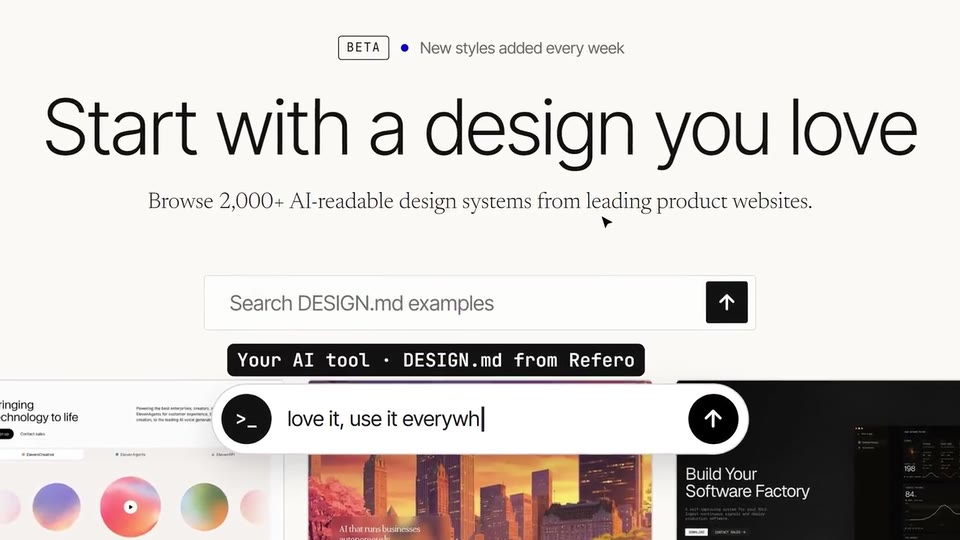
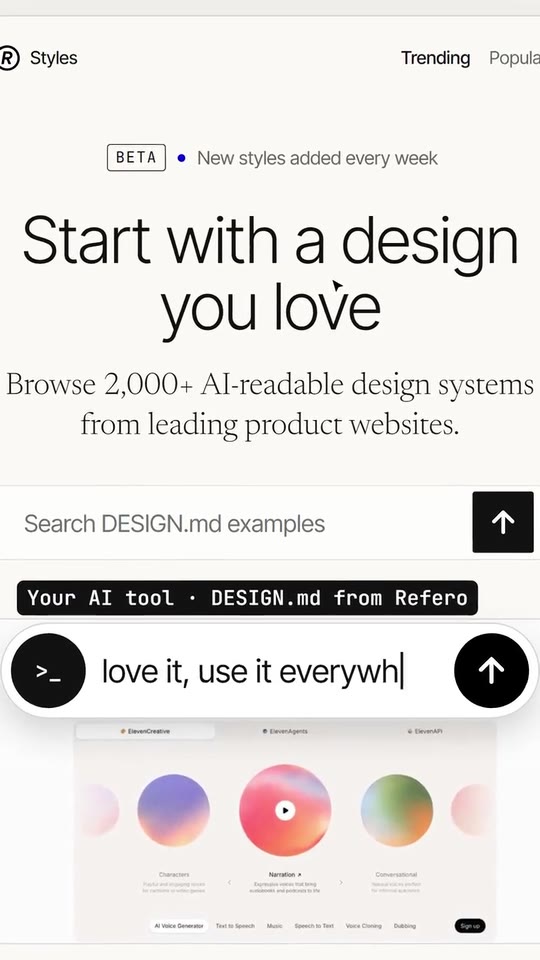
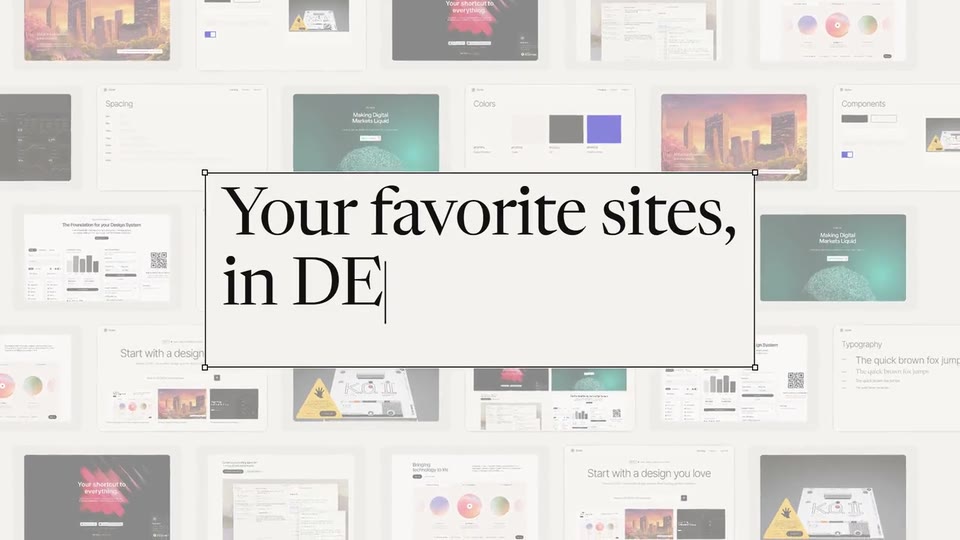
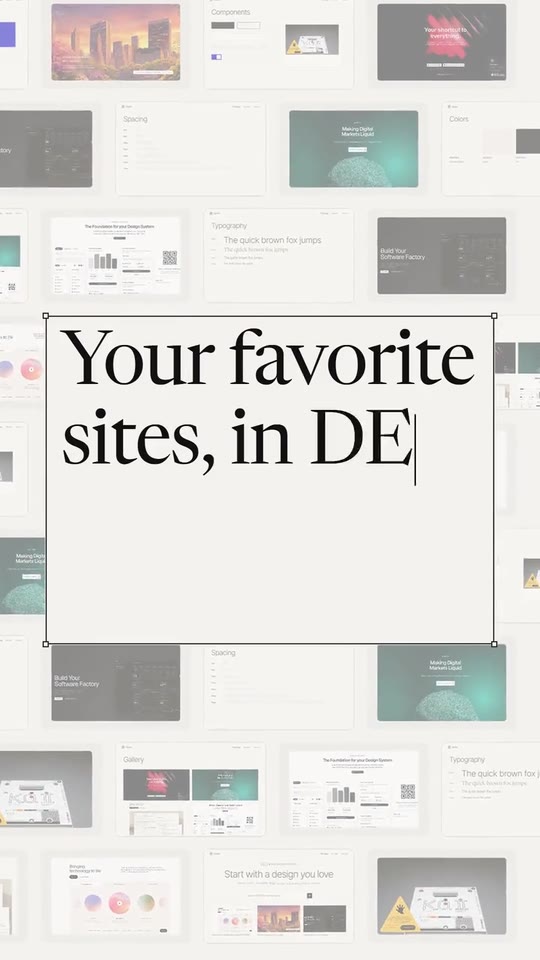
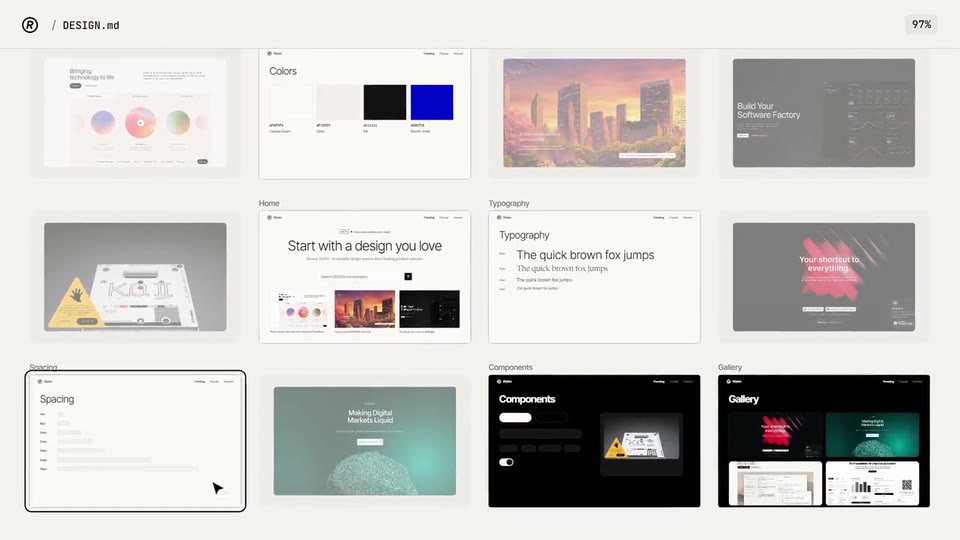
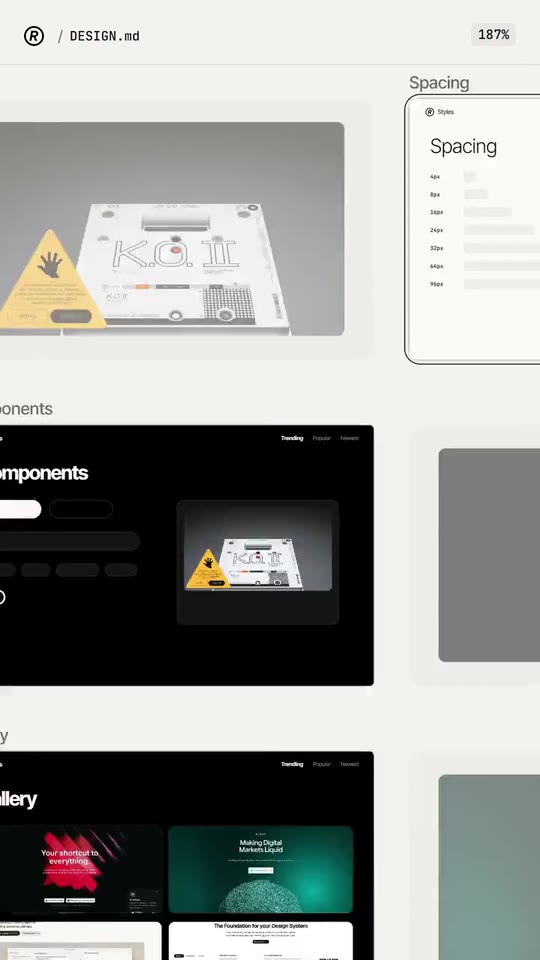
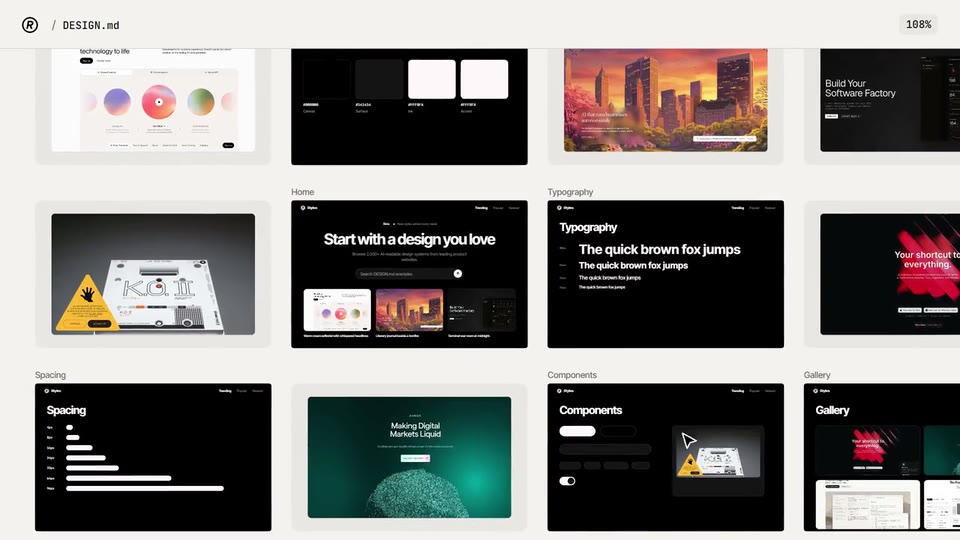
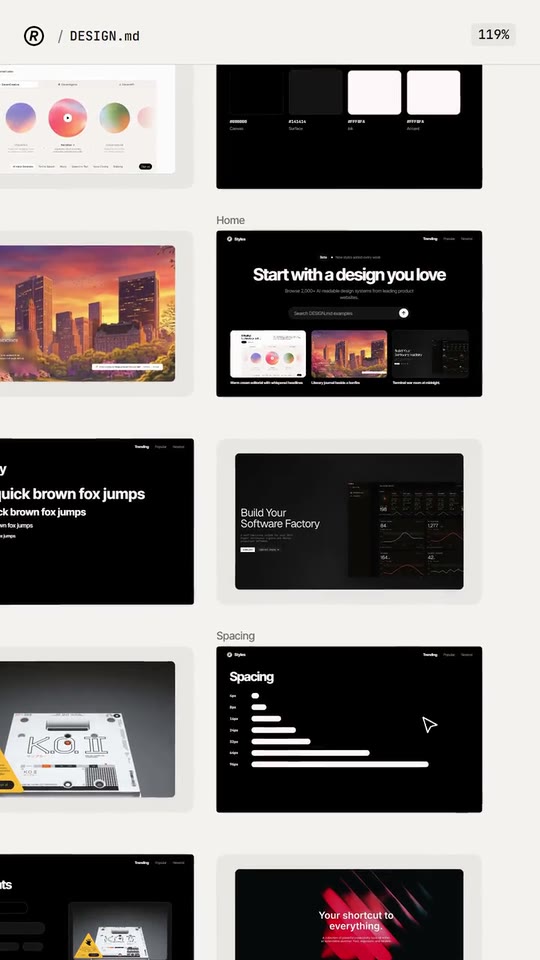
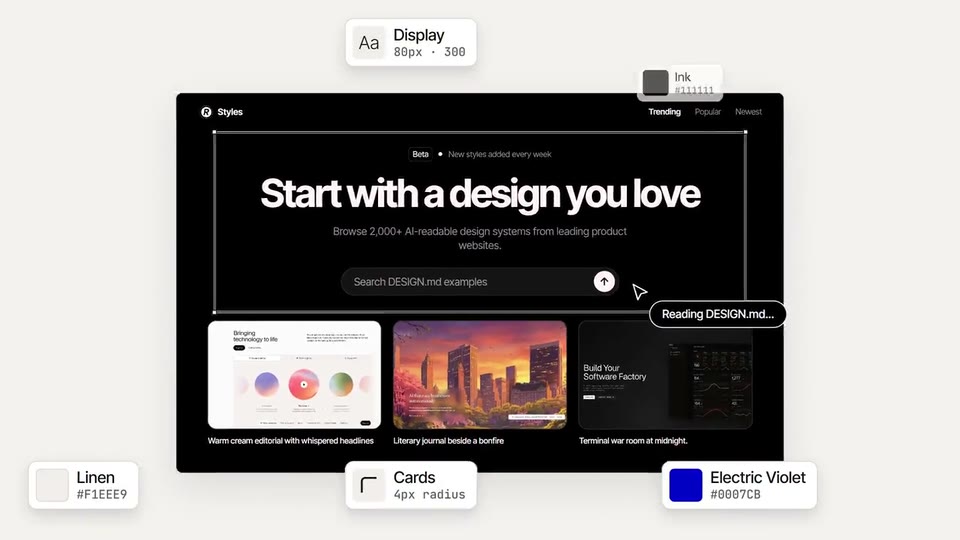
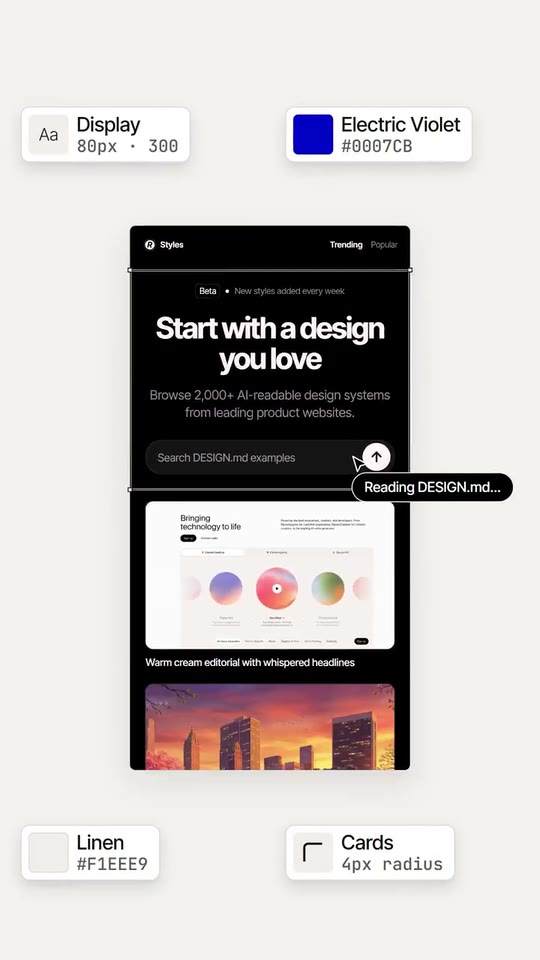
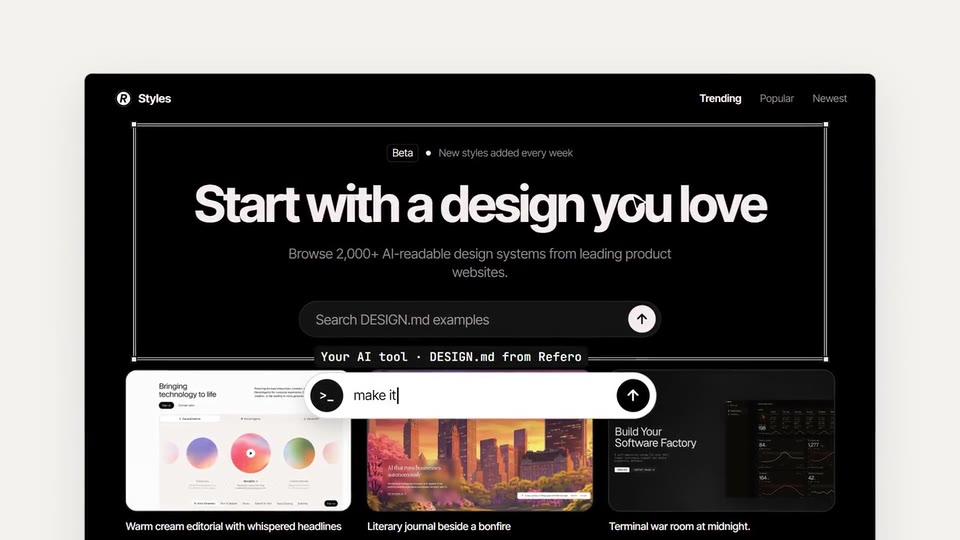
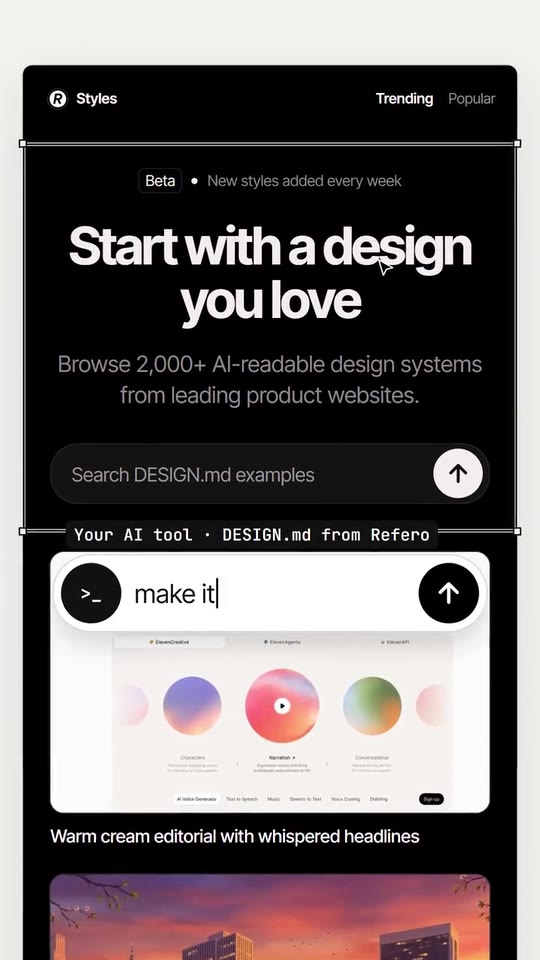
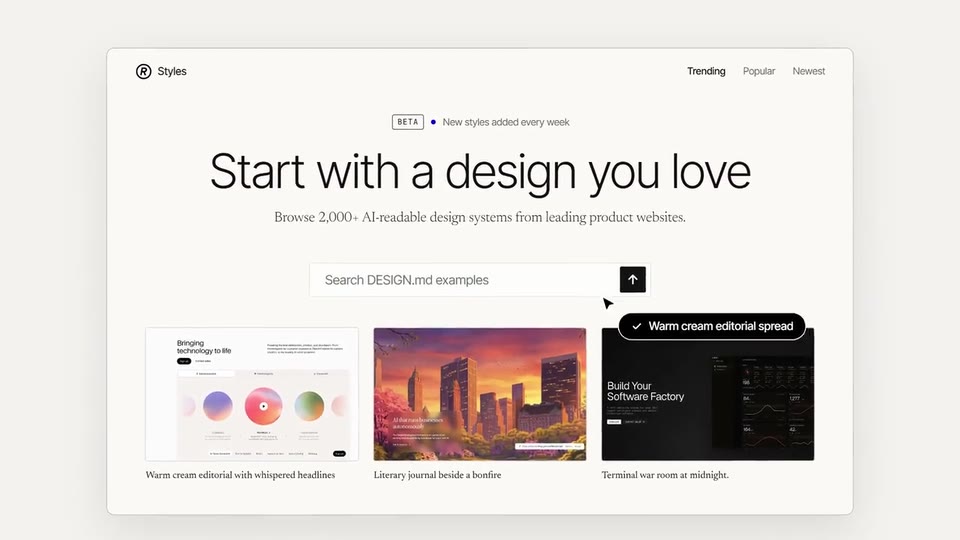
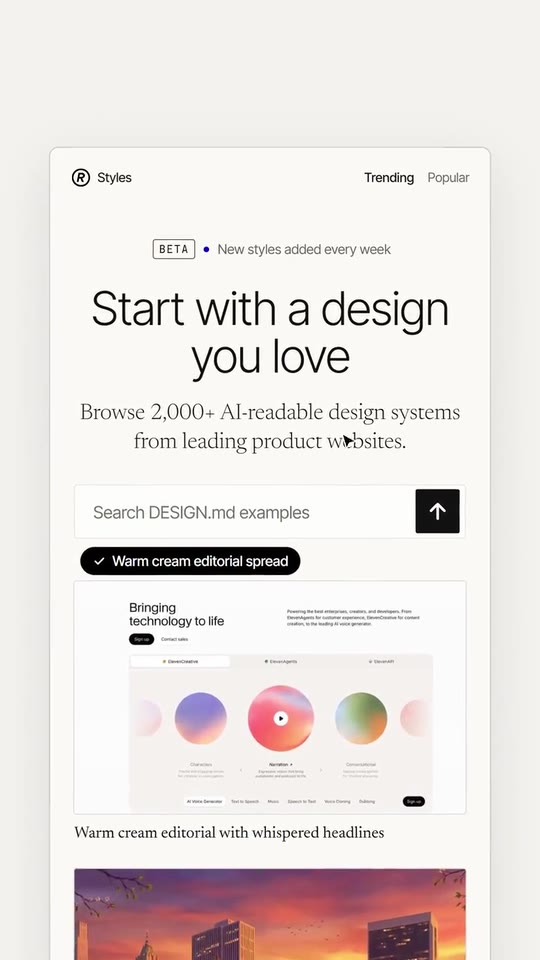
A 24-second launch for a product that changes how things look: your library on a canvas, your name selected large, a page that a prompt repaints with your tokens, every page repainted, your line typed over the word, your logo inside the same selection.
- Price: $17 per export, paid once per video and per format; exporting needs an Opus Motion account
- Length: 24 seconds
- Formats: 16:9, 9:16 (each one designed for its screen)
- What you can change: 43 texts, 9 images, 5 colors, the music
- Category: Launches
Examples with real brands
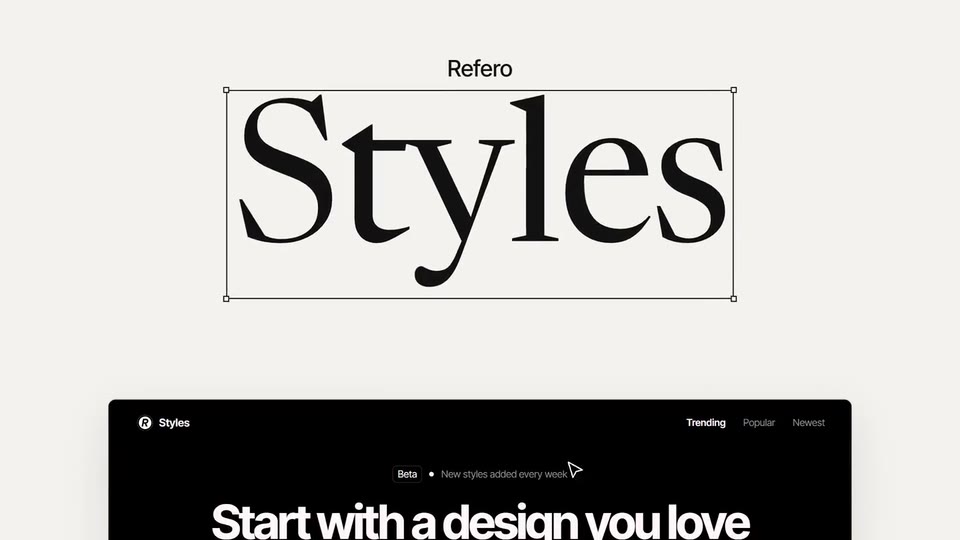
- Refero Styles, 16:9: watch the video
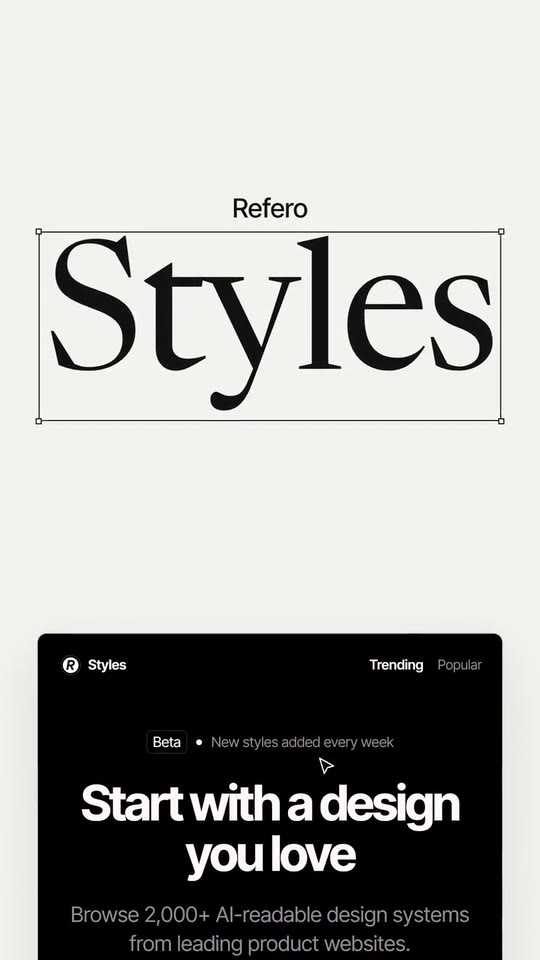
- Refero Styles, 9:16: watch the video
Make it yours
Paste your website and the template comes out with your logo, colors and words: https://opusmotion.com/studio/t66-restyle?mode=yours. To open it already filled from a website, add &site=yourdomain.com.
Fields, for AI agents
An agent fills these with POST https://opusmotion.com/api/v1/drafts (guide: https://opusmotion.com/agents.md). $17 per export, paid once per video and per format (16:9 and 9:16 are separate exports), or included in an Opus Motion Pass (15 premium exports a month for $49). Exporting needs an Opus Motion account; payment happens in the studio.
Scenes: Canvas: your pages and library, push-in (0–2 s); Kicker + big word in a selection; the page is grabbed and dragged up (2–4 s); Click the hero, prompt bar, first prompt typed and sent (4–8.5 s); Tokens fly in, the page repaints, zoom out x0.5 (8.5–10.5 s); The restyled page, the style's name with a check (10.5–12.5 s); Punch-in, second prompt typed and sent (12.5–15.5 s); Every page repaints on the canvas (15.5–18.5 s); Wall; the word is selected and your line is typed over it, with its quote (18.5–22 s); The selection closes onto your logo; your address types (22–24 s).
brandName(text, 2–18 characters): Brand name. How your brand is written The brand's own: never the demo's. Scene "Kicker + big word in a selection; the page is grabbed and dragged up" at 2.2 s: 16:9 · 9:16.logo(image, 1:1, shown whole): Your app or brand icon, square and full bleed. Your logo's icon, square (SVG or transparent PNG): the selection closes onto it at the end, while your address types. Shown whole inside a 1:1 box: nothing is cropped. The brand's own: never the demo's. Scene "The selection closes onto your logo; your address types" at 22.6 s: 16:9 · 9:16.logoText(text, 2–12 characters): Text next to the icon. What follows the slash in the close (icon / text) The brand's own: never the demo's. Scene "Kicker + big word in a selection; the page is grabbed and dragged up" at 2.2 s: 16:9 · 9:16.brandColor(color, #RRGGBB): Brand color. Paints the canvas, the selections, the cursor and the send buttonkicker(text, 2–16 characters): Small line above the word. Demo's line, for tone and length only: "Refero". Scene "Punch-in, second prompt typed and sent" at 13 s: 16:9 · 9:16.bigWord(text, 2–10 characters): Big word. The word that gets selected and replaced Demo's line, for tone and length only: "Styles". Scene "Kicker + big word in a selection; the page is grabbed and dragged up" at 2.2 s: 16:9 · 9:16.fileName(text, 2–14 characters): File or source. What your product reads (a file, a kit, a brief) Demo's line, for tone and length only: "DESIGN.md". Scene "Wall; the word is selected and your line is typed over it, with its quote" at 20.2 s: 16:9 · 9:16.pageHome(text, 2–14 characters): Main page label. Demo's line, for tone and length only: "Home". Scene "Every page repaints on the canvas" at 15.6 s: 16:9 · 9:16.pageColors(text, 2–14 characters): Page 2 label. Demo's line, for tone and length only: "Colors". Scene "Canvas: your pages and library, push-in" at 1.8 s: 16:9 · 9:16.pageTypography(text, 2–14 characters): Page 3 label. Demo's line, for tone and length only: "Typography". Scene "Every page repaints on the canvas" at 15.6 s: 16:9 · 9:16.pageSpacing(text, 2–14 characters): Page 4 label. Demo's line, for tone and length only: "Spacing". Scene "Canvas: your pages and library, push-in" at 1.8 s: 16:9 · 9:16.pageComponents(text, 2–14 characters): Page 5 label. Demo's line, for tone and length only: "Components". Scene "Every page repaints on the canvas" at 15.6 s: 16:9 · 9:16.pageGallery(text, 2–14 characters): Page 6 label. Demo's line, for tone and length only: "Gallery". Scene "Every page repaints on the canvas" at 15.6 s: 16:9 · 9:16.specimen(text, 6–26 characters): Type specimen line. Demo's line, for tone and length only: "The quick brown fox jumps". Scene "Every page repaints on the canvas" at 15.6 s: 16:9 · 9:16.nav1(text, 2–12 characters): Menu 1. Demo's line, for tone and length only: "Trending". Scene "Tokens fly in, the page repaints, zoom out x0.5" at 8.6 s: 16:9 · 9:16.nav2(text, 2–12 characters): Menu 2. Demo's line, for tone and length only: "Popular". Scene "Tokens fly in, the page repaints, zoom out x0.5" at 8.6 s: 16:9 · 9:16.nav3(text, 2–12 characters): Menu 3. Demo's line, for tone and length only: "Newest". Scene "Tokens fly in, the page repaints, zoom out x0.5" at 9 s: 16:9 · 9:16.tag(text, 2–10 characters): Tag. Demo's line, for tone and length only: "Beta". Scene "Punch-in, second prompt typed and sent" at 12.8 s: 16:9 · 9:16.tagNote(text, 4–32 characters): Note next to the tag. Demo's line, for tone and length only: "New styles added every week". Scene "Punch-in, second prompt typed and sent" at 12.8 s: 16:9 · 9:16.pageHead(text, 8–34 characters): Page headline. Demo's line, for tone and length only: "Start with a design you love". Scene "Punch-in, second prompt typed and sent" at 12.8 s: 16:9 · 9:16.pageSub(text, 20–80 characters): Page subhead. Demo's line, for tone and length only: "Browse 2,000+ AI-readable design systems from leading product websites.". Scene "Tokens fly in, the page repaints, zoom out x0.5" at 8.6 s: 16:9 · 9:16.pageCta(text, 6–30 characters): Search box text. Demo's line, for tone and length only: "Search DESIGN.md examples". Scene "Punch-in, second prompt typed and sent" at 12.8 s: 16:9 · 9:16.cap1(text, 6–48 characters): Image 1 caption. Demo's line, for tone and length only: "Warm cream editorial with whispered headlines". Scene "Click the hero, prompt bar, first prompt typed and sent" at 5.4 s: 16:9 · 9:16.cap2(text, 6–48 characters): Image 2 caption. Demo's line, for tone and length only: "Literary journal beside a bonfire". Scene "Click the hero, prompt bar, first prompt typed and sent" at 5.4 s: 16:9 · 9:16.cap3(text, 6–48 characters): Image 3 caption. Demo's line, for tone and length only: "Terminal war room at midnight.". Scene "Click the hero, prompt bar, first prompt typed and sent" at 5.4 s: 16:9 · 9:16.barLabel(text, 6–40 characters): Where the request is typed. Name the real tool where your product works; never credit your brand with something it does not do Demo's line, for tone and length only: "Your AI tool · DESIGN.md from Refero". Scene "Punch-in, second prompt typed and sent" at 13 s: 16:9 · 9:16.prompt1(text, 6–32 characters): First request. What someone asks your product Demo's line, for tone and length only: "make it calm and editorial". Scene "Click the hero, prompt bar, first prompt typed and sent" at 7.25 s: 16:9 · 9:16.statusText(text, 6–24 characters): Status while it works. Demo's line, for tone and length only: "Reading DESIGN.md". Scene "The restyled page, the style's name with a check" at 10.8 s: 16:9 · 9:16.styleName(text, 6–30 characters): Result (with a check). Demo's line, for tone and length only: "Warm cream editorial spread". Scene "The restyled page, the style's name with a check" at 10.72 s: 16:9 · 9:16.prompt2(text, 6–32 characters): Second request. Demo's line, for tone and length only: "love it, use it everywhere". Scene "Punch-in, second prompt typed and sent" at 14.2 s: 16:9 · 9:16.tok1(text, 3–16 characters): Token 1 (background color). Demo's line, for tone and length only: "Canvas Cream". Scene "Tokens fly in, the page repaints, zoom out x0.5" at 8.8 s: 16:9 · 9:16.tok2(text, 3–16 characters): Token 2 (surface). Demo's line, for tone and length only: "Linen". Scene "Tokens fly in, the page repaints, zoom out x0.5" at 9 s: 16:9 · 9:16.tok3(text, 3–16 characters): Token 3 (ink). Demo's line, for tone and length only: "Ink". Scene "Tokens fly in, the page repaints, zoom out x0.5" at 8.8 s: 16:9 · 9:16.tok4(text, 3–16 characters): Token 4 (accent). Demo's line, for tone and length only: "Electric Violet". Scene "Tokens fly in, the page repaints, zoom out x0.5" at 9.2 s: 16:9 · 9:16.tok5(text, 3–16 characters): Token 5 (typography). Demo's line, for tone and length only: "Display". Scene "Tokens fly in, the page repaints, zoom out x0.5" at 9 s: 16:9 · 9:16.tok5v(text, 2–16 characters): Token 5 value. Demo's line, for tone and length only: "80px · 300". Scene "Tokens fly in, the page repaints, zoom out x0.5" at 9 s: 16:9 · 9:16.tok6(text, 3–16 characters): Token 6 (shape). Demo's line, for tone and length only: "Cards". Scene "Tokens fly in, the page repaints, zoom out x0.5" at 9.2 s: 16:9 · 9:16.tok6v(text, 2–16 characters): Token 6 value. Demo's line, for tone and length only: "4px radius". Scene "Tokens fly in, the page repaints, zoom out x0.5" at 9.2 s: 16:9 · 9:16.styleCanvas(color, #RRGGBB): New style: background.styleSurface(color, #RRGGBB): New style: surface.styleInk(color, #RRGGBB): New style: ink.styleAccent(color, #RRGGBB): New style: accent.finalLine(text, 8–40 characters): Final line (typed over the word). Demo's line, for tone and length only: "Your favorite sites, in DESIGN.md". Scene "Wall; the word is selected and your line is typed over it, with its quote" at 20.2 s: 16:9 · 9:16.quoteLine(text, 6–40 characters): Quote line below. Demo's line, for tone and length only: "> 2,000+ AI-readable design systems". Scene "Wall; the word is selected and your line is typed over it, with its quote" at 20.8 s: 16:9 · 9:16.url(text, 4–28 characters): Address. Demo's line, for tone and length only: "styles.refero.design". Scene "The selection closes onto your logo; your address types" at 23.2 s: 16:9 · 9:16.lib1(image, 16:9, cropped): A real screenshot of the product. A page or screen of your library (16:9): eight of them sit on the canvas and get repainted with the new style. Cropped to fill a 16:9 frame: keep the subject in the middle. Demo's image. Scene "Punch-in, second prompt typed and sent" at 12.6 s: 16:9 · 9:16.lib2(image, 16:9, cropped): A real screenshot of the product. A page or screen of your library (16:9), on the canvas. Cropped to fill a 16:9 frame: keep the subject in the middle. Demo's image. Scene "Punch-in, second prompt typed and sent" at 12.6 s: 16:9 · 9:16.lib3(image, 16:9, cropped): A real screenshot of the product. A page or screen of your library (16:9), on the canvas. Cropped to fill a 16:9 frame: keep the subject in the middle. Demo's image. Scene "Punch-in, second prompt typed and sent" at 12.6 s: 16:9 · 9:16.lib4(image, 16:9, cropped): A real screenshot of the product. A page or screen of your library (16:9), on the canvas. Cropped to fill a 16:9 frame: keep the subject in the middle. Demo's image. Scene "Every page repaints on the canvas" at 15.6 s: 16:9 · 9:16.lib5(image, 16:9, cropped): A real screenshot of the product. A page or screen of your library (16:9), on the canvas. Cropped to fill a 16:9 frame: keep the subject in the middle. Demo's image. Scene "Canvas: your pages and library, push-in" at 0.2 s: 16:9 · 9:16.lib6(image, 16:9, cropped): A real screenshot of the product. A page or screen of your library (16:9), on the canvas. Cropped to fill a 16:9 frame: keep the subject in the middle. Demo's image. Scene "Canvas: your pages and library, push-in" at 1.8 s: 16:9 · 9:16.lib7(image, 16:9, cropped): A real screenshot of the product. A page or screen of your library (16:9), on the canvas. Cropped to fill a 16:9 frame: keep the subject in the middle. Demo's image. Scene "Wall; the word is selected and your line is typed over it, with its quote" at 18.6 s: 16:9 · 9:16.lib8(image, 16:9, cropped): A real screenshot of the product. A page or screen of your library (16:9), on the canvas. Cropped to fill a 16:9 frame: keep the subject in the middle. Demo's image. Scene "Wall; the word is selected and your line is typed over it, with its quote" at 18.6 s: 16:9 · 9:16.