For AI agents
If you are an AI agent (Claude Code, Codex, Cursor or similar) and the person wants a video for their project with Opus Motion, read the guide first and follow it: https://opusmotion.com/agents.md.
- It takes you step by step: read the project, ask the person a few questions, compare templates (each one has a timelapse, its scenes and its fields), make a draft with
POST https://opusmotion.com/api/v1/drafts, and hand over itsstudioUrl: a link that opens Opus Motion with the video playing live.PATCHwith the draft'seditTokenchanges it, and the link stays the same. - Plain HTTPS and JSON: no key, no account, no MCP. Nothing is rendered; the person exports the MP4 from the studio.
- Never drive this site with a browser to fill the studio: use the API. If it refuses, tell the person and stop.
- More: llms.txt · this page in Markdown · developer docs · OpenAPI
Shop Reel: premium launches video template
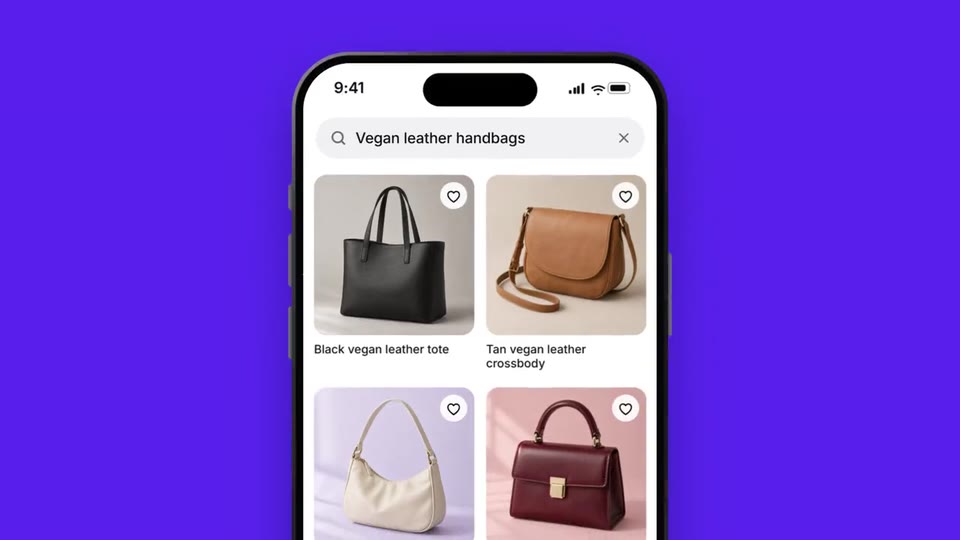
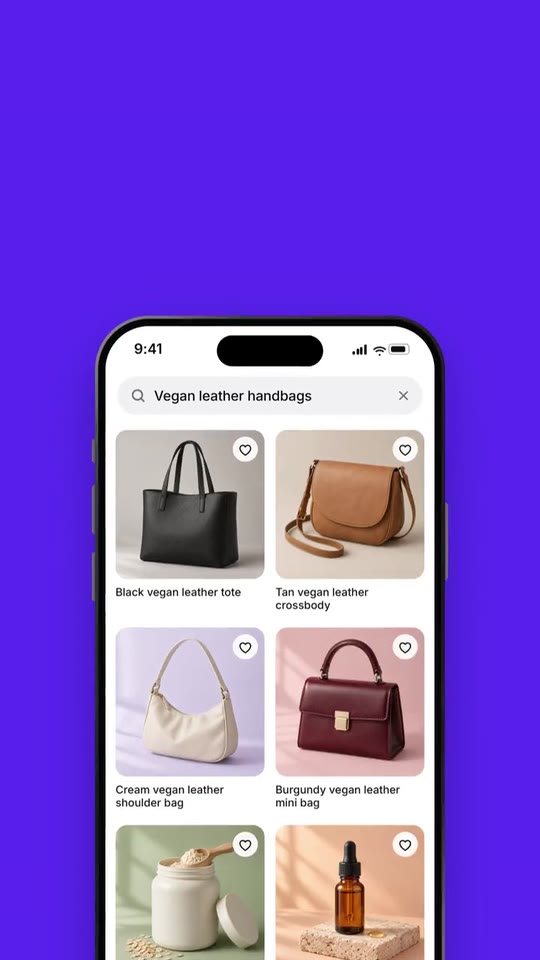
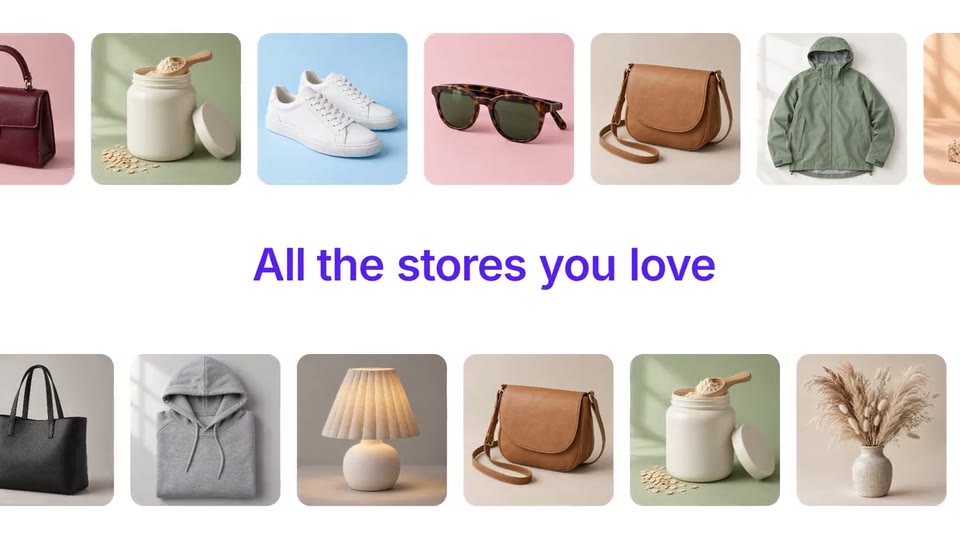
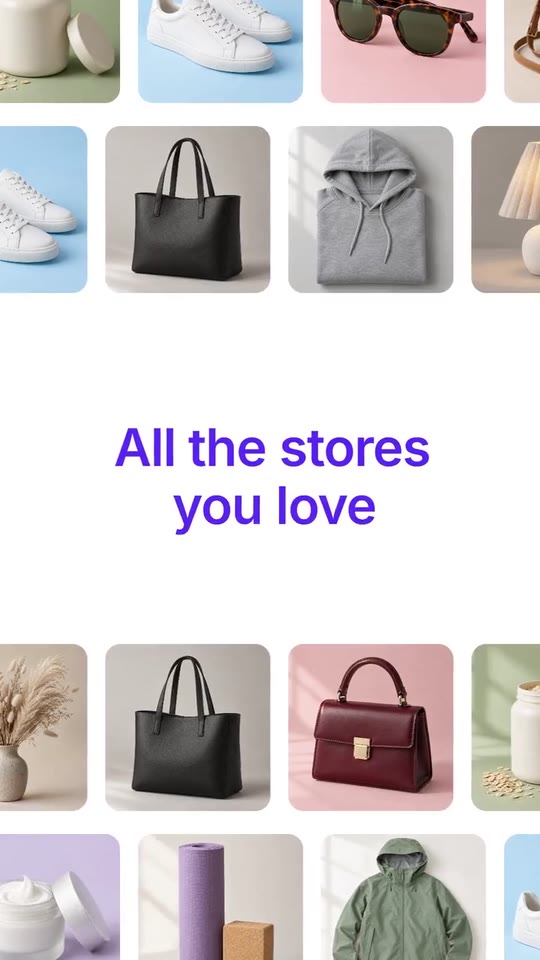
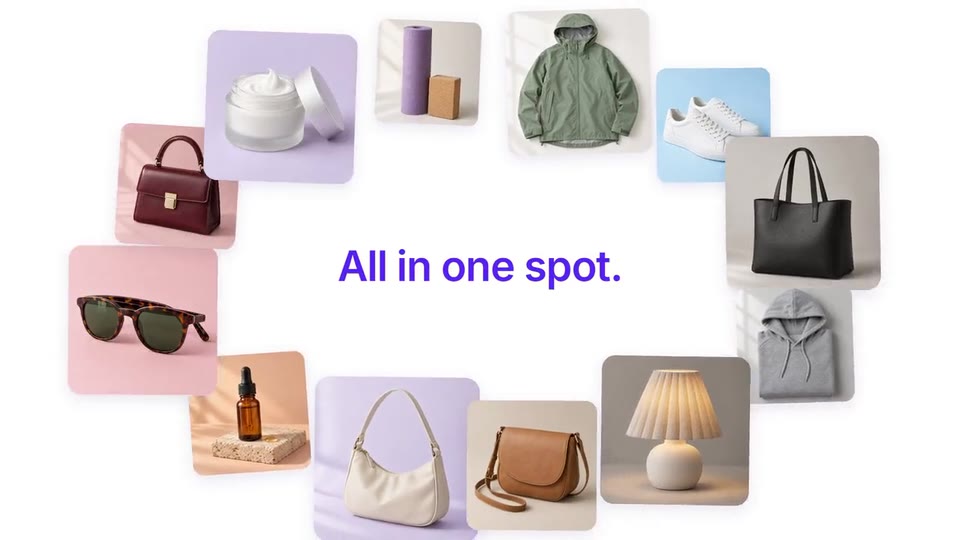
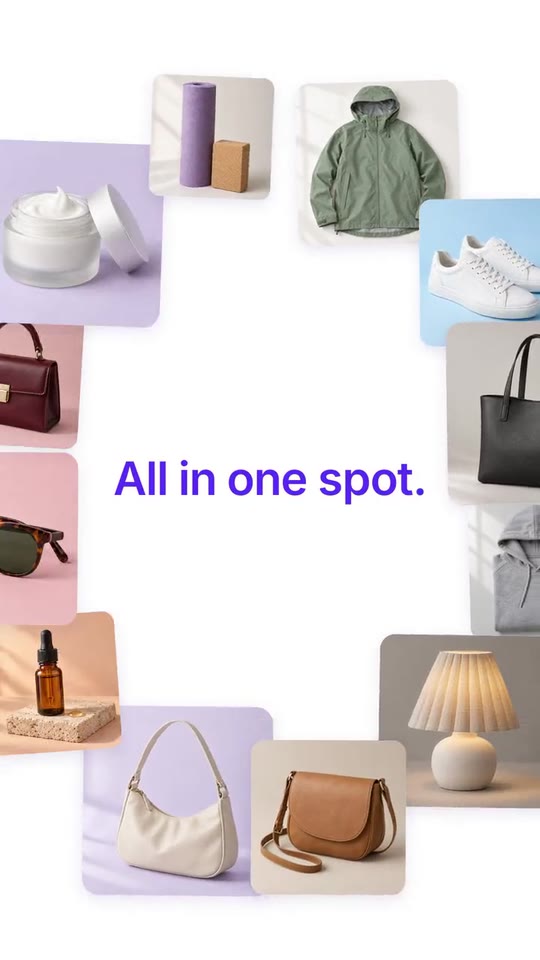
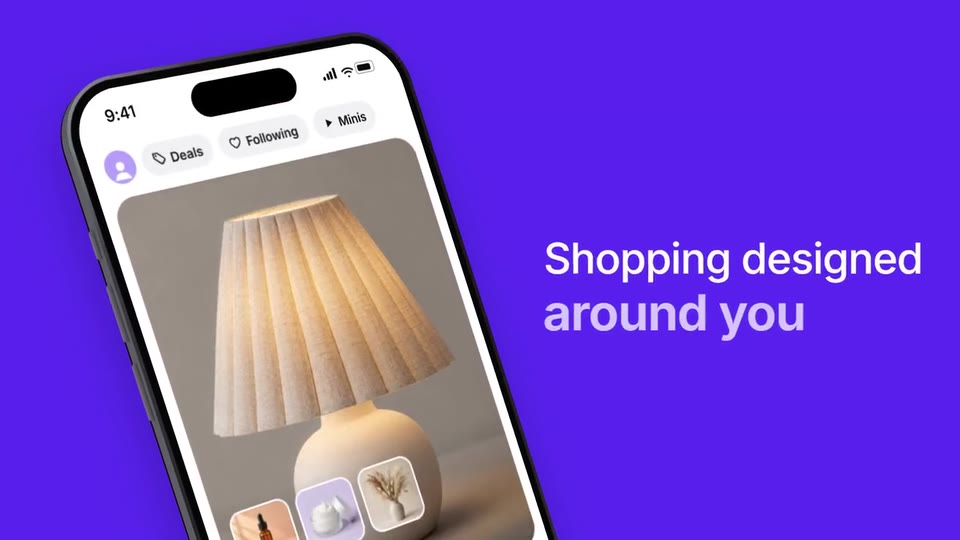
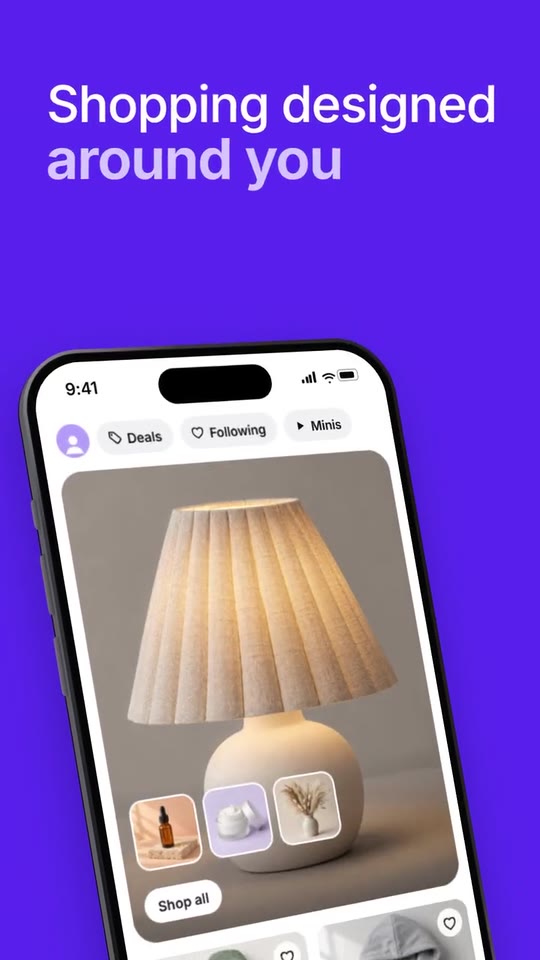
A launch film for a shopping app: your products slide past each other while your line writes itself, orbit your promise, give way to your logo, and walk through your app: a search, a feed, your checkout, three promises and your download card.
- Price: $20 per export, paid once per video and per format; exporting needs an Opus Motion account
- Length: 30.8 seconds
- Formats: 16:9, 9:16 (each one designed for its screen)
- What you can change: 58 texts, 16 images, 3 colors, the music
- Category: Launches
Examples with real brands
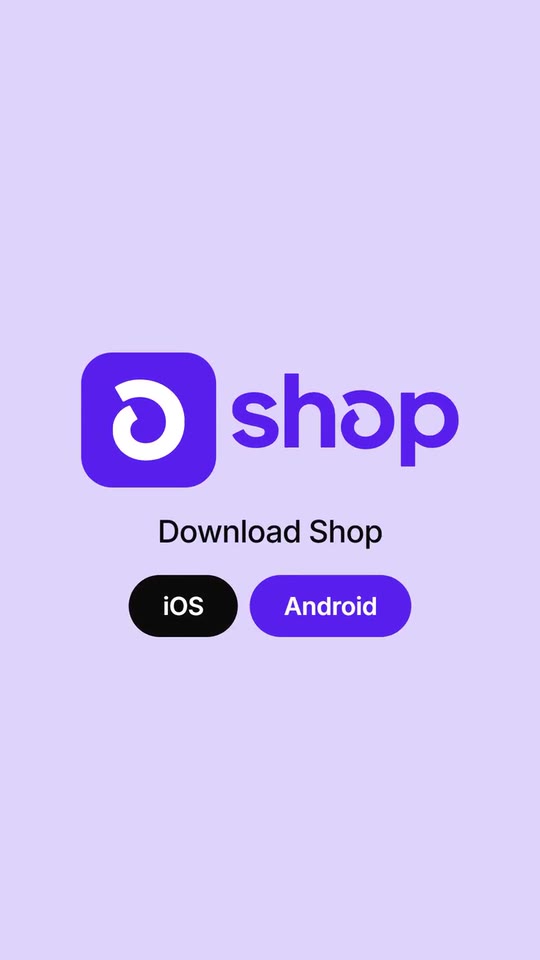
- Shop, 16:9: watch the video
- Shop, 9:16: watch the video
Make it yours
Paste your website and the template comes out with your logo, colors and words: https://opusmotion.com/studio/t81-shop-reel?mode=yours. To open it already filled from a website, add &site=yourdomain.com.
Fields, for AI agents
An agent fills these with POST https://opusmotion.com/api/v1/drafts (guide: https://opusmotion.com/agents.md). $20 per export, paid once per video and per format (16:9 and 9:16 are separate exports). Exporting needs an Opus Motion account; payment happens in the studio.
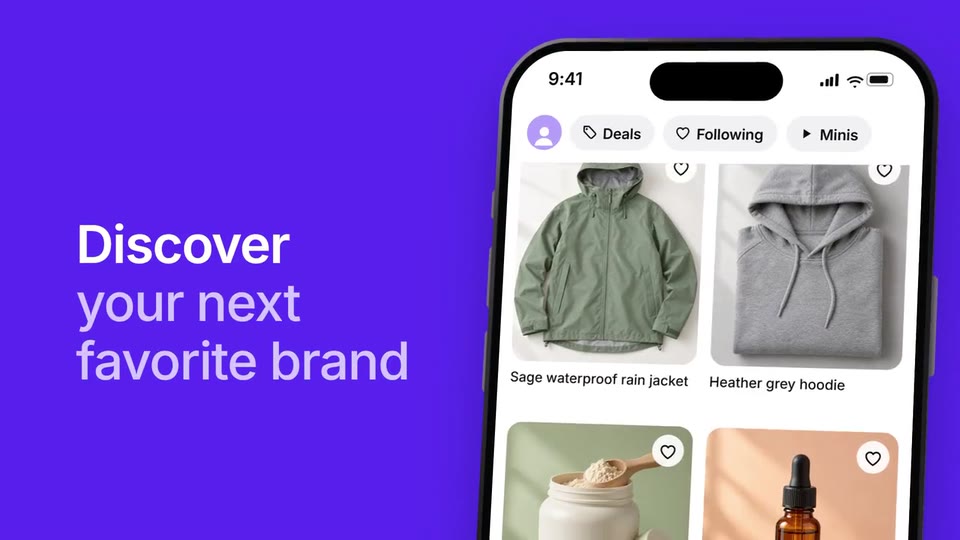
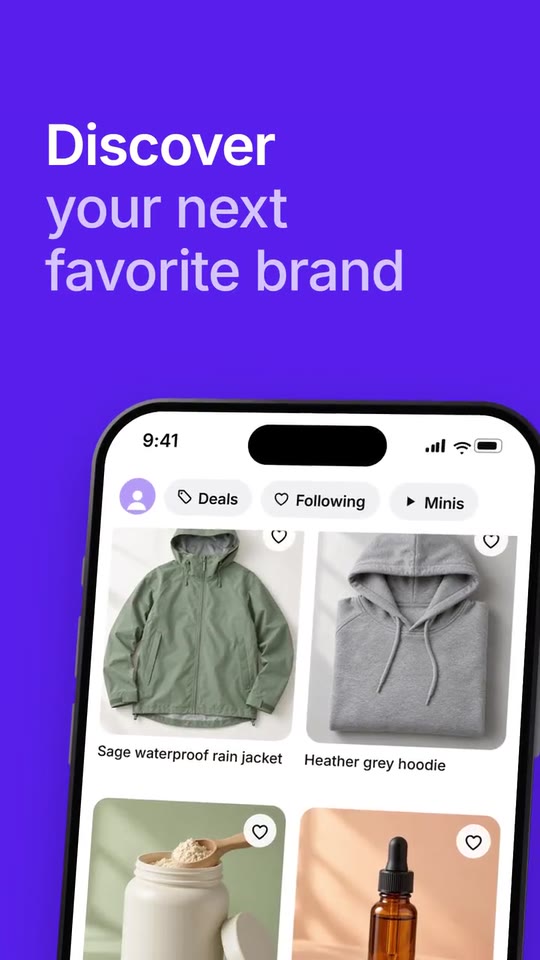
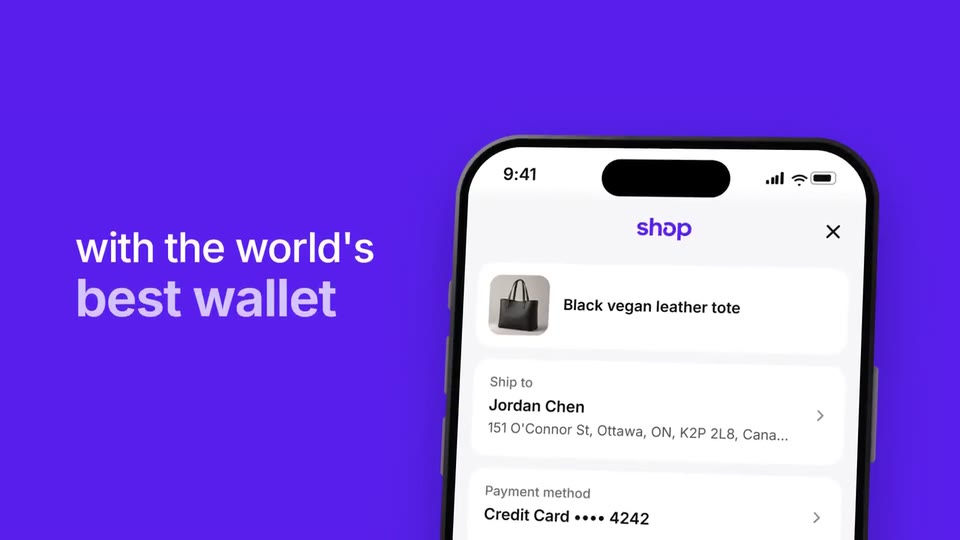
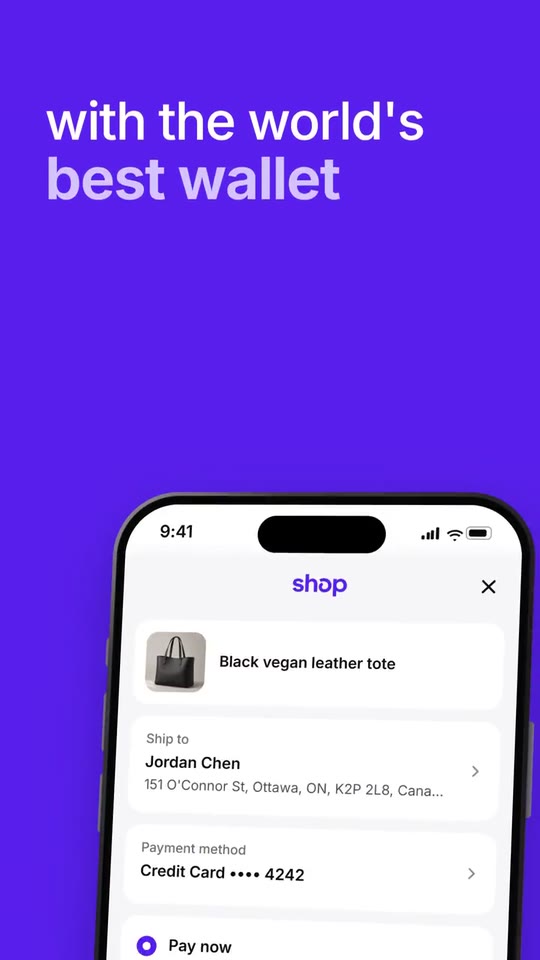
Scenes: Products and the phrase (0–3.033 s); The ring (3.033–4.7 s); The word and the logo (4.7–8 s); The phone and the tagline (8–9.367 s); Single words (9.367–13.9 s); The search (13.9–16.7 s); Discover (16.7–18.457 s); The question (18.457–19.79 s); Checkout (19.79–23.79 s); Confidence (23.79–24.993 s); Three promises (24.993–28.495 s); Close (28.495–30.795 s).
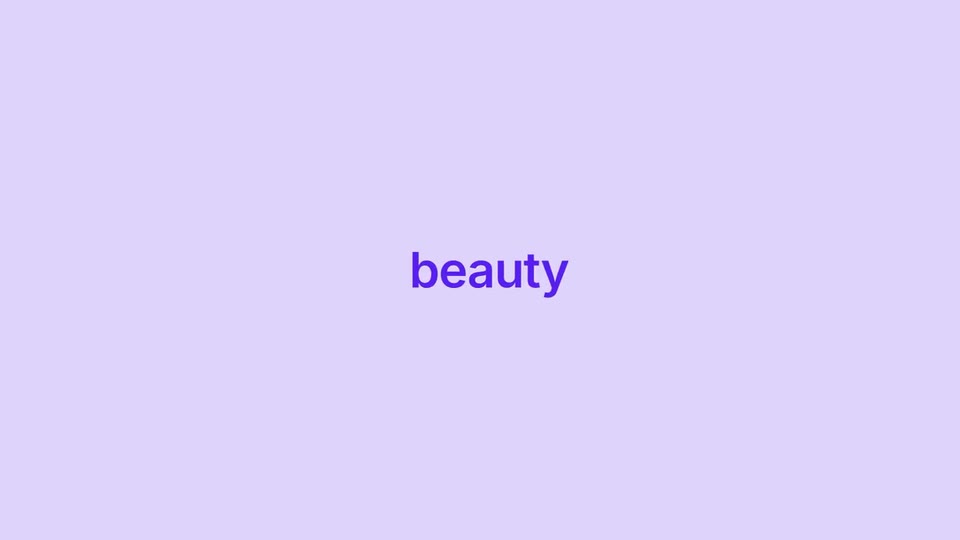
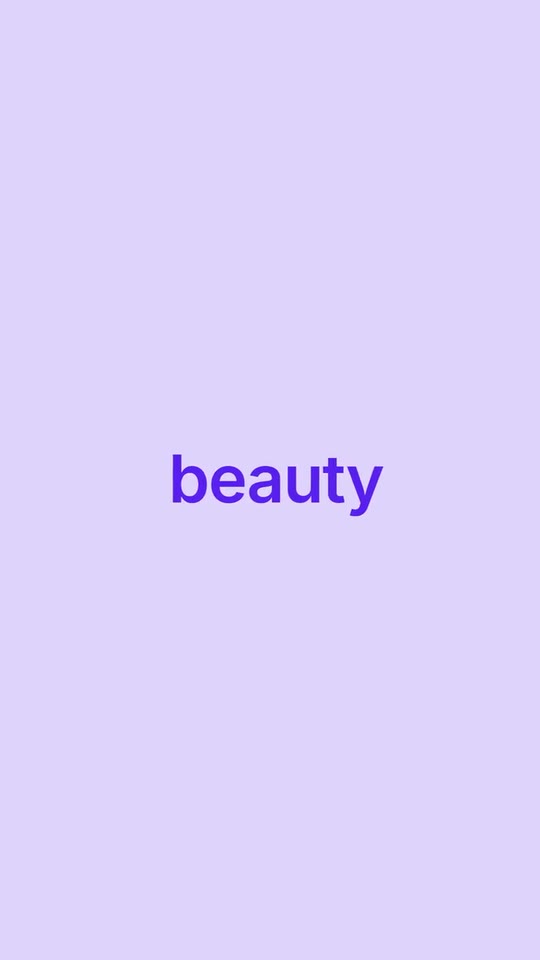
brandName(text, 2–16 characters): Brand name. How your brand is written. With no logo, it is drawn as your wordmark. The brand's own: never the demo's. Scene "The search" at 14.2 s: 16:9 · 9:16.logo(image, free, shown whole): Your logo (the horizontal wordmark): an SVG, or a PNG with a transparent background. Your horizontal logo, one color on a transparent background (SVG or PNG): it is painted white on your color and in your color in the close. Shown whole, at any proportion: nothing is cropped. The brand's own: never the demo's.mark(image, 1:1, shown whole): A cut-out object on a transparent background (a PNG, or an SVG drawing): just the object, no photo background. Never a photo, never a photo padded with transparent bars. Your square symbol, one color on a transparent background: it sits on a white plate in the opening and in white on your color in the close. A card-like object (rounded corners, transparent around it) works too. Shown whole inside a 1:1 box: nothing is cropped. Optional. The brand's own: never the demo's.brandColor(color, #RRGGBB): Brand color. The background of the strong scenes, the text on light and the pay button.lightColor(color, #RRGGBB): Light color. The background of the single words, the question, the three promises and the close. A light tint of your color.accentColor(color, #RRGGBB): Accent color. The second line of every phrase on your color. It must read on the brand color (contrast 2.2:1 or more; otherwise it goes white).open1(text, 1–28 characters): Opening · phrase 1. Typed word by word between the two rows of products (1.2 s). Demo's line, for tone and length only: "All the stores you love". Scene "Products and the phrase": 16:9 · 9:16.open2(text, 1–36 characters): Opening · phrase 2. Replaces phrase 1 (1.8 s). If it starts with the same words, those stay and the rest changes. Demo's line, for tone and length only: "All your carts, deals, and saves". Scene "Products and the phrase": 16:9 · 9:16.spot(text, 1–24 characters): Ring · the phrase in the center. Typed letter by letter while the products orbit around it (1.6 s). Demo's line, for tone and length only: "All in one spot.". Scene "The ring": 16:9 · 9:16.meetWord(text, 2–7 characters): The giant word. A short word that crosses the screen before your logo (like «meet»). Demo's line, for tone and length only: "meet". Scene "The word and the logo": 16:9 · 9:16.tag1(text, 1–20 characters): Tagline · line 1. Next to the phone, in white. Demo's line, for tone and length only: "Shopping designed". Scene "The phone and the tagline": 16:9 · 9:16.tag2(text, 1–18 characters): Tagline · line 2 (accent). Below it, bolder and in the accent color. Demo's line, for tone and length only: "around you". Scene "The phone and the tagline": 16:9 · 9:16.word1(text, 1–20 characters): Single word 1. A category or a field, in lower case (1.2 s). Demo's line, for tone and length only: "beauty". Scene "Single words": 16:9 · 9:16.word2(text, 1–20 characters): Single word 2. Another category (0.9 s). Demo's line, for tone and length only: "home". Scene "Single words": 16:9 · 9:16.word3(text, 1–22 characters): Single word 3. The last category, with «and» (1.3 s). Demo's line, for tone and length only: "and sporting goods". Scene "Single words": 16:9 · 9:16.word4(text, 1–22 characters): Single word 4. Where from or for whom (1.2 s). Demo's line, for tone and length only: "from big brands". Scene "Single words": 16:9 · 9:16.searchA(text, 1–16 characters): Search · question (accent). The first part of the question, in the accent color. Demo's line, for tone and length only: "What are you". Scene "The search": 16:9 · 9:16.searchB(text, 1–22 characters): Search · question (white). The rest of the question. It is also the empty text of the search bar. Demo's line, for tone and length only: "shopping for today?". Scene "The search": 16:9 · 9:16.query(text, 1–26 characters): Search · what is typed. What is typed into the bar (silently). The first four products are the results. Demo's line, for tone and length only: "Vegan leather handbags". Scene "The search": 16:9 · 9:16.uiSuggested(text, 1–22 characters): Search · suggestions title. The title of the list under the bar. Demo's line, for tone and length only: "Suggested searches". Scene "The search": 16:9 · 9:16.sugg1(text, 1–30 characters): Suggestion 1. A suggested search from your store. Demo's line, for tone and length only: "Plant-based protein powders". Scene "The search": 16:9 · 9:16.sugg2(text, 1–30 characters): Suggestion 2. Demo's line, for tone and length only: "Vegan leather handbags". Scene "The search": 16:9 · 9:16.sugg3(text, 1–30 characters): Suggestion 3. Demo's line, for tone and length only: "Bedroom decor". Scene "The search": 16:9 · 9:16.sugg4(text, 1–30 characters): Suggestion 4. Demo's line, for tone and length only: "Waterproof jackets". Scene "The search": 16:9 · 9:16.sugg5(text, 1–30 characters): Suggestion 5. Demo's line, for tone and length only: "Hoodies". Scene "The search": 16:9 · 9:16.uiChip1(text, 1–10 characters): App · button 1. The three pills at the top of your app's home. Demo's line, for tone and length only: "Deals". Scene "The phone and the tagline": 16:9 · 9:16.uiChip2(text, 1–10 characters): App · button 2. Demo's line, for tone and length only: "Following". Scene "The phone and the tagline": 16:9 · 9:16.uiChip3(text, 1–10 characters): App · button 3. Demo's line, for tone and length only: "Minis". Scene "The phone and the tagline": 16:9 · 9:16.uiShopAll(text, 1–12 characters): App · button of the large card. Demo's line, for tone and length only: "Shop all". Scene "The phone and the tagline": 16:9 · 9:16.p1Name(text, 1–30 characters): Product 1 · name. The name under photo 1 in the app. Demo's line, for tone and length only: "Black vegan leather tote". Scene "The search": 16:9 · 9:16.p2Name(text, 1–30 characters): Product 2 · name. The name under photo 2 in the app. Demo's line, for tone and length only: "Tan vegan leather crossbody". Scene "The search": 16:9 · 9:16.p3Name(text, 1–32 characters): Product 3 · name. The name under photo 3 in the app. Demo's line, for tone and length only: "Cream vegan leather shoulder bag". Scene "The search": 16:9 · 9:16.p4Name(text, 1–31 characters): Product 4 · name. The name under photo 4 in the app. Demo's line, for tone and length only: "Burgundy vegan leather mini bag". Scene "The search": 16:9 · 9:16.p5Name(text, 1–30 characters): Product 5 · name. The name under photo 5 in the app. Demo's line, for tone and length only: "Sage waterproof rain jacket". Scene "Discover": 16:9 · 9:16.p6Name(text, 1–30 characters): Product 6 · name. The name under photo 6 in the app. Demo's line, for tone and length only: "Heather grey hoodie". Scene "Discover": 16:9 · 9:16.p7Name(text, 1–30 characters): Product 7 · name. The name under photo 7 in the app. Demo's line, for tone and length only: "Plant-based protein powder". Scene "Discover": 16:9 · 9:16.p8Name(text, 1–30 characters): Product 8 · name. The name under photo 8 in the app. Demo's line, for tone and length only: "Facial serum". Scene "Discover": 16:9 · 9:16.disc1(text, 1–14 characters): Discover · line 1. To the left of the phone with the feed. Demo's line, for tone and length only: "Discover". Scene "Discover": 16:9 · 9:16.disc2(text, 1–28 characters): Discover · what follows (accent). Breaks into two lines. Demo's line, for tone and length only: "your next favorite brand". Scene "Discover": 16:9 · 9:16.ready(text, 1–22 characters): Question before checkout. On the light color, word by word. Demo's line, for tone and length only: "Ready to check out?". Scene "The question": 16:9 · 9:16.ck1a(text, 1–14 characters): Checkout · phrase 1. Centered, in white. Demo's line, for tone and length only: "Check out". Scene "Checkout": 16:9 · 9:16.ck1b(text, 1–14 characters): Checkout · phrase 1 (accent). Demo's line, for tone and length only: "instantly". Scene "Checkout": 16:9 · 9:16.ck2a(text, 1–18 characters): Checkout · phrase 2. To the left of the phone with the checkout. Demo's line, for tone and length only: "with the world's". Scene "Checkout": 16:9 · 9:16.ck2b(text, 1–14 characters): Checkout · phrase 2 (accent). Demo's line, for tone and length only: "best wallet". Scene "Checkout": 16:9 · 9:16.ck3a(text, 1–18 characters): Checkout · phrase 3. Demo's line, for tone and length only: "and earn". Scene "Checkout": 16:9 · 9:16.ck3b(text, 1–14 characters): Checkout · phrase 3 (accent). Demo's line, for tone and length only: "Shop Cash". Scene "Checkout": 16:9 · 9:16.uiShipTo(text, 1–16 characters): App · checkout · title 1. Demo's line, for tone and length only: "Ship to". Scene "Checkout": 16:9 · 9:16.uiShipName(text, 1–22 characters): App · checkout · name. An example name (your own demo's). Demo's line, for tone and length only: "Jordan Chen". Scene "Checkout": 16:9 · 9:16.uiShipAddr(text, 1–46 characters): App · checkout · address. Demo's line, for tone and length only: "151 O'Connor St, Ottawa, ON, K2P 2L8, Canada". Scene "Checkout": 16:9 · 9:16.uiPayMethod(text, 1–18 characters): App · checkout · title 2. Demo's line, for tone and length only: "Payment method". Scene "Checkout": 16:9 · 9:16.uiCard(text, 1–24 characters): App · checkout · card. Demo's line, for tone and length only: "Credit Card •••• 4242". Scene "Checkout": 16:9 · 9:16.uiPayNow(text, 1–18 characters): App · checkout · option 1. Demo's line, for tone and length only: "Pay now". Scene "Checkout": 16:9 · 9:16.uiPayNowSub(text, 1–32 characters): App · checkout · option 1, detail. Demo's line, for tone and length only: "Pay the entire amount today". Scene "Checkout": 16:9 · 9:16.uiInstall(text, 1–22 characters): App · checkout · option 2. Demo's line, for tone and length only: "Pay in installments". Scene "Checkout": 16:9 · 9:16.uiPayButton(text, 1–16 characters): App · checkout · button. The big pay button (your verb). Demo's line, for tone and length only: "Pay now". Scene "Checkout": 16:9 · 9:16.confA(text, 1–16 characters): Confidence (white). Word by word, centered. Demo's line, for tone and length only: "you can shop". Scene "Confidence": 16:9 · 9:16.confB(text, 1–18 characters): Confidence (accent). Demo's line, for tone and length only: "with confidence". Scene "Confidence": 16:9 · 9:16.trio1(text, 1–24 characters): Promise 1. The three promises, one at a time (1.2 s each). Demo's line, for tone and length only: "Shop stores you love". Scene "Three promises": 16:9 · 9:16.trio2(text, 1–24 characters): Promise 2. Demo's line, for tone and length only: "Score exclusive deals". Scene "Three promises": 16:9 · 9:16.trio3(text, 1–24 characters): Promise 3. Demo's line, for tone and length only: "Track all your orders". Scene "Three promises": 16:9 · 9:16.endLine(text, 1–30 characters): Close · the line. Under your logo. Demo's line, for tone and length only: "Download Shop". Scene "Close": 16:9 · 9:16.pill1(text, 1–12 characters): Close · button 1. Text of the dark button (no store logos). Demo's line, for tone and length only: "iOS". Scene "Close": 16:9 · 9:16.pill2(text, 1–12 characters): Close · button 2. Text of the button in your color. Demo's line, for tone and length only: "Android". Scene "Close": 16:9 · 9:16.product1(image, 1:1, cropped): A real photo of the product, place or people of the brand. A square product photo with no text on it. Cropped to fill a 1:1 frame: keep the subject in the middle. Demo's image. Scene "The ring" at 3.8 s: 16:9 · 9:16.product2(image, 1:1, cropped): A real photo of the product, place or people of the brand. A square product photo with no text on it. Cropped to fill a 1:1 frame: keep the subject in the middle. Demo's image. Scene "The search" at 15.2 s: 16:9 · 9:16.product3(image, 1:1, cropped): A real photo of the product, place or people of the brand. A square product photo with no text on it. Cropped to fill a 1:1 frame: keep the subject in the middle. Demo's image. Scene "The ring" at 3.2 s: 16:9 · 9:16.product4(image, 1:1, cropped): A real photo of the product, place or people of the brand. A square product photo with no text on it. Cropped to fill a 1:1 frame: keep the subject in the middle. Demo's image. Scene "The search" at 15.6 s: 16:9 · 9:16.product5(image, 1:1, cropped): A real photo of the product, place or people of the brand. A square product photo with no text on it. Cropped to fill a 1:1 frame: keep the subject in the middle. Demo's image. Scene "Discover" at 16.8 s: 16:9 · 9:16.product6(image, 1:1, cropped): A real photo of the product, place or people of the brand. A square product photo with no text on it. Cropped to fill a 1:1 frame: keep the subject in the middle. Demo's image. Scene "Discover" at 16.8 s: 16:9 · 9:16.product7(image, 1:1, cropped): A real photo of the product, place or people of the brand. A square product photo with no text on it. Cropped to fill a 1:1 frame: keep the subject in the middle. Demo's image. Scene "Discover" at 18.2 s: 16:9 · 9:16.product8(image, 1:1, cropped): A real photo of the product, place or people of the brand. A square product photo with no text on it. Cropped to fill a 1:1 frame: keep the subject in the middle. Demo's image. Scene "Discover" at 18.2 s: 16:9 · 9:16.product9(image, 1:1, cropped): A real photo of the product, place or people of the brand. A square product photo with no text on it. Cropped to fill a 1:1 frame: keep the subject in the middle. Demo's image. Scene "The ring" at 3.2 s: 16:9 · 9:16.product10(image, 1:1, cropped): A real photo of the product, place or people of the brand. A square product photo with no text on it. Cropped to fill a 1:1 frame: keep the subject in the middle. Demo's image. Scene "Products and the phrase" at 0 s: 16:9 · 9:16.product11(image, 1:1, cropped): A real photo of the product, place or people of the brand. A square product photo with no text on it. Cropped to fill a 1:1 frame: keep the subject in the middle. Demo's image. Scene "The phone and the tagline" at 9.2 s: 16:9 · 9:16.product12(image, 1:1, cropped): A real photo of the product, place or people of the brand. A square product photo with no text on it. Cropped to fill a 1:1 frame: keep the subject in the middle. Demo's image. Scene "Products and the phrase" at 0 s: 16:9 · 9:16.product13(image, 1:1, cropped): A real photo of the product, place or people of the brand. A square product photo with no text on it. Cropped to fill a 1:1 frame: keep the subject in the middle. Demo's image. Scene "Products and the phrase" at 0 s: 16:9 · 9:16.product14(image, 1:1, cropped): A real photo of the product, place or people of the brand. A square product photo with no text on it. Cropped to fill a 1:1 frame: keep the subject in the middle. Demo's image. Scene "The ring" at 3.2 s: 16:9 · 9:16.