For AI agents
Coding agents (Claude Code, Codex, Cursor and similar) make Opus Motion videos for a project with the agent guide: https://opusmotion.com/agents.md.
- The guide's steps: read the project, ask the person a few questions, compare templates (each one has a timelapse, its scenes and its fields), make a draft with
POST https://opusmotion.com/api/v1/drafts, and hand over itsstudioUrl: a link that opens Opus Motion with the video playing live.PATCHwith the draft'seditTokenchanges it, and the link stays the same. - Plain HTTPS and JSON: no key and no account. Or the MCP server (https://opusmotion.com/mcp): every tool, with stills of the draft returned as images. The person exports the MP4 from the studio.
- The studio is filled through the API, not by driving the site with a browser. When the API refuses, the person is told.
- More: llms.txt · this page in Markdown · developer docs · OpenAPI
Directory Tour: premium product spotlights video template
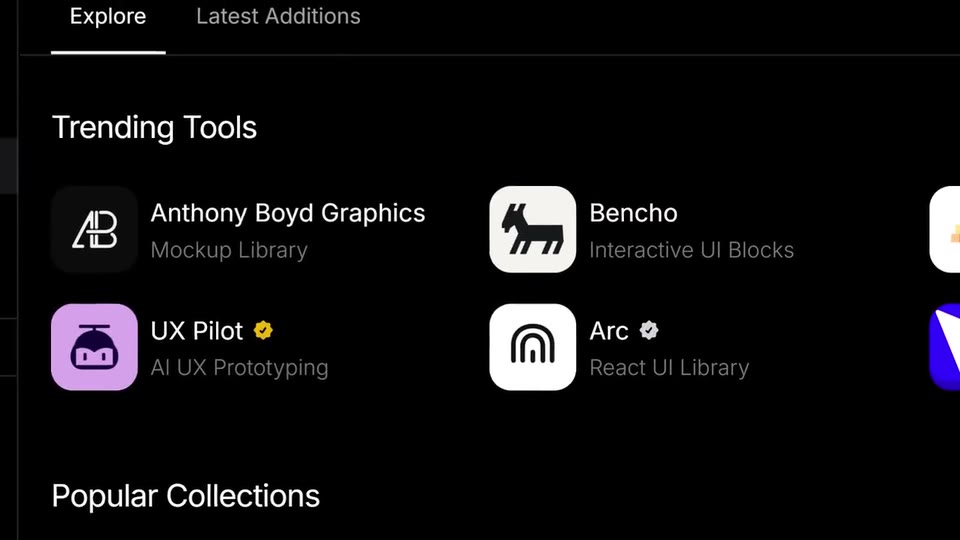
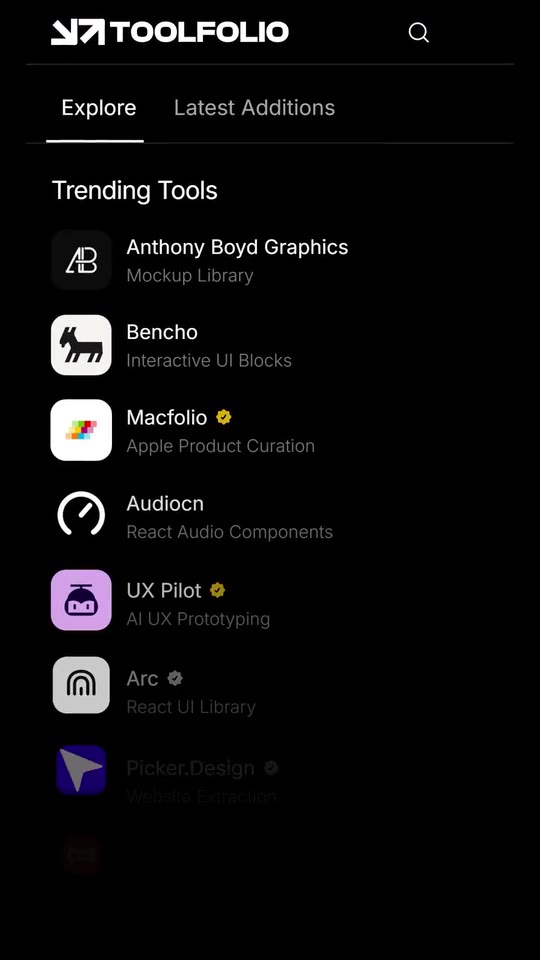
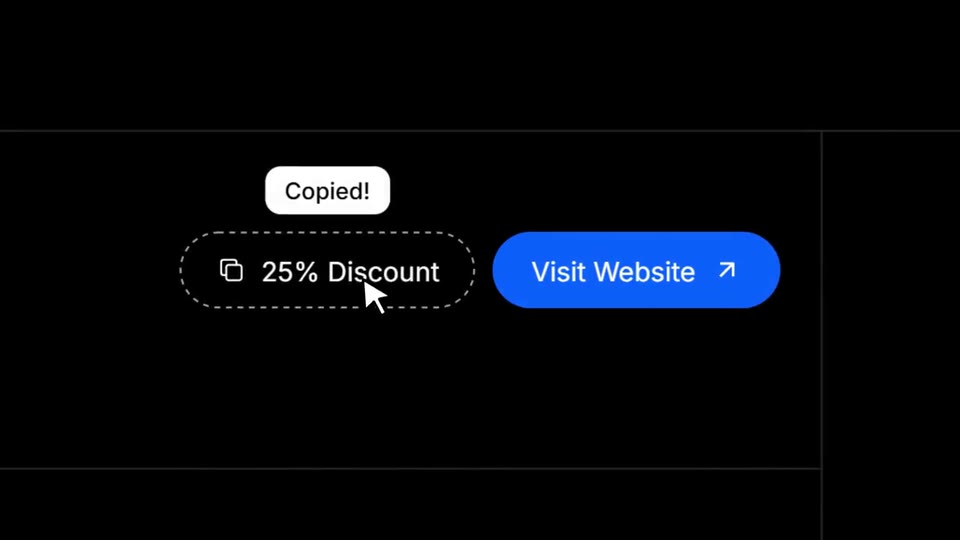
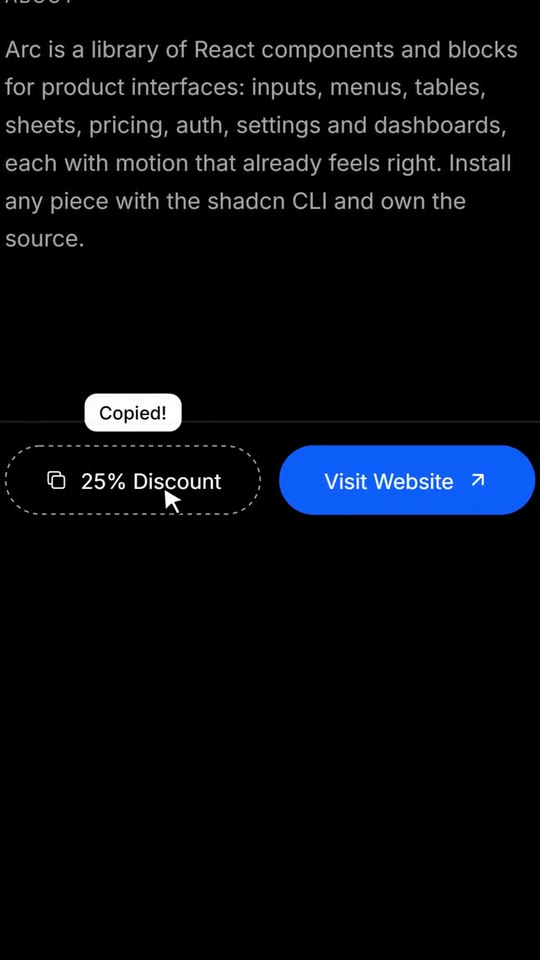
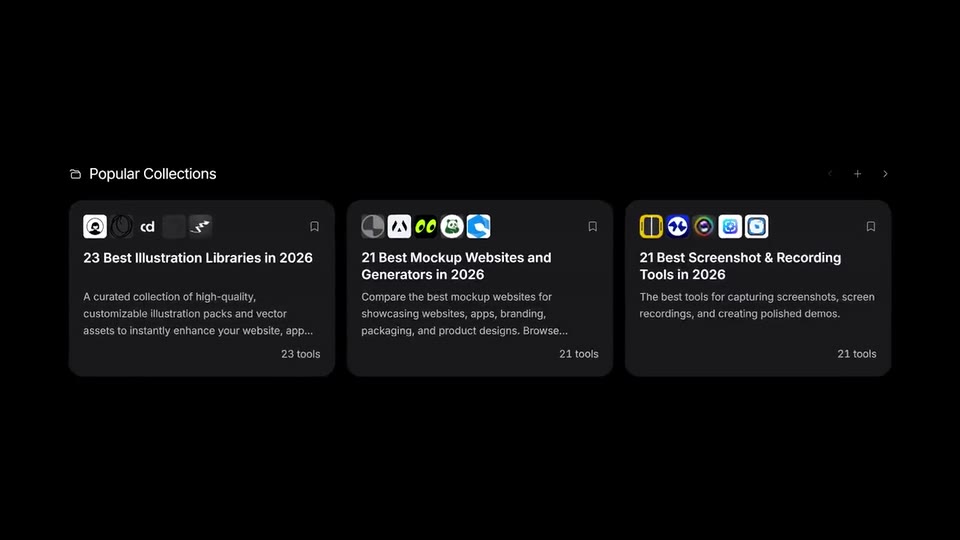
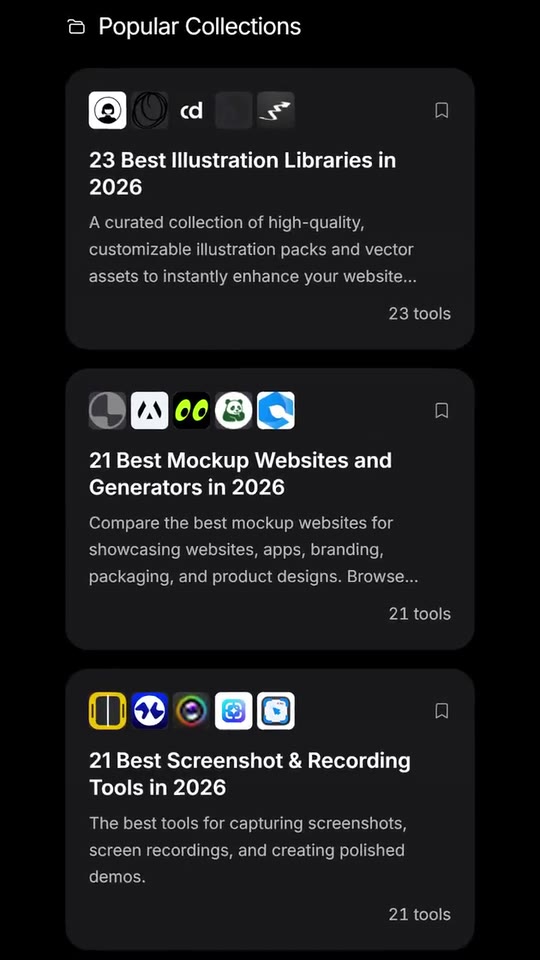
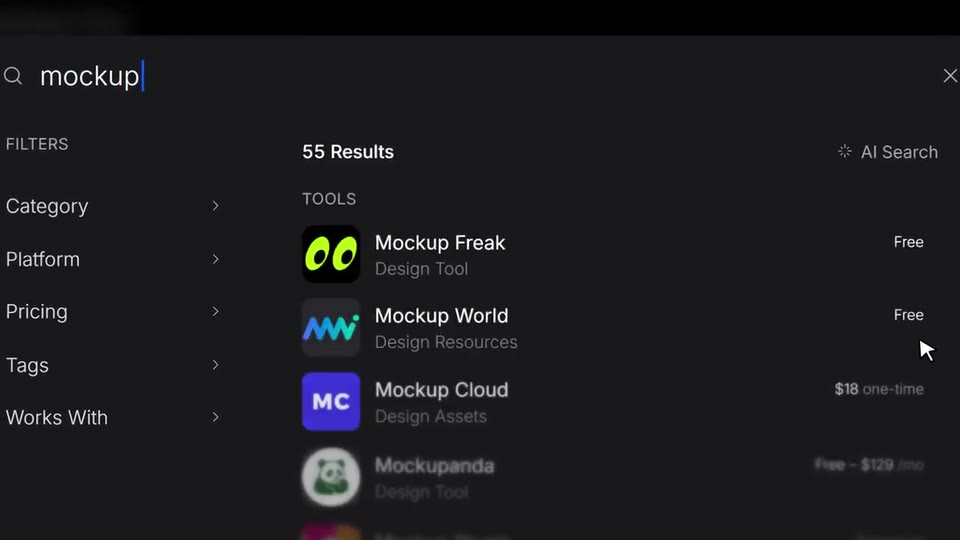
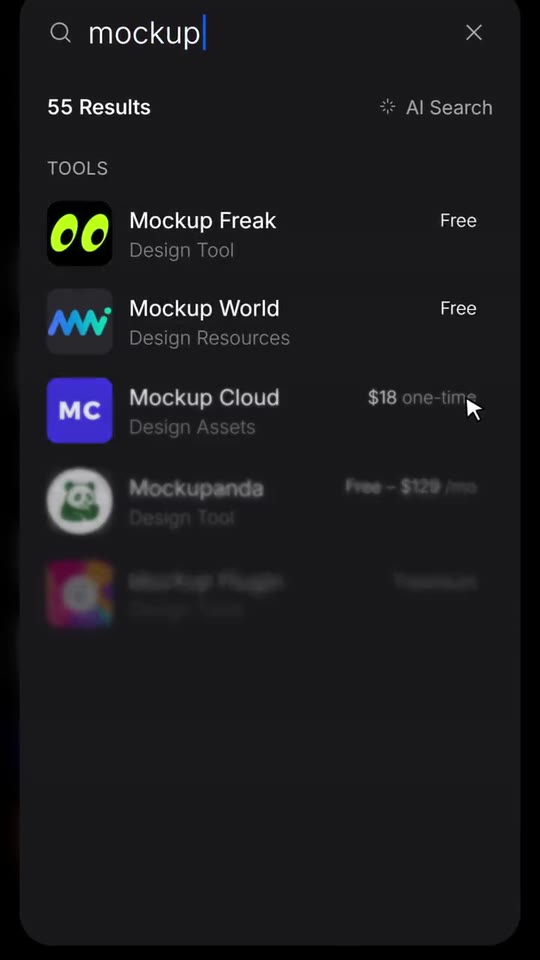
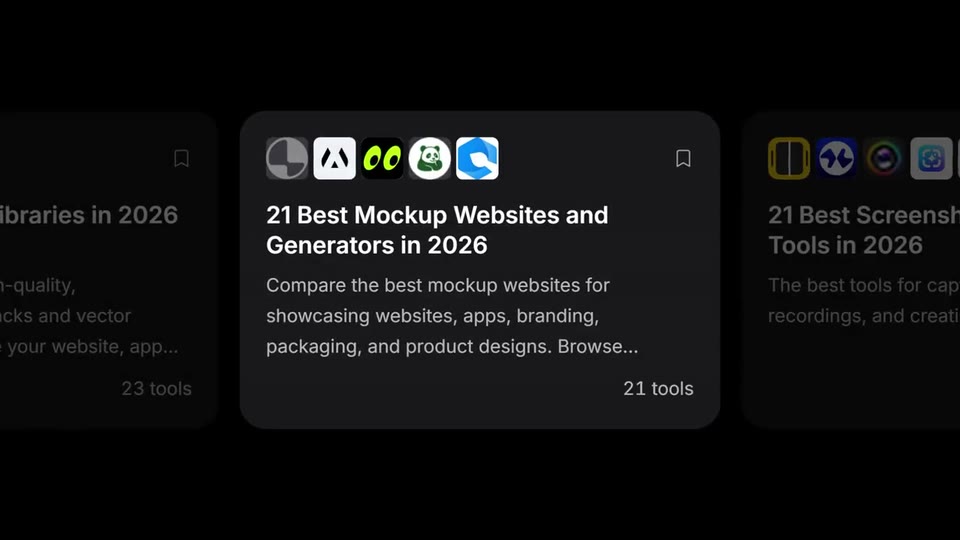
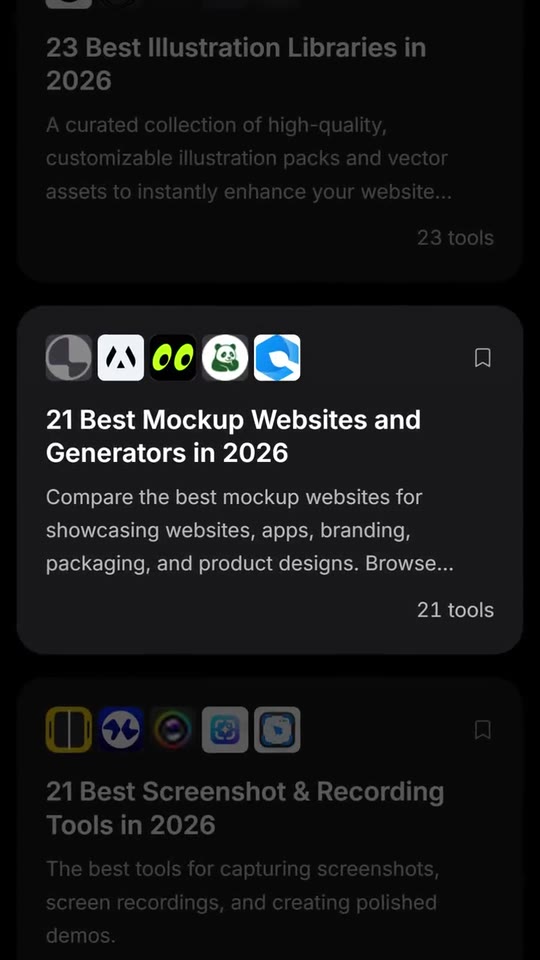
A 16-second tour of a tool directory or marketplace: your category counts roll on your colour and land in your sidebar, your directory fills in, a search types and returns its real results, a collection opens and its tools drop into their slots, the camera pulls back to the shelf, presses a coupon and the visit button, and the button's arrow grows into your mark.
- Price: $13 per export, paid once per video and per format; exporting needs an Opus Motion account
- Length: 15.6 seconds
- Formats: 16:9, 9:16 (each one designed for its screen)
- What you can change: 114 texts, 26 images, 2 colors, the music
- Category: Product spotlights
Examples with real brands
- Toolfolio, 16:9: watch the video
- Toolfolio, 9:16: watch the video
Make it yours
Paste your website and the template comes out with your logo, colors and words: https://opusmotion.com/studio/t48-directory-tour?mode=yours. To open it already filled from a website, add &site=yourdomain.com.
Fields, for AI agents
An agent fills these with POST https://opusmotion.com/api/v1/drafts (guide: https://opusmotion.com/agents.md). $13 per export, paid once per video and per format (16:9 and 9:16 are separate exports), or included in an Opus Motion Pass (15 premium exports a month for $49). Exporting needs an Opus Motion account; payment happens in the studio.
Scenes: Your category counts change on the beat on your colour (0–1.98 s); The count lands in its row (1.98–2.48 s); Your directory fills in, one focus at a time (2.48–4.98 s); A search types and returns its results (4.98–6.97 s); A result opens into its collection; its tools drop in (6.97–8.47 s); Pull back to the shelf of collections (8.47–8.97 s); A tool page: the coupon and the visit button (8.97–11.97 s); The button's arrow grows into your mark (11.97–15.6 s).
brandName(text, 2–18 characters): Brand name. How your brand is written. With no logo it becomes your logotype in the sidebar and in the close. The brand's own: never the demo's. Scene "Your directory fills in, one focus at a time" at 3 s: 16:9 · 9:16.logo(image, free, shown whole): Your app or brand icon, square and full bleed. Your mark in white or a light colour, on transparent. Shown whole, at any proportion: nothing is cropped. The brand's own: never the demo's. Scene "The button's arrow grows into your mark" at 13 s: 16:9 · 9:16.wordmark(image, free, shown whole): Your logo (the horizontal wordmark): an SVG, or a PNG with a transparent background. Your name as letters, horizontal, light on transparent. Shown whole, at any proportion: nothing is cropped. Optional. The brand's own: never the demo's. Scene "The button's arrow grows into your mark" at 13.6 s: 16:9 · 9:16.brandColor(color, #RRGGBB): Brand colour. The colour of your app icon: the field of the opening numbers and of the close. Scene "Your category counts change on the beat on your colour" at 1 s: 16:9 · 9:16.uiAccent(color, #RRGGBB): Interface accent. The colour of your main button (Visit Website): it is pressed and floods the frame. The typed letters of the search are born in it. Scene "A tool page: the coupon and the visit button" at 11.1 s: 16:9 · 9:16.nav1(text, 2–12 characters): Sidebar, item 1 (active). The first item of your sidebar or main menu. Demo's line, for tone and length only: "Explore". Scene "Your directory fills in, one focus at a time" at 3 s: 16:9 · 9:16.nav2(text, 2–12 characters): Sidebar, item 2. The second item of your menu. Demo's line, for tone and length only: "Articles". Scene "Your directory fills in, one focus at a time" at 3 s: 16:9 · 9:16.nav3(text, 2–12 characters): Sidebar, item 3. The third item of your menu. Demo's line, for tone and length only: "Collections". Scene "Your directory fills in, one focus at a time" at 3 s: 16:9 · 9:16.nav4(text, 2–14 characters): Sidebar, group. A collapsible group of your menu (16:9 only). Demo's line, for tone and length only: "Libraries". Scene "Your directory fills in, one focus at a time" at 3 s: 16:9 · 9:16.catsLabel(text, 2–14 characters): Categories, title. What your site calls its categories. Demo's line, for tone and length only: "Categories". Scene "Your directory fills in, one focus at a time" at 3 s: 16:9 · 9:16.cat1(text, 2–24 characters): Category 1 (the last opening number, it lands in its row). A category of your directory, exactly as your sidebar writes it. Demo's line, for tone and length only: "Design". Scene "Your category counts change on the beat on your colour" at 1.6 s: 16:9 · 9:16.cat1Count(text, 1–5 characters): Category 1, count (the last opening number, it lands in its row). How many tools that category lists, digits only, as your site shows it today. The opening reels roll from 7 to 6, 2 and 1: give them in growing order if you can. Demo's line, for tone and length only: "620". Scene "Your category counts change on the beat on your colour" at 1.6 s: 16:9 · 9:16.cat2(text, 2–24 characters): Category 2 (third opening number). A category of your directory, exactly as your sidebar writes it. Demo's line, for tone and length only: "AI". Scene "Your category counts change on the beat on your colour" at 1.6 s: 16:9 · 9:16.cat2Count(text, 1–5 characters): Category 2, count (third opening number). How many tools that category lists, digits only, as your site shows it today. The opening reels roll from 7 to 6, 2 and 1: give them in growing order if you can. Demo's line, for tone and length only: "355". Scene "Your category counts change on the beat on your colour" at 1.6 s: 16:9 · 9:16.cat3(text, 2–24 characters): Category 3. A category of your directory, exactly as your sidebar writes it. Demo's line, for tone and length only: "No-Code". Scene "Your directory fills in, one focus at a time" at 3 s: 16:9 · 9:16.cat3Count(text, 1–5 characters): Category 3, count. How many tools that category lists, digits only, as your site shows it today. The opening reels roll from 7 to 6, 2 and 1: give them in growing order if you can. Demo's line, for tone and length only: "146". Scene "Your directory fills in, one focus at a time" at 3 s: 16:9 · 9:16.cat4(text, 2–24 characters): Category 4. A category of your directory, exactly as your sidebar writes it. Demo's line, for tone and length only: "Plugins & Extensions". Scene "Your directory fills in, one focus at a time" at 3 s: 16:9 · 9:16.cat4Count(text, 1–5 characters): Category 4, count. How many tools that category lists, digits only, as your site shows it today. The opening reels roll from 7 to 6, 2 and 1: give them in growing order if you can. Demo's line, for tone and length only: "182". Scene "Your directory fills in, one focus at a time" at 3 s: 16:9 · 9:16.cat5(text, 2–24 characters): Category 5. A category of your directory, exactly as your sidebar writes it. Demo's line, for tone and length only: "Business Operations". Scene "Your directory fills in, one focus at a time" at 3 s: 16:9 · 9:16.cat5Count(text, 1–5 characters): Category 5, count. How many tools that category lists, digits only, as your site shows it today. The opening reels roll from 7 to 6, 2 and 1: give them in growing order if you can. Demo's line, for tone and length only: "208". Scene "Your directory fills in, one focus at a time" at 3 s: 16:9 · 9:16.cat6(text, 2–24 characters): Category 6 (second opening number). A category of your directory, exactly as your sidebar writes it. Demo's line, for tone and length only: "Marketing". Scene "Your category counts change on the beat on your colour" at 1.6 s: 16:9 · 9:16.cat6Count(text, 1–5 characters): Category 6, count (second opening number). How many tools that category lists, digits only, as your site shows it today. The opening reels roll from 7 to 6, 2 and 1: give them in growing order if you can. Demo's line, for tone and length only: "229". Scene "Your category counts change on the beat on your colour" at 1.6 s: 16:9 · 9:16.cat7(text, 2–24 characters): Category 7 (first opening number). A category of your directory, exactly as your sidebar writes it. Demo's line, for tone and length only: "Video". Scene "Your category counts change on the beat on your colour" at 1.6 s: 16:9 · 9:16.cat7Count(text, 1–5 characters): Category 7, count (first opening number). How many tools that category lists, digits only, as your site shows it today. The opening reels roll from 7 to 6, 2 and 1: give them in growing order if you can. Demo's line, for tone and length only: "121". Scene "Your category counts change on the beat on your colour" at 1.6 s: 16:9 · 9:16.cat8(text, 2–24 characters): Category 8. A category of your directory, exactly as your sidebar writes it. Demo's line, for tone and length only: "E-Commerce". Scene "Your directory fills in, one focus at a time" at 3 s: 16:9 · 9:16.cat8Count(text, 1–5 characters): Category 8, count. How many tools that category lists, digits only, as your site shows it today. The opening reels roll from 7 to 6, 2 and 1: give them in growing order if you can. Demo's line, for tone and length only: "45". Scene "Your directory fills in, one focus at a time" at 3 s: 16:9 · 9:16.tab1(text, 2–12 characters): Header, tab 1. The first tab of your header. Demo's line, for tone and length only: "Explore". Scene "Your directory fills in, one focus at a time" at 3 s: 16:9 · 9:16.tab2(text, 2–18 characters): Header, tab 2. The second tab of your header. Demo's line, for tone and length only: "Latest Additions". Scene "Your directory fills in, one focus at a time" at 3 s: 16:9 · 9:16.login(text, 2–10 characters): Header, log in. Your sign-in link. Demo's line, for tone and length only: "Log in". Scene "Your directory fills in, one focus at a time" at 3 s: 16:9 · 9:16.signup(text, 2–10 characters): Header, button. The button at the top right of your site. Demo's line, for tone and length only: "Sign up". Scene "Your directory fills in, one focus at a time" at 3 s: 16:9 · 9:16.sectionTitle(text, 3–22 characters): Tools list, title. The title of a list of tools on your home page. Demo's line, for tone and length only: "Trending Tools". Scene "Your directory fills in, one focus at a time" at 3.4 s: 16:9 · 9:16.collectionsTitle(text, 3–24 characters): Collections, title. The title of your collections, lists or guides. Demo's line, for tone and length only: "Popular Collections". Scene "Pull back to the shelf of collections" at 9.9 s: 16:9 · 9:16.tool1(text, 2–22 characters): Tool 1, name. A tool your directory lists, as its card names it. Demo's line, for tone and length only: "Anthony Boyd Graphics". Scene "Your directory fills in, one focus at a time" at 3.4 s: 16:9 · 9:16.tool1Cat(text, 2–26 characters): Tool 1, category. The line under its name on your site. Demo's line, for tone and length only: "Mockup Library". Scene "Your directory fills in, one focus at a time" at 3.4 s: 16:9 · 9:16.tool1Icon(image, 1:1, cropped): An image of the brand. Its icon as your directory shows it, square. Cropped to fill a 1:1 frame: keep the subject in the middle. Optional. Demo's image. Scene "Your directory fills in, one focus at a time" at 3.4 s: 16:9 · 9:16.tool2(text, 2–22 characters): Tool 2, name. A tool your directory lists, as its card names it. Demo's line, for tone and length only: "Bencho". Scene "Your directory fills in, one focus at a time" at 3.4 s: 16:9 · 9:16.tool2Cat(text, 2–26 characters): Tool 2, category. The line under its name on your site. Demo's line, for tone and length only: "Interactive UI Blocks". Scene "Your directory fills in, one focus at a time" at 3.4 s: 16:9 · 9:16.tool2Icon(image, 1:1, cropped): An image of the brand. Its icon as your directory shows it, square. Cropped to fill a 1:1 frame: keep the subject in the middle. Optional. Demo's image. Scene "Your directory fills in, one focus at a time" at 3.4 s: 16:9 · 9:16.tool3(text, 2–22 characters): Tool 3, name. A tool your directory lists, as its card names it. Demo's line, for tone and length only: "Macfolio". Scene "Your directory fills in, one focus at a time" at 3.4 s: 16:9 · 9:16.tool3Cat(text, 2–26 characters): Tool 3, category. The line under its name on your site. Demo's line, for tone and length only: "Apple Product Curation". Scene "Your directory fills in, one focus at a time" at 3.4 s: 16:9 · 9:16.tool3Icon(image, 1:1, cropped): An image of the brand. Its icon as your directory shows it, square. Cropped to fill a 1:1 frame: keep the subject in the middle. Optional. Demo's image. Scene "Your directory fills in, one focus at a time" at 3.4 s: 16:9 · 9:16.tool4(text, 2–22 characters): Tool 4, name. A tool your directory lists, as its card names it. Demo's line, for tone and length only: "Audiocn". Scene "Your directory fills in, one focus at a time" at 3.4 s: 16:9 · 9:16.tool4Cat(text, 2–26 characters): Tool 4, category. The line under its name on your site. Demo's line, for tone and length only: "React Audio Components". Scene "Your directory fills in, one focus at a time" at 3.4 s: 16:9 · 9:16.tool4Icon(image, 1:1, cropped): An image of the brand. Its icon as your directory shows it, square. Cropped to fill a 1:1 frame: keep the subject in the middle. Optional. Demo's image. Scene "Your directory fills in, one focus at a time" at 3.4 s: 16:9 · 9:16.tool5(text, 2–22 characters): Tool 5, name. A tool your directory lists, as its card names it. Demo's line, for tone and length only: "UX Pilot". Scene "Your directory fills in, one focus at a time" at 3.4 s: 16:9 · 9:16.tool5Cat(text, 2–26 characters): Tool 5, category. The line under its name on your site. Demo's line, for tone and length only: "AI UX Prototyping". Scene "Your directory fills in, one focus at a time" at 3.4 s: 16:9 · 9:16.tool5Icon(image, 1:1, cropped): An image of the brand. Its icon as your directory shows it, square. Cropped to fill a 1:1 frame: keep the subject in the middle. Optional. Demo's image. Scene "Your directory fills in, one focus at a time" at 3.4 s: 16:9 · 9:16.tool6(text, 2–22 characters): Tool 6, name. A tool your directory lists, as its card names it. Demo's line, for tone and length only: "Arc". Scene "Your directory fills in, one focus at a time" at 3.4 s: 16:9 · 9:16.tool6Cat(text, 2–26 characters): Tool 6, category. The line under its name on your site. Demo's line, for tone and length only: "React UI Library". Scene "Your directory fills in, one focus at a time" at 3.4 s: 16:9 · 9:16.tool6Icon(image, 1:1, cropped): An image of the brand. Its icon as your directory shows it, square. Cropped to fill a 1:1 frame: keep the subject in the middle. Optional. Demo's image. Scene "Your directory fills in, one focus at a time" at 3.4 s: 16:9 · 9:16.tool7(text, 2–22 characters): Tool 7, name. A tool your directory lists, as its card names it. Demo's line, for tone and length only: "Picker.Design". Scene "Your directory fills in, one focus at a time" at 3.4 s: 16:9 · 9:16.tool7Cat(text, 2–26 characters): Tool 7, category. The line under its name on your site. Demo's line, for tone and length only: "Website Extraction". Scene "Your directory fills in, one focus at a time" at 3.4 s: 16:9 · 9:16.tool7Icon(image, 1:1, cropped): An image of the brand. Its icon as your directory shows it, square. Cropped to fill a 1:1 frame: keep the subject in the middle. Optional. Demo's image. Scene "Your directory fills in, one focus at a time" at 3.4 s: 16:9 · 9:16.tool8(text, 2–22 characters): Tool 8, name. A tool your directory lists, as its card names it. Demo's line, for tone and length only: "Melius". Scene "Your directory fills in, one focus at a time" at 3.4 s: 16:9 · 9:16.tool8Cat(text, 2–26 characters): Tool 8, category. The line under its name on your site. Demo's line, for tone and length only: "Creative AI Agents". Scene "Your directory fills in, one focus at a time" at 3.4 s: 16:9 · 9:16.tool8Icon(image, 1:1, cropped): An image of the brand. Its icon as your directory shows it, square. Cropped to fill a 1:1 frame: keep the subject in the middle. Optional. Demo's image. Scene "Your directory fills in, one focus at a time" at 3.4 s: 16:9 · 9:16.searchPlaceholder(text, 8–56 characters): Search, placeholder. The placeholder of your search field, exactly as it reads. Demo's line, for tone and length only: "Search for developer tools, platforms, or categories...". Scene "A search types and returns its results" at 5.2 s: 16:9 · 9:16.query(text, 2–16 characters): Search, typed query. A word people search on your site. It types itself, letter by letter. Demo's line, for tone and length only: "mockup". Scene "A search types and returns its results" at 6 s: 16:9 · 9:16.resultCount(text, 0–5 characters): Search, result count (optional). How many results your search returns for that word today, digits only. Empty if your search does not show a count. Optional. Demo's line, for tone and length only: "55". Scene "A search types and returns its results" at 6.3 s: 16:9 · 9:16.resultsLabel(text, 3–24 characters): Search, results header. The word after the count (Results), or the header your results show. Demo's line, for tone and length only: "Results". Scene "A search types and returns its results" at 6.3 s: 16:9 · 9:16.searchExtra(text, 0–14 characters): Search, extra feature (optional). A feature beside the results header (AI Search), if your search has one. Optional. Demo's line, for tone and length only: "AI Search". Scene "A search types and returns its results" at 6.3 s: 16:9 · 9:16.filters(text, 0–60 characters): Search, filters (comma separated, optional). Up to five filters of your search, in order (16:9 only). Optional. Demo's line, for tone and length only: "Category, Platform, Pricing, Tags, Works With". Scene "A search types and returns its results" at 6.3 s: 16:9 · 9:16.toolsLabel(text, 2–12 characters): Search, list title. What your search calls its tool results. Demo's line, for tone and length only: "Tools". Scene "A search types and returns its results" at 6.3 s: 16:9 · 9:16.collectionsLabel(text, 3–14 characters): Search, collections title. What your search calls its collection results. Demo's line, for tone and length only: "Collections". Scene "A search types and returns its results" at 6.8 s: 16:9 · 9:16.result1(text, 2–22 characters): Result 1, name. A real result of that search, in its order. Demo's line, for tone and length only: "Mockup Freak". Scene "A search types and returns its results" at 6.4 s: 16:9 · 9:16.result1Price(text, 0–18 characters): Result 1, price (optional). Its price as your results show it (Free, $18 one-time, Free – $129 /mo). A trailing one-time or /mo goes grey. Optional. Demo's line, for tone and length only: "Free". Scene "A search types and returns its results" at 6.4 s: 16:9 · 9:16.result1Cat(text, 0–24 characters): Result 1, category (optional). The line under its name. Optional. Demo's line, for tone and length only: "Design Tool". Scene "A search types and returns its results" at 6.4 s: 16:9 · 9:16.result1Icon(image, 1:1, cropped): An image of the brand. Its icon, square. Cropped to fill a 1:1 frame: keep the subject in the middle. Optional. Demo's image. Scene "A search types and returns its results" at 6.4 s: 16:9 · 9:16.result2(text, 2–22 characters): Result 2, name. A real result of that search, in its order. Demo's line, for tone and length only: "Mockup World". Scene "A search types and returns its results" at 6.4 s: 16:9 · 9:16.result2Price(text, 0–18 characters): Result 2, price (optional). Its price as your results show it (Free, $18 one-time, Free – $129 /mo). A trailing one-time or /mo goes grey. Optional. Demo's line, for tone and length only: "Free". Scene "A search types and returns its results" at 6.4 s: 16:9 · 9:16.result2Cat(text, 0–24 characters): Result 2, category (optional). The line under its name. Optional. Demo's line, for tone and length only: "Design Resources". Scene "A search types and returns its results" at 6.4 s: 16:9 · 9:16.result2Icon(image, 1:1, cropped): An image of the brand. Its icon, square. Cropped to fill a 1:1 frame: keep the subject in the middle. Optional. Demo's image. Scene "A search types and returns its results" at 6.4 s: 16:9 · 9:16.result3(text, 2–22 characters): Result 3, name. A real result of that search, in its order. Demo's line, for tone and length only: "Mockup Cloud". Scene "A search types and returns its results" at 6.4 s: 16:9 · 9:16.result3Price(text, 0–18 characters): Result 3, price (optional). Its price as your results show it (Free, $18 one-time, Free – $129 /mo). A trailing one-time or /mo goes grey. Optional. Demo's line, for tone and length only: "$18 one-time". Scene "A search types and returns its results" at 6.4 s: 16:9 · 9:16.result3Cat(text, 0–24 characters): Result 3, category (optional). The line under its name. Optional. Demo's line, for tone and length only: "Design Assets". Scene "A search types and returns its results" at 6.4 s: 16:9 · 9:16.result3Icon(image, 1:1, cropped): An image of the brand. Its icon, square. Cropped to fill a 1:1 frame: keep the subject in the middle. Optional. Demo's image. Scene "A search types and returns its results" at 6.4 s: 16:9 · 9:16.result4(text, 2–22 characters): Result 4, name. A real result of that search, in its order. Demo's line, for tone and length only: "Mockupanda". Scene "A search types and returns its results" at 6.4 s: 16:9 · 9:16.result4Price(text, 0–18 characters): Result 4, price (optional). Its price as your results show it (Free, $18 one-time, Free – $129 /mo). A trailing one-time or /mo goes grey. Optional. Demo's line, for tone and length only: "Free – $129 /mo". Scene "A search types and returns its results" at 6.4 s: 16:9 · 9:16.result4Cat(text, 0–24 characters): Result 4, category (optional). The line under its name. Optional. Demo's line, for tone and length only: "Design Tool". Scene "A search types and returns its results" at 6.4 s: 16:9 · 9:16.result4Icon(image, 1:1, cropped): An image of the brand. Its icon, square. Cropped to fill a 1:1 frame: keep the subject in the middle. Optional. Demo's image. Scene "A search types and returns its results" at 6.4 s: 16:9 · 9:16.result5(text, 0–22 characters): Result 5, name (optional). A real result of that search, in its order. Optional. Demo's line, for tone and length only: "Mockup Plugin". Scene "A search types and returns its results" at 6.4 s: 16:9 · 9:16.result5Price(text, 0–18 characters): Result 5, price (optional). Its price as your results show it (Free, $18 one-time, Free – $129 /mo). A trailing one-time or /mo goes grey. Optional. Demo's line, for tone and length only: "Freemium". Scene "A search types and returns its results" at 6.4 s: 16:9 · 9:16.result5Cat(text, 0–24 characters): Result 5, category (optional). The line under its name. Optional. Demo's line, for tone and length only: "Design Tools". Scene "A search types and returns its results" at 6.4 s: 16:9 · 9:16.result5Icon(image, 1:1, cropped): An image of the brand. Its icon, square. Cropped to fill a 1:1 frame: keep the subject in the middle. Optional. Demo's image. Scene "A search types and returns its results" at 6.4 s: 16:9 · 9:16.result6(text, 0–22 characters): Result 6, name (optional). A real result of that search, in its order. Optional. Demo's line, for tone and length only: "Mockups Design". Scene "A search types and returns its results" at 6.4 s: 16:9 · 9:16.result6Price(text, 0–18 characters): Result 6, price (optional). Its price as your results show it (Free, $18 one-time, Free – $129 /mo). A trailing one-time or /mo goes grey. Optional. Demo's line, for tone and length only: "Free". Scene "A search types and returns its results" at 6.4 s: 16:9 · 9:16.result6Cat(text, 0–24 characters): Result 6, category (optional). The line under its name. Optional. Demo's line, for tone and length only: "Design Resources". Scene "A search types and returns its results" at 6.4 s: 16:9 · 9:16.result6Icon(image, 1:1, cropped): An image of the brand. Its icon, square. Cropped to fill a 1:1 frame: keep the subject in the middle. Optional. Demo's image. Scene "A search types and returns its results" at 6.4 s: 16:9 · 9:16.result7(text, 0–22 characters): Result 7, name (optional). A real result of that search, in its order. Optional. Demo's line, for tone and length only: "Mockups Digital". Scene "A search types and returns its results" at 6.4 s: 16:9 · 9:16.result7Price(text, 0–18 characters): Result 7, price (optional). Its price as your results show it (Free, $18 one-time, Free – $129 /mo). A trailing one-time or /mo goes grey. Optional. Demo's line, for tone and length only: "Free". Scene "A search types and returns its results" at 6.4 s: 16:9 · 9:16.result7Cat(text, 0–24 characters): Result 7, category (optional). The line under its name. Optional. Demo's line, for tone and length only: "Mockup Directory". Scene "A search types and returns its results" at 6.4 s: 16:9 · 9:16.result7Icon(image, 1:1, cropped): An image of the brand. Its icon, square. Cropped to fill a 1:1 frame: keep the subject in the middle. Optional. Demo's image. Scene "A search types and returns its results" at 6.4 s: 16:9 · 9:16.result8(text, 0–22 characters): Result 8, name (optional). A real result of that search, in its order. Optional. Demo's line, for tone and length only: "Mr. Mockup". Scene "A search types and returns its results" at 6.4 s: 16:9 · 9:16.result8Price(text, 0–18 characters): Result 8, price (optional). Its price as your results show it (Free, $18 one-time, Free – $129 /mo). A trailing one-time or /mo goes grey. Optional. Demo's line, for tone and length only: "$359 one-time". Scene "A search types and returns its results" at 6.4 s: 16:9 · 9:16.result8Cat(text, 0–24 characters): Result 8, category (optional). The line under its name. Optional. Demo's line, for tone and length only: "Design Resources". Scene "A search types and returns its results" at 6.4 s: 16:9 · 9:16.result8Icon(image, 1:1, cropped): An image of the brand. Its icon, square. Cropped to fill a 1:1 frame: keep the subject in the middle. Optional. Demo's image. Scene "A search types and returns its results" at 6.4 s: 16:9 · 9:16.collName(text, 4–34 characters): Collection, name in the search. A collection or list your search returns for that word. The cursor picks it. Demo's line, for tone and length only: "Mockup Websites and Generators". Scene "A search types and returns its results" at 6.9 s: 16:9 · 9:16.collKind(text, 3–12 characters): Collection, label in the search. The label your search gives it. Demo's line, for tone and length only: "Collection". Scene "A search types and returns its results" at 6.9 s: 16:9 · 9:16.collCount(text, 2–12 characters): Collection, count. How many tools it has, as written (21 tools). The number rolls. Demo's line, for tone and length only: "21 tools". Scene "A result opens into its collection; its tools drop in" at 8.4 s: 16:9 · 9:16.collTitle(text, 8–52 characters): Collection, card title. The title of that collection, exactly as your site writes it. Two lines at most. Demo's line, for tone and length only: "21 Best Mockup Websites and Generators in 2026". Scene "A result opens into its collection; its tools drop in" at 8.4 s: 16:9 · 9:16.collDesc(text, 0–240 characters): Collection, description. Its description. It shows three lines, cut at a whole word with an ellipsis. Optional. Demo's line, for tone and length only: "Compare the best mockup websites for showcasing websites, apps, branding, packaging, and product designs. Browse high-quality mockup resources, templates, and generators to find the perfect presentation for your next project.". Scene "A result opens into its collection; its tools drop in" at 8.4 s: 16:9 · 9:16.collIcon1(image, 1:1, cropped): An image of the brand. The icons its card shows, in order. Cropped to fill a 1:1 frame: keep the subject in the middle. Optional. Demo's image. Scene "A result opens into its collection; its tools drop in" at 8.4 s: 16:9 · 9:16.collIcon2(image, 1:1, cropped): An image of the brand. The icons its card shows, in order. Cropped to fill a 1:1 frame: keep the subject in the middle. Optional. Demo's image. Scene "A result opens into its collection; its tools drop in" at 8.4 s: 16:9 · 9:16.collIcon3(image, 1:1, cropped): An image of the brand. The icons its card shows, in order. Cropped to fill a 1:1 frame: keep the subject in the middle. Optional. Demo's image. Scene "A result opens into its collection; its tools drop in" at 8.4 s: 16:9 · 9:16.collIcon4(image, 1:1, cropped): An image of the brand. The icons its card shows, in order. Cropped to fill a 1:1 frame: keep the subject in the middle. Optional. Demo's image. Scene "A result opens into its collection; its tools drop in" at 8.4 s: 16:9 · 9:16.collIcon5(image, 1:1, cropped): An image of the brand. The icons its card shows, in order. Cropped to fill a 1:1 frame: keep the subject in the middle. Optional. Demo's image. Scene "A result opens into its collection; its tools drop in" at 8.4 s: 16:9 · 9:16.coll2Title(text, 8–52 characters): Neighbour collection 1, title. The collection beside it on your site, left. Demo's line, for tone and length only: "23 Best Illustration Libraries in 2026". Scene "Pull back to the shelf of collections" at 9.9 s: 16:9 · 9:16.coll2Desc(text, 0–240 characters): Neighbour collection 1, description (optional). Its description. Optional. Demo's line, for tone and length only: "A curated collection of high-quality, customizable illustration packs and vector assets to instantly enhance your website, app interfaces, and marketing materials.". Scene "Pull back to the shelf of collections" at 9.9 s: 16:9 · 9:16.coll2Count(text, 0–12 characters): Neighbour collection 1, count (optional). Its count. Optional. Demo's line, for tone and length only: "23 tools". Scene "Pull back to the shelf of collections" at 9.9 s: 16:9 · 9:16.coll2Strip(image, free, shown whole): A cut-out object on a transparent background (a PNG, or an SVG drawing): just the object, no photo background. Never a photo, never a photo padded with transparent bars. Its row of icons as one horizontal image (5.5:1). Shown whole, at any proportion: nothing is cropped. Optional. Demo's image. Scene "Pull back to the shelf of collections" at 9.9 s: 16:9 · 9:16.coll3Title(text, 8–52 characters): Neighbour collection 2, title. The collection beside it on your site, right. Demo's line, for tone and length only: "21 Best Screenshot & Recording Tools in 2026". Scene "Pull back to the shelf of collections" at 9.9 s: 16:9 · 9:16.coll3Desc(text, 0–240 characters): Neighbour collection 2, description (optional). Its description. Optional. Demo's line, for tone and length only: "The best tools for capturing screenshots, screen recordings, and creating polished demos.". Scene "Pull back to the shelf of collections" at 9.9 s: 16:9 · 9:16.coll3Count(text, 0–12 characters): Neighbour collection 2, count (optional). Its count. Optional. Demo's line, for tone and length only: "21 tools". Scene "Pull back to the shelf of collections" at 9.9 s: 16:9 · 9:16.coll3Strip(image, free, shown whole): A cut-out object on a transparent background (a PNG, or an SVG drawing): just the object, no photo background. Never a photo, never a photo padded with transparent bars. Its row of icons as one horizontal image. Shown whole, at any proportion: nothing is cropped. Optional. Demo's image. Scene "Pull back to the shelf of collections" at 9.9 s: 16:9 · 9:16.crumbHome(text, 2–10 characters): Tool page, home in the path. The first step of your breadcrumb (16:9). Demo's line, for tone and length only: "Home". Scene "A tool page: the coupon and the visit button" at 10.8 s: 16:9 · 9:16.dealCrumb(text, 2–18 characters): Tool page, category in the path. The category of that tool in your breadcrumb. Demo's line, for tone and length only: "Coding". Scene "A tool page: the coupon and the visit button" at 10.8 s: 16:9 · 9:16.dealName(text, 2–18 characters): Tool page, tool name. A tool whose page has a coupon or a deal. Demo's line, for tone and length only: "Arc". Scene "A tool page: the coupon and the visit button" at 10.8 s: 16:9 · 9:16.dealCategory(text, 2–26 characters): Tool page, tool category. The line under its name. Demo's line, for tone and length only: "React UI Library". Scene "A tool page: the coupon and the visit button" at 10.8 s: 16:9 · 9:16.dealIcon(image, 1:1, cropped): A cut-out object on a transparent background (a PNG, or an SVG drawing): just the object, no photo background. Never a photo, never a photo padded with transparent bars. Its icon, square. A card-like object (rounded corners, transparent around it) works too. Cropped to fill a 1:1 frame: keep the subject in the middle. Optional. Demo's image. Scene "A tool page: the coupon and the visit button" at 10.8 s: 16:9 · 9:16.dealHeadline(text, 8–80 characters): Tool page, headline. The headline of that page, as written. Demo's line, for tone and length only: "Polished React UI, with the motion already done". Scene "A tool page: the coupon and the visit button" at 10.8 s: 16:9 · 9:16.dealAbout(text, 0–320 characters): Tool page, description (optional). Its description: two lines in 16:9, up to nine in 9:16, cut at a whole word. Optional. Demo's line, for tone and length only: "Arc is a library of React components and blocks for product interfaces: inputs, menus, tables, sheets, pricing, auth, settings and dashboards, each with motion that already feels right. Install any piece with the shadcn CLI and own the source.". Scene "A tool page: the coupon and the visit button" at 10.8 s: 16:9 · 9:16.overviewLabel(text, 3–14 characters): Tool page, tab. The tab of that page. Demo's line, for tone and length only: "Overview". Scene "A tool page: the coupon and the visit button" at 10.8 s: 16:9 · 9:16.aboutLabel(text, 3–24 characters): Tool page, description title. The small title above its description. Demo's line, for tone and length only: "About". Scene "A tool page: the coupon and the visit button" at 10.8 s: 16:9 · 9:16.coupon(text, 3–16 characters): Tool page, coupon. Its coupon or deal, exactly as the button reads (25% Discount). The cursor presses it. Demo's line, for tone and length only: "25% Discount". Scene "A tool page: the coupon and the visit button" at 11.1 s: 16:9 · 9:16.copiedLabel(text, 0–12 characters): Tool page, coupon pressed (optional). What your site says when the coupon is pressed, if anything. Optional. Demo's line, for tone and length only: "Copied!". Scene "A tool page: the coupon and the visit button" at 11.1 s: 16:9 · 9:16.visitLabel(text, 3–16 characters): Tool page, main button. Your main button, as written. Its arrow grows into your mark. Demo's line, for tone and length only: "Visit Website". Scene "A tool page: the coupon and the visit button" at 11.8 s: 16:9 · 9:16.sideAction1(text, 0–20 characters): Tool page, side action 1 (optional). An action beside the page (16:9). Optional. Demo's line, for tone and length only: "Add to collection". Scene "A tool page: the coupon and the visit button" at 10.8 s: 16:9 · 9:16.sideAction2(text, 0–16 characters): Tool page, side action 2 (optional). Another action (16:9). Optional. Demo's line, for tone and length only: "Share". Scene "A tool page: the coupon and the visit button" at 10.8 s: 16:9 · 9:16.sideAction3(text, 0–20 characters): Tool page, side action 3 (optional). Another action (16:9). Optional. Demo's line, for tone and length only: "Report a problem". Scene "A tool page: the coupon and the visit button" at 10.8 s: 16:9 · 9:16.tagline(text, 8–44 characters): Closing line. Your site's own line about what it is. It rises word by word under your logo. Demo's line, for tone and length only: "All the tools you need in one place.". Scene "The button's arrow grows into your mark" at 15 s: 16:9 · 9:16.