For AI agents
Coding agents (Claude Code, Codex, Cursor and similar) make Opus Motion videos for a project with the agent guide: https://opusmotion.com/agents.md.
- The guide's steps: read the project, ask the person a few questions, compare templates (each one has a timelapse, its scenes and its fields), make a draft with
POST https://opusmotion.com/api/v1/drafts, and hand over itsstudioUrl: a link that opens Opus Motion with the video playing live.PATCHwith the draft'seditTokenchanges it, and the link stays the same. - Plain HTTPS and JSON: no key and no account. Or the MCP server (https://opusmotion.com/mcp): every tool, with stills of the draft returned as images. The person exports the MP4 from the studio.
- The studio is filled through the API, not by driving the site with a browser. When the API refuses, the person is told.
- More: llms.txt · this page in Markdown · developer docs · OpenAPI
Sealed Stat: free kinetic titles video template
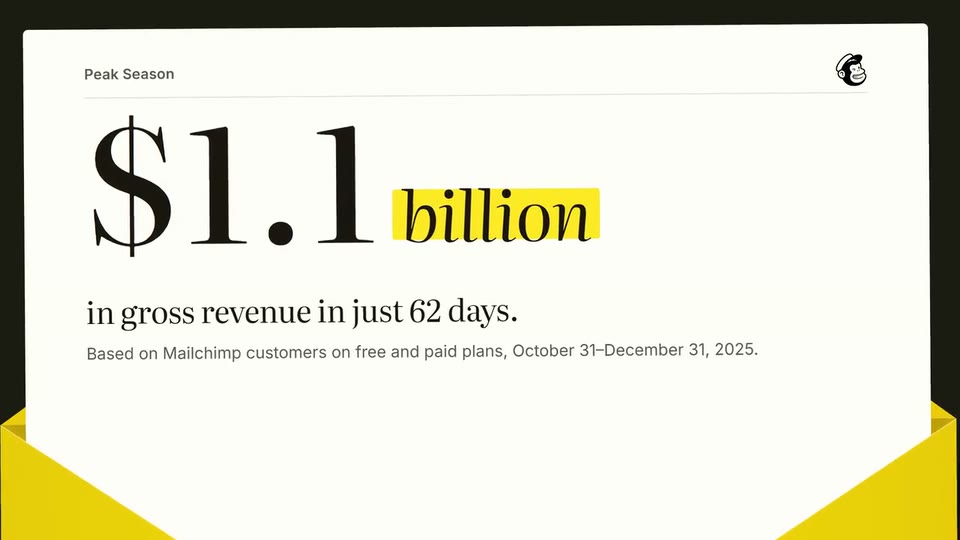
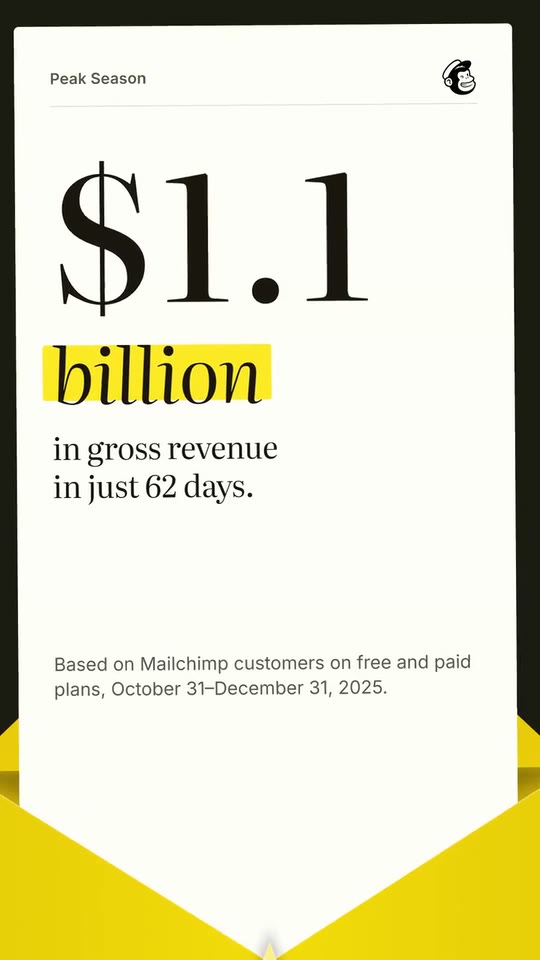
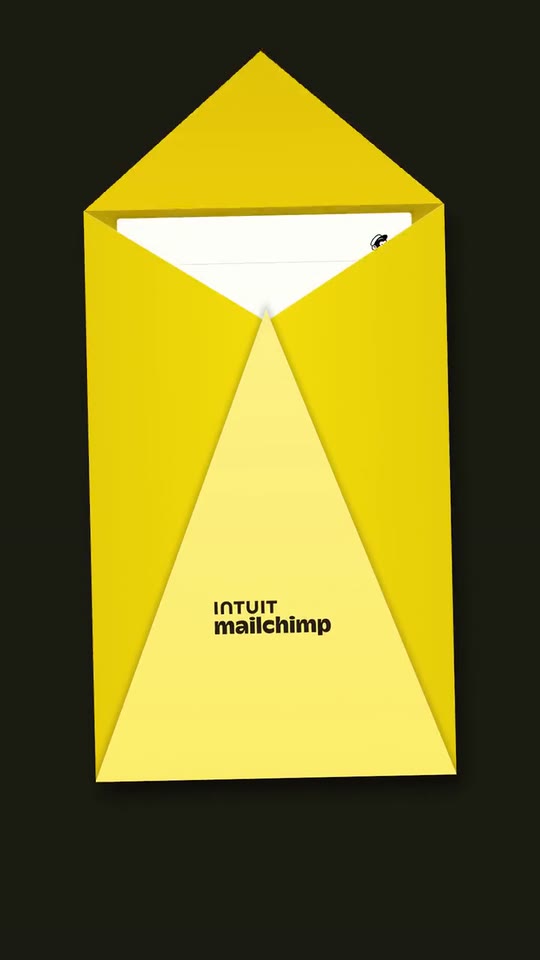
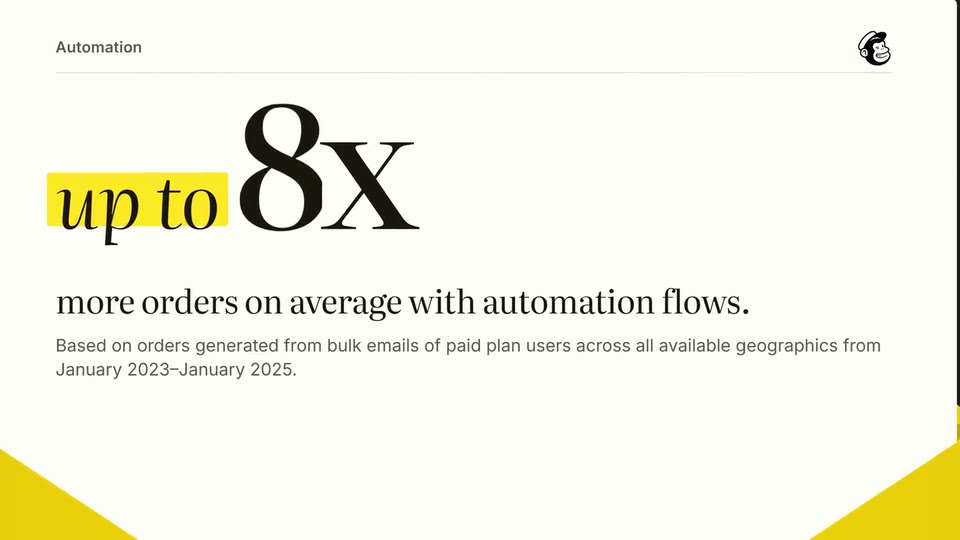
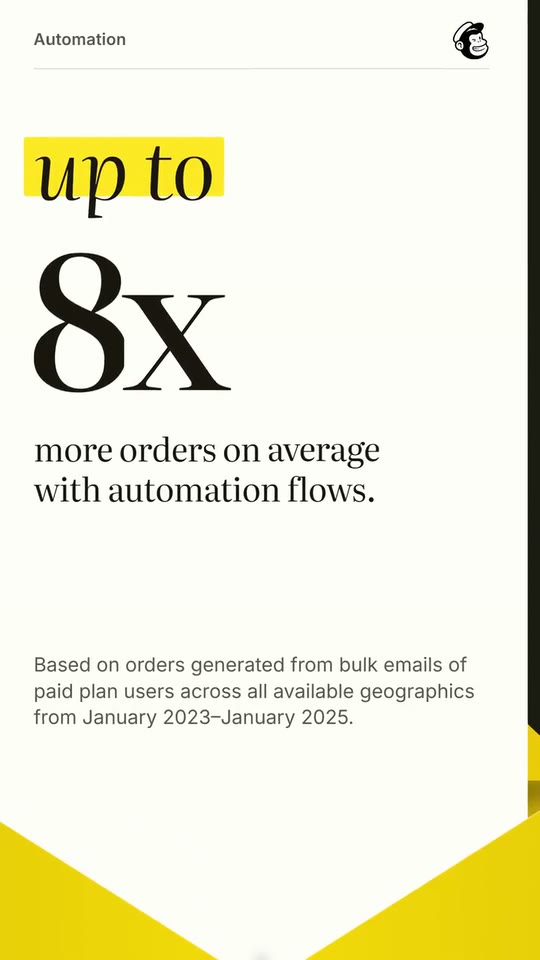
A 10-second loop: an envelope in your colour opens, the letter rises into the frame, your figure lands on digit reels with its exact context, the reels roll on to a second figure, and the letter goes back in under your seal.
- Price: free to export; exporting needs an Opus Motion account
- Length: 10 seconds
- Formats: 16:9, 9:16 (each one designed for its screen)
- What you can change: 9 texts, 2 images, 1 color, the music
- Category: Kinetic titles
Examples with real brands
- Mailchimp, 16:9: watch the video
- Mailchimp, 9:16: watch the video
Make it yours
Paste your website and the template comes out with your logo, colors and words: https://opusmotion.com/studio/t10-sealed-stat?mode=yours. To open it already filled from a website, add &site=yourdomain.com.
Fields, for AI agents
An agent fills these with POST https://opusmotion.com/api/v1/drafts (guide: https://opusmotion.com/agents.md). Free to export in 16:9 and 9:16. Exporting the MP4 needs a free Opus Motion account with a confirmed email.
Scenes: The envelope opens (0–0.85 s); The letter becomes the frame (0.85–1.65 s); First figure on reels (1.65–4.86 s); The reels roll on to the second figure (4.86–7.55 s); Back in, sealed with your mark (7.55–10 s).
brandName(text, 2–18 characters): Brand name. How your brand is written. With no logo it becomes the logotype stamped on the seal. The brand's own: never the demo's. Scene "First figure on reels" at 2.8 s: 16:9 · 9:16.logo(image, 1:1, shown whole): Your app or brand icon, square and full bleed. Your mark alone: it is stamped on the envelope's seal and printed at the top of the letter. Shown whole inside a 1:1 box: nothing is cropped. The brand's own: never the demo's. Scene "First figure on reels" at 4.8 s: 16:9 · 9:16.wordmark(image, free, shown whole): Your logo (the horizontal wordmark): an SVG, or a PNG with a transparent background. Your horizontal logotype, under the seal. Shown whole, at any proportion: nothing is cropped. The brand's own: never the demo's. Scene "The envelope opens" at 0.05 s: 16:9 · 9:16.brandColor(color, #RRGGBB): Brand color. The envelope and the highlighter. Dark colours get light ink, light colours dark ink.typeface(choice:serif,sans; defaultserif): Type. The voice of the figures and their context: an editorial serif with italic words, or a grotesk with tabular digits.eyebrow(text, 0–24 characters): Label of the first figure. Two or three words over the figure, as your site labels it. Optional. Demo's line, for tone and length only: "Peak Season". Scene "First figure on reels" at 2 s: 16:9 · 9:16.stat(text, 1–14 characters): First figure. A real figure from your site, exactly as written there. Digits roll on reels; a word before or after it is set in italic with a highlighter. Demo's line, for tone and length only: "$1.1 billion". Scene "First figure on reels" at 2.55 s: 16:9 · 9:16.statLabel(text, 8–50 characters): Context of the first figure. What the figure measures, in your site's words. Demo's line, for tone and length only: "in gross revenue in just 62 days.". Scene "First figure on reels" at 3.05 s: 16:9 · 9:16.statNote(text, 0–130 characters): Fine print of the first figure (optional). The source line or footnote your site gives the figure. Optional. Demo's line, for tone and length only: "Based on Mailchimp customers on free and paid plans, October 31–December 31, 2025.". Scene "First figure on reels" at 2.8 s: 16:9 · 9:16.eyebrow2(text, 0–24 characters): Label of the second figure (optional). Over the second figure. Optional. Demo's line, for tone and length only: "Automation". Scene "The reels roll on to the second figure" at 5.8 s: 16:9 · 9:16.stat2(text, 0–14 characters): Second figure (optional). The same reels roll on to it. Empty: the first figure stays until the letter goes back in. Optional. Demo's line, for tone and length only: "up to 8x". Scene "The reels roll on to the second figure" at 5.3 s: 16:9 · 9:16.stat2Label(text, 0–50 characters): Context of the second figure. What the second figure measures. Optional. Demo's line, for tone and length only: "more orders on average with automation flows.". Scene "The reels roll on to the second figure" at 5.8 s: 16:9 · 9:16.stat2Note(text, 0–130 characters): Fine print of the second figure (optional). Its source line or footnote. Optional. Demo's line, for tone and length only: "Based on orders generated from bulk emails of paid plan users across all available geographics from January 2023–January 2025.". Scene "The reels roll on to the second figure" at 5.8 s: 16:9 · 9:16.