For AI agents
Coding agents (Claude Code, Codex, Cursor and similar) make Opus Motion videos for a project with the agent guide: https://opusmotion.com/agents.md.
- The guide's steps: read the project, ask the person a few questions, compare templates (each one has a timelapse, its scenes and its fields), make a draft with
POST https://opusmotion.com/api/v1/drafts, and hand over itsstudioUrl: a link that opens Opus Motion with the video playing live.PATCHwith the draft'seditTokenchanges it, and the link stays the same. - Plain HTTPS and JSON: no key and no account. Or the MCP server (https://opusmotion.com/mcp): every tool, with stills of the draft returned as images. The person exports the MP4 from the studio.
- The studio is filled through the API, not by driving the site with a browser. When the API refuses, the person is told.
- More: llms.txt · this page in Markdown · developer docs · OpenAPI
Leonida Feed: free trends video template
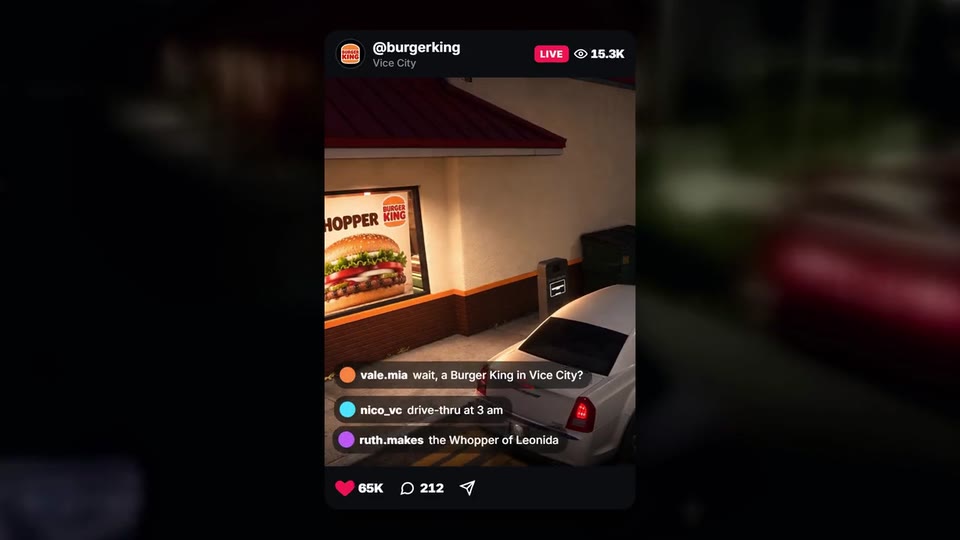
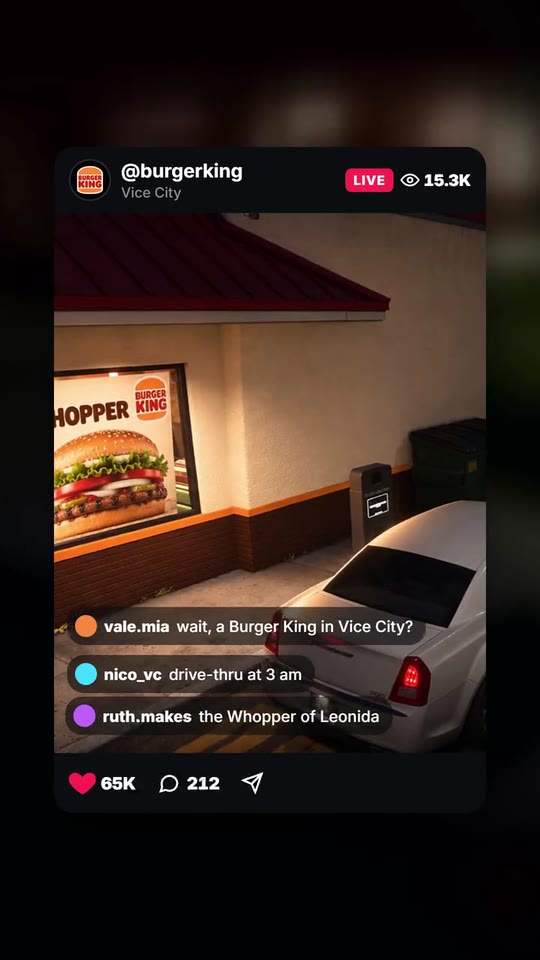
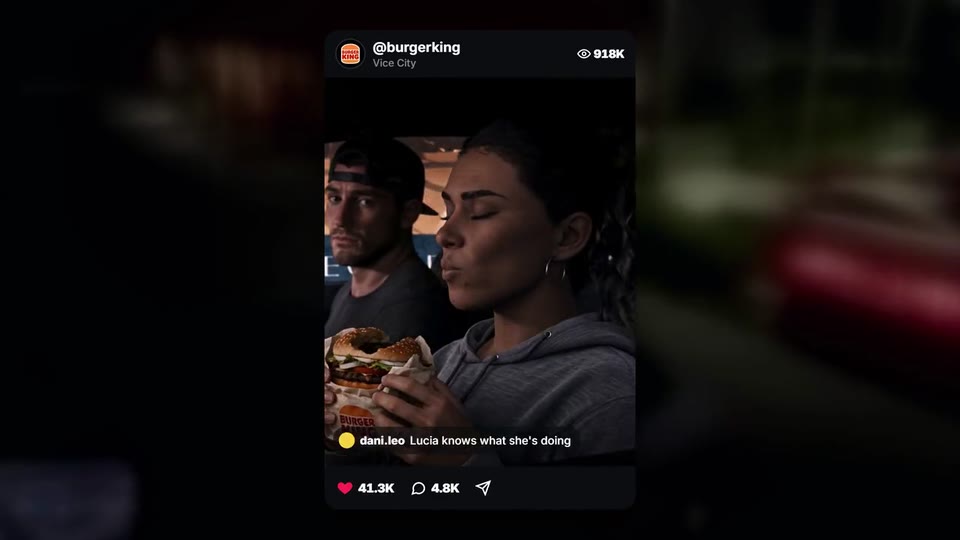
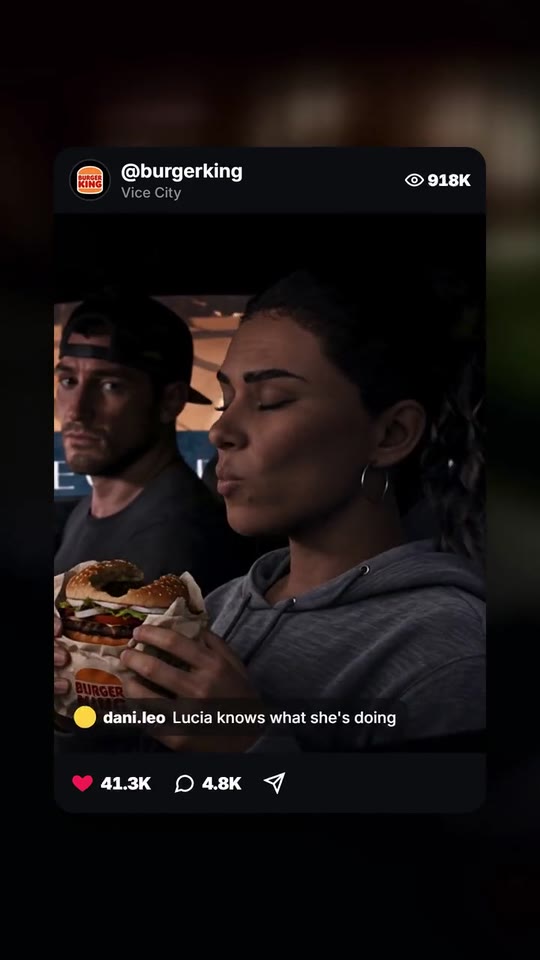
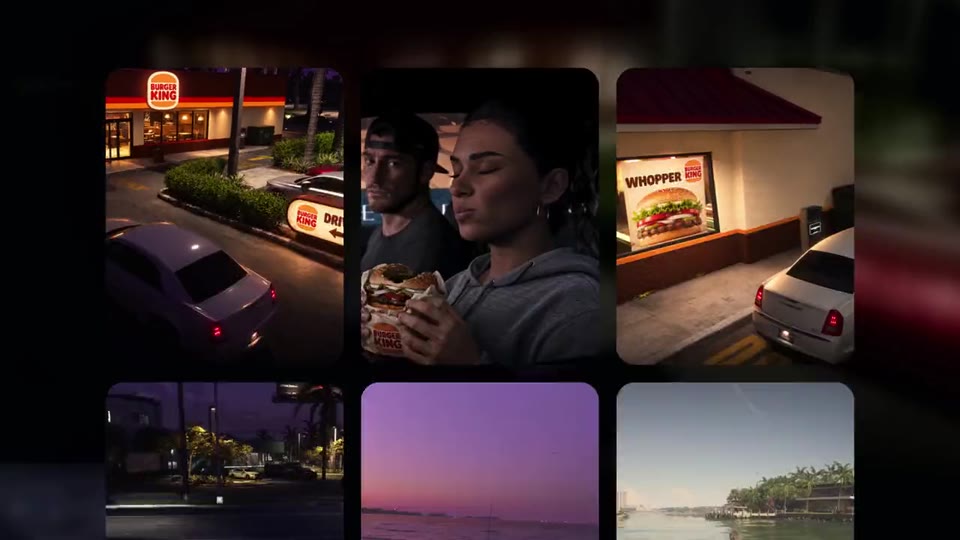
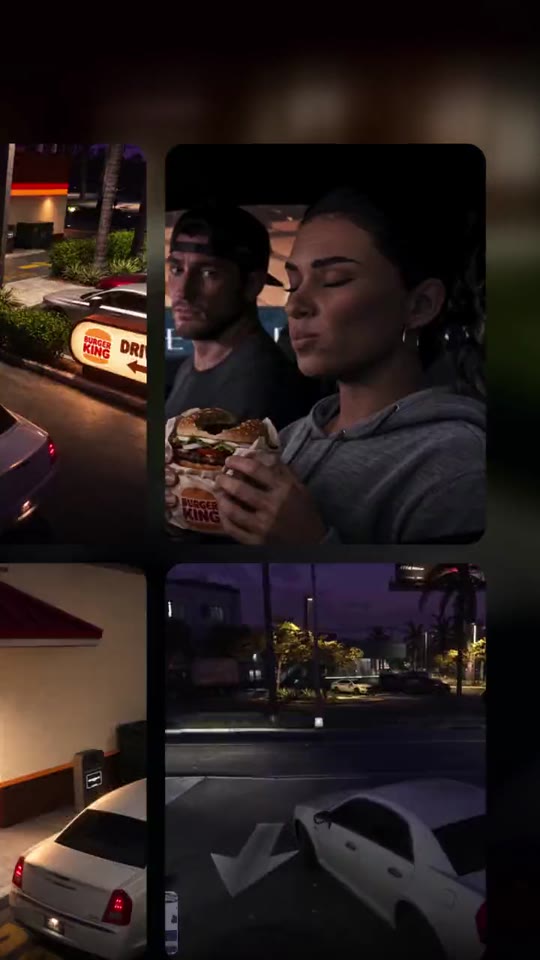
Your brand goes viral in Vice City: a live post with climbing counters and stacking comments, a swipe to the next post, a pull-back into everyone posting it, and a follow tap on your logo.
- Price: free to export; exporting needs an Opus Motion account
- Length: 7.6 seconds
- Formats: 16:9, 9:16 (each one designed for its screen)
- What you can change: 13 texts, 8 images, 2 videos (a clip, or the picture it starts on)
- Category: Trends
Examples with real brands
- Burger King, 16:9: watch the video
- Burger King, 9:16: watch the video
Make it yours
Paste your website and the template comes out with your logo, colors and words: https://opusmotion.com/studio/t98-leonida-feed?mode=yours. To open it already filled from a website, add &site=yourdomain.com.
Fields, for AI agents
An agent fills these with POST https://opusmotion.com/api/v1/drafts (guide: https://opusmotion.com/agents.md). Free to export in 16:9 and 9:16. Exporting the MP4 needs a free Opus Motion account with a confirmed email.
Scenes: The live post (0–2.7 s); The swipe to the second post (2.7–4.1 s); The pull-back into the grid (4.1–4.7 s); The headline, the brand and the follow tap (4.7–7.6 s).
brandName(text, 2–16 characters): Brand name. How your brand is written. Without a logo it becomes the logotype and the avatar. The brand's own: never the demo's.logo(image, free, shown whole): Your logo (the horizontal wordmark): an SVG, or a PNG with a transparent background. Your logo: the avatar of both posts and the close. Shown whole, at any proportion: nothing is cropped. The brand's own: never the demo's.handle(text, 2–18 characters): Handle. Your handle on the posts, with the @. Demo's line, for tone and length only: "@burgerking".place(text, 2–16 characters): Place. The place under the handle. Demo's line, for tone and length only: "Vice City".liveLabel(text, 2–8 characters): Live badge. The red badge of the first post. Demo's line, for tone and length only: "LIVE".comment1(text, 2–34 characters): Comment 1. A viewer's reaction to the first post. Demo's line, for tone and length only: "wait, a Burger King in Vice City?".comment2(text, 2–34 characters): Comment 2. A second reaction. Demo's line, for tone and length only: "drive-thru at 3 am".comment3(text, 2–34 characters): Comment 3. A third reaction, naming your product. Demo's line, for tone and length only: "the Whopper of Leonida".comment4(text, 2–34 characters): Comment 4. A reaction to the second post. Demo's line, for tone and length only: "Lucia knows what she's doing".comment5(text, 2–34 characters): Comment 5. The last reaction: someone acting on it. Demo's line, for tone and length only: "ordering one right now".headline(text, 2–24 characters): Headline. Slammed on the grid of everyone posting it. Demo's line, for tone and length only: "VICE CITY IS HUNGRY".tagline(text, 2–22 characters): Line under the logo. Your own short line, under the logo. Demo's line, for tone and length only: "FLAME-GRILLED".followLabel(text, 2–12 characters): Follow button. The button that gets tapped. Demo's line, for tone and length only: "Follow".followDone(text, 2–12 characters): Followed button. What the button says after the tap. Demo's line, for tone and length only: "Following".post1(image, 4:5, cropped): An image of the brand. First frame of the live post (2.8 s). In the video this is the first frame of the clippost1Motion, which plays here. Cropped to fill a 4:5 frame: keep the subject in the middle. Demo's image.post1Motion(video, footage, 4:5, 2.8 s of the clip play): Real footage of this shot: a muted clip that starts where "Post 1 still" is. It movespost1. Only its first 2.8 s play; the rest is cut. It holds its last frame. Demo's clip. Upload: PUT https://opusmotion.com/api/v1/drafts/{draftId}/media/post1Motion. Scene "The live post" at 0 s: 16:9 · 9:16.post2(image, 4:5, cropped): An image of the brand. First frame of the second post (1.6 s). In the video this is the first frame of the clippost2Motion, which plays here. Cropped to fill a 4:5 frame: keep the subject in the middle. Demo's image.post2Motion(video, footage, 4:5, 1.6 s of the clip play): Real footage of this shot: a muted clip that starts where "Post 2 still" is. It movespost2. Only its first 1.6 s play; the rest is cut. It holds its last frame. Demo's clip. Upload: PUT https://opusmotion.com/api/v1/drafts/{draftId}/media/post2Motion. Scene "The swipe to the second post" at 2.7 s: 16:9 · 9:16.background(image, 16:9, cropped): An image of the brand. The scene behind the phone, dimmed and drifting: a blurred street works best. Cropped to fill a 16:9 frame: keep the subject in the middle. Demo's image. Scene "The live post" at 0 s: 16:9 · 9:16.thumb1(image, 4:5, cropped): An image of the brand. A post in the grid the camera pulls back into. Cropped to fill a 4:5 frame: keep the subject in the middle. Demo's image. Scene "The pull-back into the grid" at 4.2 s: 16:9 · 9:16.thumb2(image, 4:5, cropped): An image of the brand. The pull-back starts on this tile: use a frame of post 2. Cropped to fill a 4:5 frame: keep the subject in the middle. Demo's image. Scene "The pull-back into the grid" at 4.2 s: 16:9 · 9:16.thumb3(image, 4:5, cropped): An image of the brand. A post in the grid. Cropped to fill a 4:5 frame: keep the subject in the middle. Demo's image. Scene "The pull-back into the grid" at 4.2 s: 16:9 · 9:16.thumb4(image, 4:5, cropped): An image of the brand. A post in the grid. Cropped to fill a 4:5 frame: keep the subject in the middle. Demo's image. Scene "The pull-back into the grid" at 4.2 s: 16:9 · 9:16.thumb5(image, 4:5, cropped): An image of the brand. A post in the grid. Cropped to fill a 4:5 frame: keep the subject in the middle. Demo's image. Scene "The pull-back into the grid" at 4.2 s: 16:9 · 9:16.thumb6(image, 4:5, cropped): An image of the brand. A post in the grid. Cropped to fill a 4:5 frame: keep the subject in the middle. Demo's image. Scene "The pull-back into the grid" at 4.2 s: 16:9 · 9:16.